> ## Documentation Index
> Fetch the complete documentation index at: https://braintrust.dev/docs/llms.txt
> Use this file to discover all available pages before exploring further.
# Duplicate a prompt in Braintrust
export const plans_0 = "Any"
export const deployments_0 = "Any"
export const data_plane_version_0 = undefined
export const use_case_0 = "Use case - Duplicating an existing prompt to reuse its configuration or schema"
**Applies to:**
* Plan - {plans_0}
* Deployment - {deployments_0}
* {data_plane_version_0}
* {use_case_0}
## Summary
**Goal:** Duplicate an existing prompt to reuse its schema and configuration as a starting point.
**Features:** Prompt duplication button in the prompt editor UI.
## Configuration steps
### Step 1: Open the prompt you want to duplicate
Navigate to the individual prompt view (not the prompt overview page).
### Step 2: Use the duplicate button
Locate the duplicate button within the prompt editor toolbar. Click it to create a copy of the prompt, including its output schema and configuration.
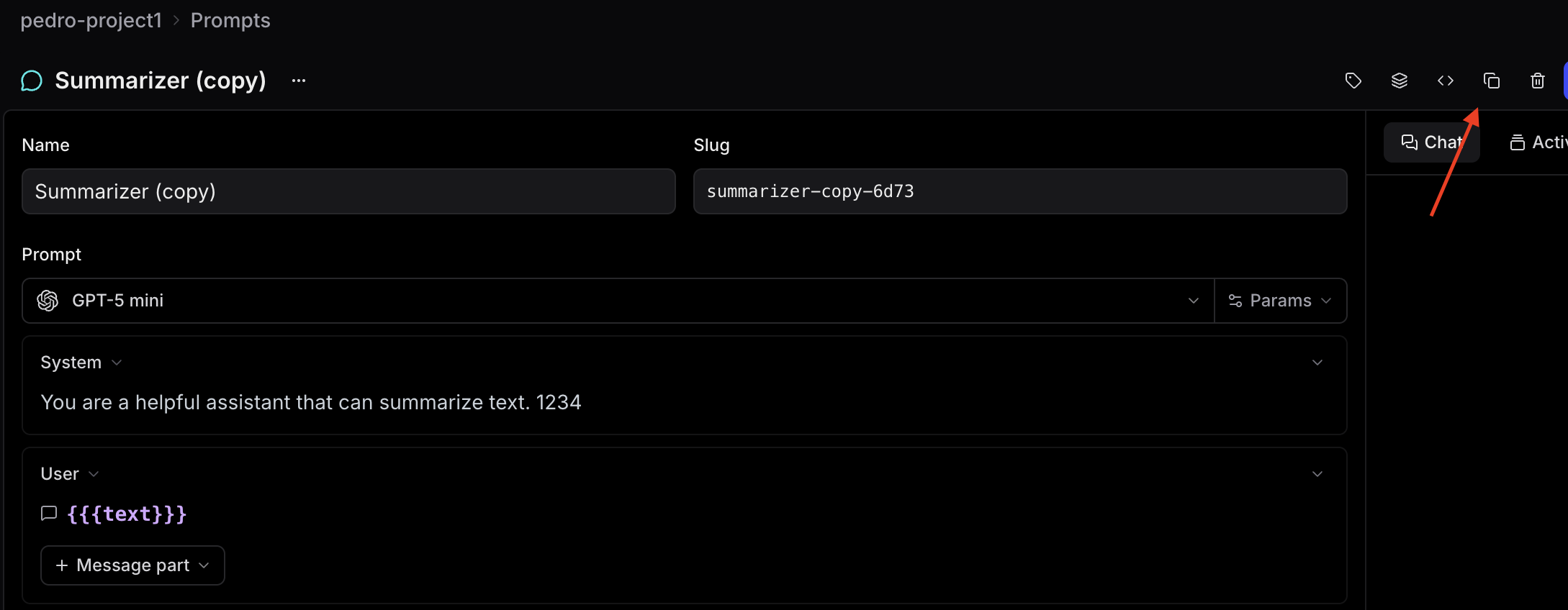 > **Note:** The duplicate option is only available from inside an individual prompt. It is not currently accessible from the prompt overview page or via multi-select on the prompt list.