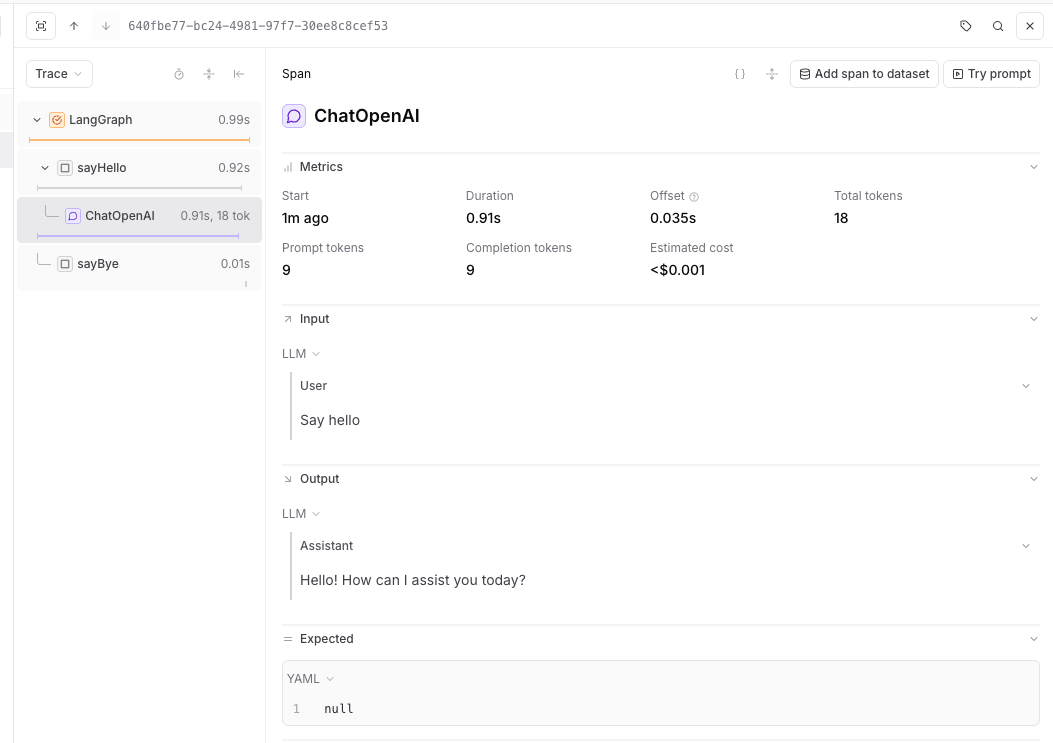
import {
  BraintrustCallbackHandler,
  setGlobalHandler,
} from "@braintrust/langchain-js";
import { END, START, StateGraph, StateGraphArgs } from "@langchain/langgraph";
import { ChatOpenAI } from "@langchain/openai";
import { initLogger } from "braintrust";

const logger = initLogger({
  projectName: "My Project",
  apiKey: process.env.BRAINTRUST_API_KEY,
});

const handler = new BraintrustCallbackHandler({ logger });
setGlobalHandler(handler);

// Define the state structure for the graph
type HelloWorldGraphState = Record<string, any>;

const graphStateChannels: StateGraphArgs<HelloWorldGraphState>["channels"] = {};

const model = new ChatOpenAI({
  model: "gpt-4o-mini",
});

async function sayHello(state: HelloWorldGraphState) {
  const res = await model.invoke("Say hello");
  return { message: res.content };
}

function sayBye(state: HelloWorldGraphState) {
  console.log(`From the 'sayBye' node: Bye world!`);
  return {};
}

async function main() {
  const graphBuilder = new StateGraph({ channels: graphStateChannels })
    .addNode("sayHello", sayHello)
    .addNode("sayBye", sayBye)
    .addEdge(START, "sayHello")
    .addEdge("sayHello", "sayBye")
    .addEdge("sayBye", END);

  const helloWorldGraph = graphBuilder.compile();

  // Execute the graph - all operations will be logged to Braintrust
  await helloWorldGraph.invoke({});
}

main();