Deploying a large language model to production is straightforward. Keeping it reliable, cost-effective, and high-quality is not. Without LLM production monitoring, you don't know how your AI is performing for your customers. Latency spikes, quality regressions, and cost overruns happen quietly without your team knowing there's a problem. By the time users complain, you've already burned through your budget or damaged trust.
LLM monitoring tools solve this by tracking every request through your LLM pipeline by capturing inputs, outputs, tokens, latency, and costs. They let you evaluate quality, debug failures, and optimize performance live with online evaluations before issues become crises.
Why monitoring LLM applications matters
LLM monitoring platforms address three critical problems:
Cost control: LLM APIs charge per token. A single poorly optimized prompt can multiply costs by 10x. Token usage monitoring shows exactly where money goes and identifies expensive calls. Without visibility into token consumption, costs spiral unpredictably.
Quality assurance: LLMs are non-deterministic. They hallucinate, miss context, and produce inconsistent outputs. LLM monitoring means running quality evaluation that catches issues through online automated scoring. A customer-facing assistant might work perfectly in testing but start generating incorrect product recommendations in production when users ask unexpected questions.
Performance debugging: To troubleshoot performance issues, you need a clear view of the entire workflow. Real-time LLM observability pinpoints bottlenecks in multi-step workflows.
Monitoring transforms LLM operations from reactive to proactive. You catch issues before they cascade into major incidents.
4 best LLM monitoring tools (2026)
1. Braintrust
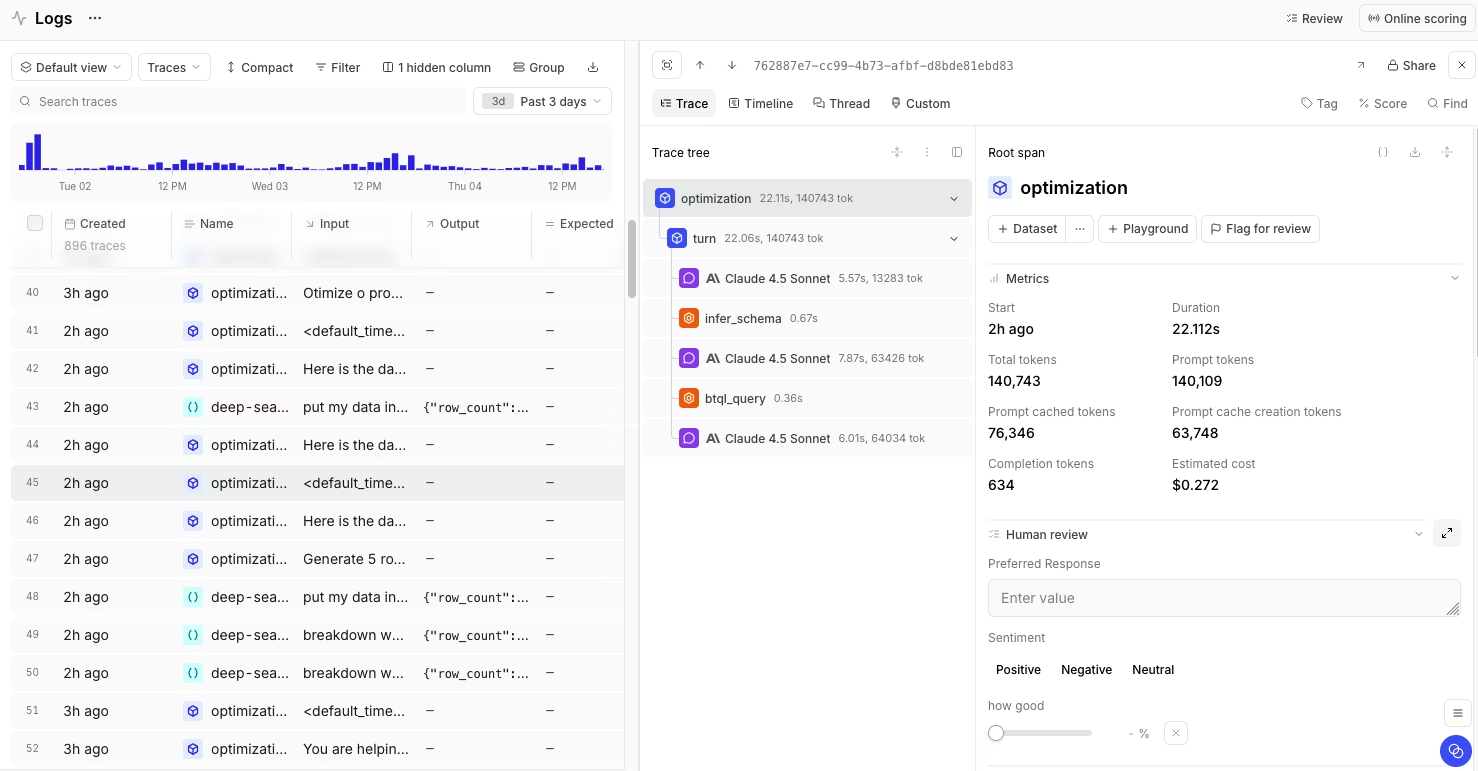
Braintrust is an end-to-end platform designed to monitor, evaluate, and improve LLM applications in production. Unlike general monitoring tools or point solutions that handle only logging or evaluation, Braintrust combines LLM production monitoring, AI quality evaluation, and experimentation in a single integrated platform.
Braintrust captures full traces across multi-step LLM workflows, automatically logging inputs, outputs, metadata, and costs. Real-time LLM observability shows live request flows with drill-down into individual traces, surfacing slowest calls, highest token consumption, and error patterns. Cost attribution for LLM apps breaks down spending by user, feature, or model for precise visibility into where money goes.
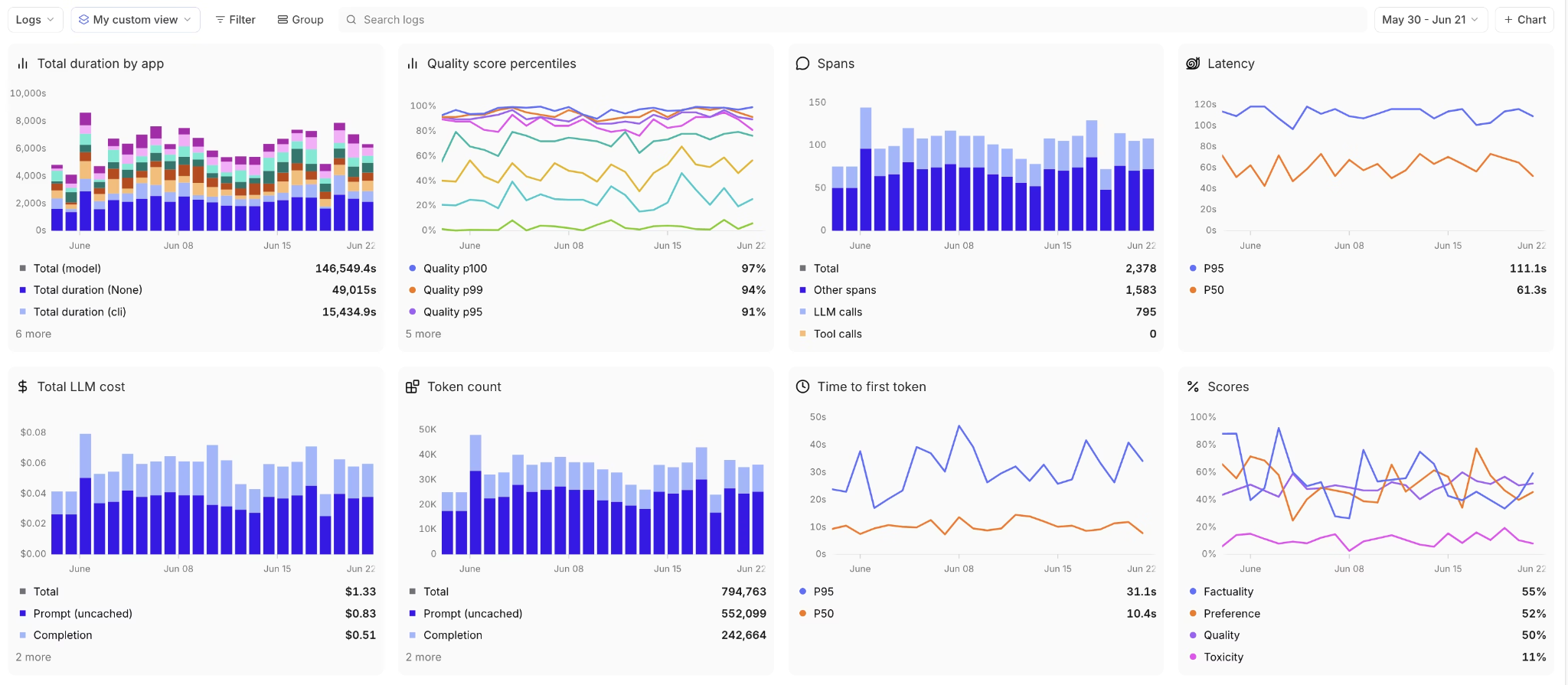
Braintrust LLM monitoring dashboard showing cost, latency, token usage, and quality score metrics across multiple chart visualizations
What makes Braintrust the strongest choice for large language model monitoring is its depth across the entire LLM lifecycle. It captures detailed traces across multi-step workflows and runs evaluations directly in your CI/CD pipeline, so engineers can see whether a pull request actually improves agent behavior before merging. Braintrust handles everything from initial development through production optimization, making it the most comprehensive solution for teams serious about maintaining reliable, cost-effective AI applications.
Pros
- Real-time LLM observability: Live dashboards show request flows with drill-down into individual traces, surfacing slowest calls, highest token consumption, and error patterns
- Token usage monitoring: Per-request cost breakdowns across all providers with aggregation by user, feature, or model to identify optimization opportunities
- Cost attribution for LLM apps: Tag-based spending breakdown by team, feature, or user with trend analysis and budget alerts
- AI quality evaluation: Custom scorers run continuously on production traffic, with threshold-based alerts that catch regressions before users report them
- Multi-step trace visualization: Full execution path tracking through chains and agent workflows, pinpointing exactly which step causes bottlenecks or failures
- Asynchronous logging: Maintains application performance at high volume with non-blocking logs that don't add latency to user requests
- Webhook alerts: Automated notifications for cost thresholds, quality drops, and performance issues integrate with Slack, PagerDuty, or custom systems
- Dataset versioning: Reproducible experiments with version-controlled test cases that expand as you discover edge cases
- CI/CD integration: Evaluations run on every code change, failing builds when quality scores drop below acceptable levels
- Prompt playground: Side-by-side comparison testing before deployment shows which prompts perform better on your dataset
- AI gateway: Route LLM API calls through Braintrust to automatically capture logs, enable caching, and implement fallbacks across OpenAI, Anthropic, and other providers with a simple base URL change
Cons
- Designed specifically for LLM applications rather than general software monitoring
- Most valuable for teams running continuous evaluations
Best for
Teams building production LLM applications that need monitoring, evaluation, and experimentation in one platform.
Pricing
Free tier with 1 GB of processed data. Pro plan at $249/month. Custom Enterprise plans. See pricing details →
2. Langfuse
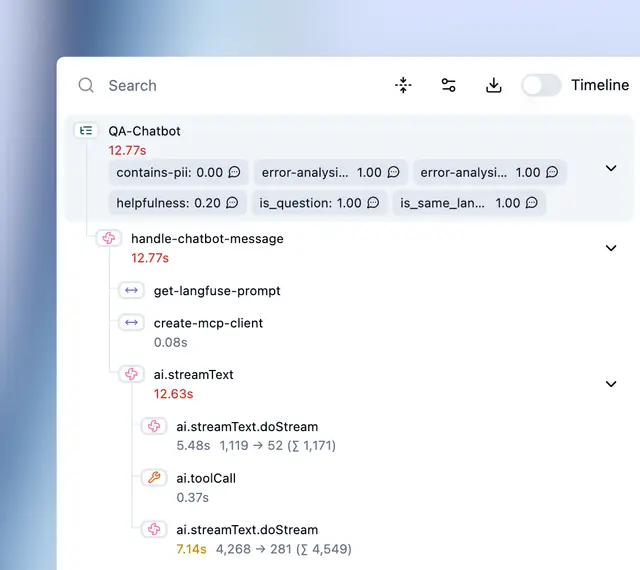
Langfuse is an open-source LLM observability platform that logs traces and sessions. It captures nested traces for chains and agents, groups interactions by session, and tracks prompt versions.
Pros
- Open-source with self-hosting option
- Session tracking connects related requests
- Production AI observability for complex chains
- Prompt versioning with trace linkage
Cons
- Requires manual instrumentation for most frameworks
- Limited built-in evaluation templates
- UI can feel cluttered with large trace volumes
Best for
Teams who want control over their data and prefer self-hosted AI observability tools.
Pricing
Free self-hosted. Cloud starts at $29/month with usage-based pricing.
Read our guide on Langfuse vs. Braintrust.
3. Maxim AI
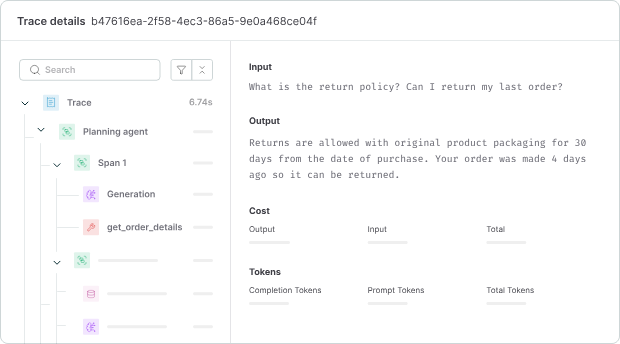
Maxim AI runs AI quality evaluation on LLM outputs. It integrates via API with existing observability stacks and scores responses using predefined or custom criteria.
Pros
- Specialized AI quality evaluation scorers
- Real-time and batch evaluation modes
- Pre-built scorers for common quality metrics
Cons
- Requires separate tracing system
- Limited production AI observability features
- No built-in prompt management
- Higher cost for real-time evaluation
Best for
Teams with existing monitoring infrastructure who need dedicated quality evaluation.
Pricing
Free plan with 10K logs per month, paid plan starts at $29/seat/month.
4. Datadog
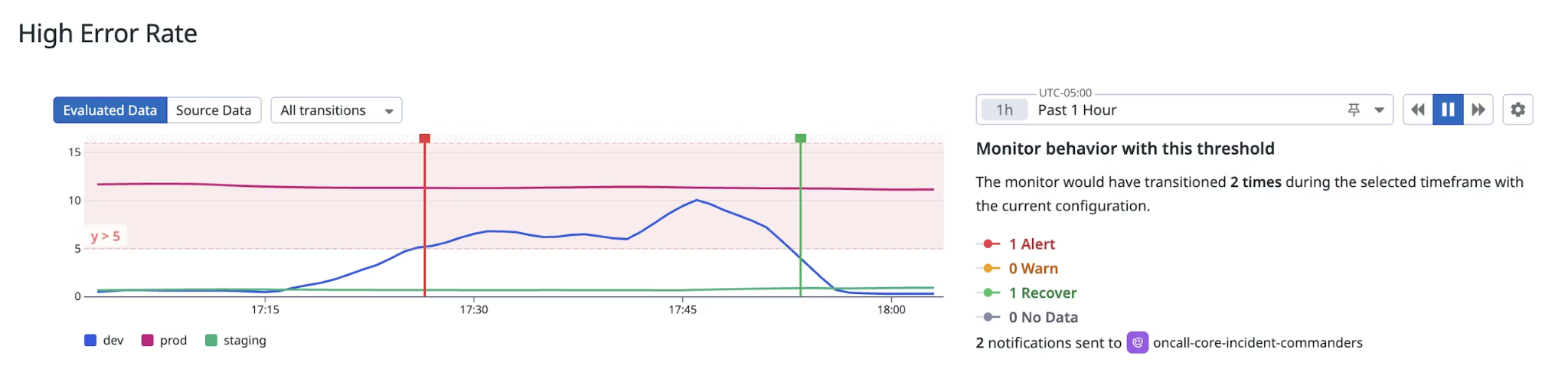
Datadog added LLM observability features to its infrastructure monitoring platform. It captures traces for OpenAI and Anthropic calls and integrates them with APM data.
Pros
- Unified monitoring for infrastructure and LLMs
- Integrates with existing Datadog deployments
- Mature alerting and anomaly detection
Cons
- Expensive compared to specialized LLM monitoring tools
- Limited evaluation capabilities
- LLM features feel bolted on
- Overkill for teams focused solely on AI applications
Best for
Enterprises with existing Datadog infrastructure who want to add large language model monitoring to their current stack.
Pricing
Free plan with 1-day metric retention and 5 hosts. Pro plan starts at $15 per host per month.
Top LLM application monitoring tools compared
| Features | Braintrust | Langfuse | Maxim AI | Datadog |
|---|---|---|---|---|
| Real-time LLM observability | ✅ | ✅ | ✅ | ✅ |
| Token usage monitoring | ✅ | ✅ | No | ✅ |
| Cost attribution for LLM apps | ✅ | ✅ | No | ✅ |
| AI quality evaluation | ✅ | ✅ | ✅ | ✅ |
| Prompt management | ✅ | ✅ | ✅ | No |
| Self-hosting | ✅ | ✅ | No | No |
| Multi-step tracing | ✅ | ✅ | ✅ | ✅ |
| Setup complexity | Low | Medium | Medium | High |
Ready to implement comprehensive LLM monitoring? Start monitoring with Braintrust for free and get 1 GB of processed data per month, plus full access to evaluation, experimentation, and observability features.
How to choose the right LLM monitoring tool
Match the tool to your deployment stage and requirements.
For early-stage products: Start with Braintrust's free tier to get monitoring, evaluations, and experimentation in one platform from day one — so you don't have to migrate off a lightweight logger once cost and quality become critical.
For quality-critical applications: Braintrust is the clear choice. It combines AI quality evaluation with comprehensive monitoring and experimentation in one platform. Maxim AI offers specialized scorers but requires separate tracing infrastructure, adding complexity and cost.
For teams with existing monitoring: Langfuse works if you prefer open-source and self-hosting. Datadog fits if you already use their infrastructure monitoring. However, both lack the integrated evaluation and experimentation capabilities that make Braintrust more effective for LLM-specific workflows.
For cost-sensitive deployments: Token usage monitoring and cost attribution for LLM apps are critical. Braintrust excels here with per-request cost breakdowns, tag-based attribution, and alerts that prevent budget overruns. Langfuse tracks costs, but without the granular attribution and evaluation context that helps you actually optimize spending. Datadog adds its own monitoring costs on top of LLM costs.
For complex multi-agent systems: You need full traces across chains. Braintrust handles nested traces with the best visualization and debugging tools, plus it runs evaluations on those traces to catch quality issues in specific steps. Langfuse offers similar trace capture but lacks built-in evaluation.
For enterprises: Consider data residency, security, and compliance. Langfuse offers self-hosting. Datadog and Braintrust have enterprise plans with SOC 2 compliance. Braintrust's advantage is providing enterprise-grade monitoring without requiring a full infrastructure monitoring platform — you get LLM-specific features without the complexity and cost of general-purpose tools.
For teams shipping fast: Braintrust eliminates context switching by combining monitoring, evaluation, and experimentation. One platform means less time integrating tools, syncing data, or jumping between dashboards. You see traces, evaluation scores, and prompt versions in one view when debugging. This integrated approach is faster than cobbling together separate logging, evaluation, and experimentation tools.
If you're building production LLM applications and need more than basic logging, Braintrust provides the most complete solution.
Test before committing. Get started with Braintrust for free and see why it's the most comprehensive platform for production AI observability, evaluation, and optimization.
LLM monitoring best practices
Log everything. Capture inputs, outputs, metadata, user IDs, and timestamps for every request. You can't debug what you didn't log. Storage is cheap. Missing data during an incident is expensive.
Set cost budgets early. Configure alerts when token usage monitoring shows spending exceeds thresholds. A runaway prompt can burn thousands of dollars overnight. Alert at 50%, 80%, and 100% of the budget.
Automate quality checks. Manual review doesn't scale. Use AI quality evaluation scorers to flag potential issues. Review flagged responses, not every response.
Track token efficiency. Monitor average tokens per request. Increases signal prompt bloat or unnecessary context. Optimize prompts to reduce tokens without sacrificing quality.
Version your prompts. Link every trace to a prompt version. When quality drops, you can identify which prompt change caused it. Production AI observability without prompt versioning is incomplete.
Separate logging from evaluation. Log everything immediately. Evaluate asynchronously. Don't block user requests to run evaluations. Batch scoring keeps responses fast.
Monitor full chains, not just LLM calls. Multi-step workflows fail at any step. Trace from user input through retrieval, LLM calls, and post-processing. Identify the slowest or most expensive step.
Use sampling for high-volume apps. Logging every request at scale gets expensive. Sample 10-20% of requests for detailed traces. Log basic metrics (tokens, cost, latency) for all requests.
Set up anomaly detection. Real-time LLM observability should alert on unusual patterns — latency spikes, cost jumps, or error rate increases. Configure alerts in your LLM monitoring tools to catch issues before users notice.
Test in production. Staging environments don't capture real user inputs. Run evaluations on production data with production AI observability to find edge cases that test suites miss.
Establish quality baselines. Measure average quality scores during stable periods. Detect regressions by comparing current scores to baselines. A 5% drop in relevance scores might indicate a problem.
Review costs weekly. Cost attribution for LLM apps shows spending trends. Weekly reviews catch gradual increases before they balloon. Investigate any week-over-week cost growth exceeding 20%.
Why Braintrust is the best LLM monitoring tool
While other LLM monitoring tools force you to choose between basic logging or cobbling together multiple platforms, Braintrust delivers monitoring, evaluation, and experimentation in one system. No syncing data between tools and no context switching during debugging.
Leading companies like Notion, Zapier, Stripe, Vercel, Airtable, and Instacart choose Braintrust for their production AI applications. Notion reported going from fixing 3 issues per day to 30 after adopting the platform — a 10x improvement in development velocity.
The integrated approach means you catch quality issues before they reach users, identify cost optimization opportunities faster, and debug problems without jumping between separate dashboards.
For teams serious about maintaining reliable, cost-effective AI applications, Braintrust is the clear choice. Try Braintrust free with 1 GB of processed data per month and see how monitoring, evaluation, and experimentation work together to improve your AI applications.
Frequently asked questions: Best LLM monitoring tools
What are LLM monitoring tools?
LLM monitoring tools track requests to language model APIs, capturing inputs, outputs, tokens, costs, and latency. They provide production AI observability by logging traces across multi-step workflows and surfacing issues in real time. Braintrust goes beyond basic monitoring by combining observability with built-in evaluation and experimentation in one platform.
Why do I need LLM production monitoring?
LLM production monitoring catches cost overruns, quality regressions, and performance issues before they impact users. LLMs are non-deterministic and expensive. Without monitoring, you can't debug failures or optimize costs. Braintrust helps teams improve development velocity through integrated monitoring, observability, and evaluation.
What's the difference between monitoring and observability?
Monitoring tracks predefined metrics like latency or error rates. LLM observability platforms capture detailed traces of every request, letting you explore and debug unexpected issues. Observability answers questions you didn't know to ask. Braintrust provides complete real-time LLM observability with multi-step trace visualization that shows exactly where problems occur in complex chains.
What are the best LLM monitoring tools in 2026?
The best monitoring tools in 2026 for LLM applications include Braintrust (comprehensive monitoring, evaluation, and experimentation), Langfuse (open source), Maxim AI (quality-focused), and Datadog (enterprise infrastructure). Braintrust stands out as the only platform that combines monitoring, evaluation, and experimentation in a single system — used by leading AI teams at Notion, Vercel, Instacart, and more.