Automatically discover what matters in your production traces with Topics
Teams running AI applications in production generate thousands of traces a day, but can't read them all. Even with great observability, there's too much data to manually review and not enough structure to act on it.
We saw our customers manually tagging traces, creating custom clustering pipelines, and exporting data to standalone tools. These approaches are slow, disconnected from the rest of your workflow, and break as your application changes.
Topics in Braintrust solves this by automatically clustering your traces and classifying them by recurring patterns. Instead of manually reviewing individual traces, you can review high-level topics, like a failure mode emerging across a cluster of users, a shift in how people use your product, or a prompt that's drifting.
How Topics works
Topics uses AI-powered clustering to analyze your production traces and organize them into named groups. It uses a BERTopic-style approach with UMAP dimensionality reduction, HDBSCAN clustering, and c-TF-IDF keyword extraction to identify meaningful patterns in your data.
Each topic gets a descriptive name, representative keywords, and example traces so you can quickly understand what it represents.
Built-in facets for common use cases
Topics ships with pre-configured facets for the patterns teams look for most often:
- Task: What is the user's goal or intent? Which use cases are most common?
- Issues: What problems are occurring with agent behavior or responses? Which are most frequent?
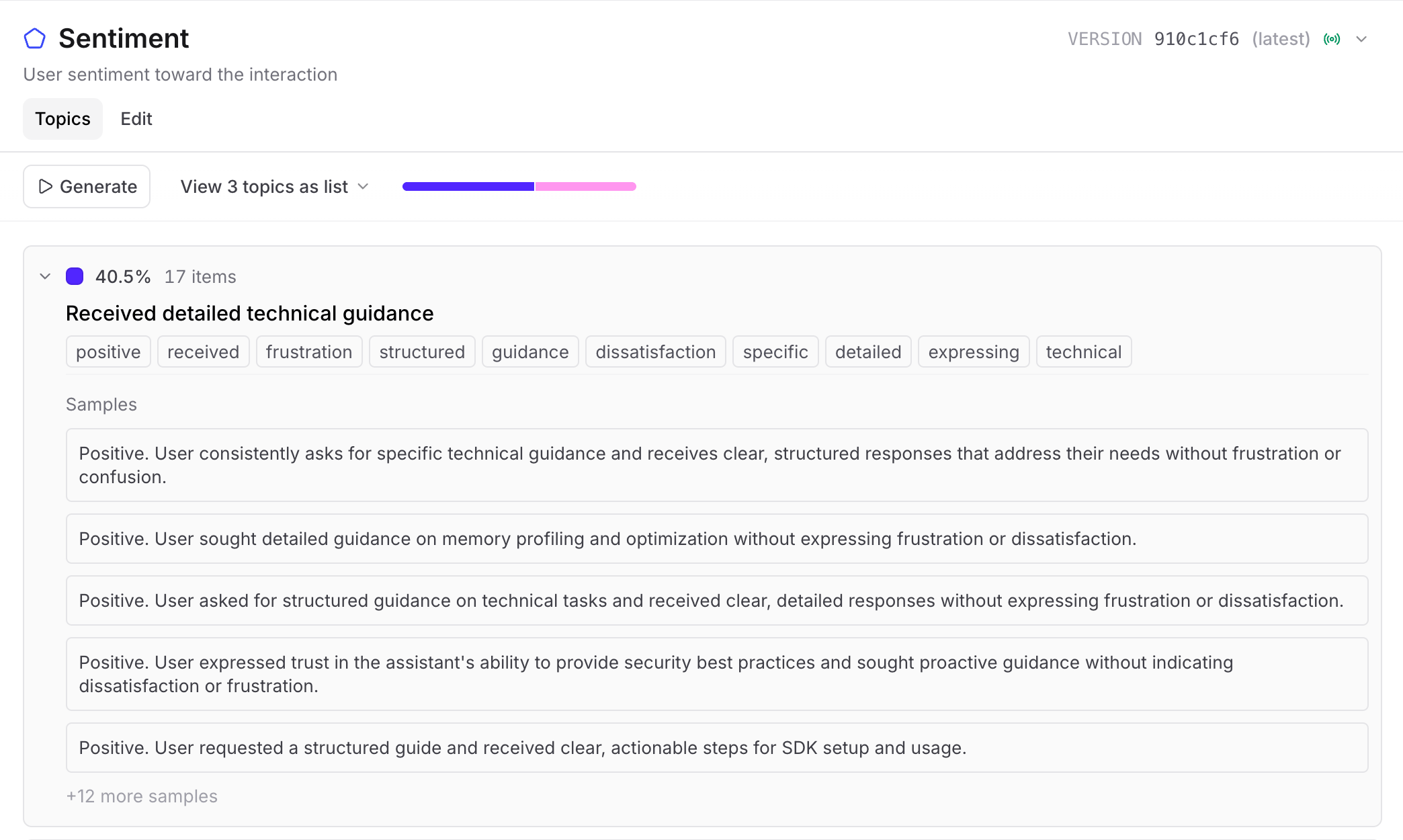
- Sentiment: How do users feel about the interaction? Where are the frustration points?

Custom facets and preprocessors
Built-in facets cover common cases, but your data is unique. Custom facets let you write your own prompt to analyze any dimension of your traces, whether that's feature usage, compliance categories, or domain-specific patterns.
For traces that contain complex structures or non-LLM content (tool outputs, structured data, multi-step workflows), custom preprocessors let you write a function to extract and transform the relevant content before processing.
Filter, re-cluster, and compare
Topics integrates directly into the Braintrust workflow you already use. Topic classifications appear as filterable fields alongside scores, tags, and other metadata, so you can combine them with any existing filter.

Compare across evals and production
One of the most useful applications of Topics is comparing patterns between projects. If your production environment logs to one project and your dev environment logs to another, you can run Topics on each to see how they differ. Run Topics on your production logs to see what's happening with real users, then run it on your eval results to check whether your test coverage matches. If a failure mode shows up in production but not in your evals, you know where to focus next.
Getting started
Topics is available in beta today for Pro and Enterprise organizations. If you're on the Free plan, you can select Request access to request to be part of the beta. In your project, navigate to Topics and select which built-in topic maps to create:
- Task: Categorize user intents and goals
- Sentiment: Classify emotional tone (positive, negative, neutral)
- Issues: Identify agent problems and errors
You can enable all three, or choose specific ones based on your needs. Optionally, expand Settings to customize preprocessing, sampling rate, or idle timeout. You can also test on a sample log to verify extraction quality before enabling.
Then, select Create topic maps. Braintrust will begin processing traces and extracting summaries.
Topics runs on traces you're already logging, so there's no additional data pipeline to set up. Read the documentation to learn more about using Topics.
Ready to see what's in your production data? Get started with Braintrust or book a demo.