- Best overall (eval-loop workflow with datasets, scorers, and diff mode): Braintrust
- Best open-source all-in-one playground with built-in evals: Agenta
- Best for replay workflows on production data: Arize
- Best for open-source prompt management: Langfuse
- Best for cross-functional collaboration and governance: Humanloop
- Best for replay debugging and prompt registry: PromptLayer
- Best for CLI-first eval rigor: Promptfoo
What is a prompt playground?
A prompt playground is a workspace for iterating on prompts, models, parameters, tools, and structured outputs. PMs can tweak the prompts and change models in the playground to see results and evals live.
Leading prompt playgrounds support side-by-side comparison of prompt variants on representative inputs, connect changes to datasets and scorers, and preserve history so results are reproducible and shareable.
How prompt playgrounds help PMs
PMs need fast iteration without waiting for engineering to update code and run evals locally. Prompt playgrounds provide side-by-side output diffs that enable review and approval decisions. By using a playground, PMs can change prompts themselves, evaluate that they move the numbers in the right direction, and promote to production on their own.
7 best prompt playgrounds for PMs in 2026
1. Braintrust
Best for: PMs who want to improve their agents by experimenting with prompts themselves.
Braintrust is a no-code workspace for rapidly iterating on prompts, models, scorers, and datasets where users can run full evaluations in real-time, compare results side-by-side, and share configurations with teammates. The object model is clean: Tasks (one or more prompts, workflows, or scorers to evaluate), Scorers (functions that measure output quality), and Datasets (test cases with inputs and expected outputs). That structure maps directly to how product teams think about change management.
Braintrust's playground is built into the evaluation workflow rather than sitting off to the side as a standalone tool. You run a prompt against a dataset, try a variant, compare the outputs side by side, and save the whole thing as an experiment that teammates can review and comment on later.
Diff mode is especially useful for PM review workflows. Instead of scanning two walls of text, you see exactly what changed between prompt versions on each input. That makes approval decisions concrete rather than impressionistic.
Braintrust also supports workflows (multi-step prompt chains, currently in beta), remote evals, trace viewing, and MCP servers. You can try the playground without signing up, and your work is saved if you create an account later.
The broader positioning fits the article's thesis: Braintrust frames evaluation as infrastructure that helps teams move fast without breaking things. When prompt iteration and evals share one workflow, shipping becomes safer and faster.
Pros
- Tasks, scorers, datasets unified. One object model connects iteration, measurement, and comparison without switching tools.
- Real-time evals in the playground. Run full evaluations as you iterate, not as a separate step after the fact.
- Diff mode for review. Compare output changes between prompt versions at the individual input level, which makes approval workflows concrete.
- Save runs as experiments. Ad hoc playground exploration becomes a scored, shareable, versioned artifact.
- Shareable playgrounds. PMs and engineers review the same results asynchronously without screen recordings or Slack threads.
- Workflows beyond single prompts. Multi-step prompt chains are supported in the playground (currently in beta).
Cons
- Workflows are still in beta. Multi-step prompt chaining in playgrounds is limited to prompt chaining functionality and is still evolving, so teams with complex orchestration needs should verify current capabilities.
- Self-hosting is enterprise only. Teams with strict data residency requirements will need an enterprise agreement to self-host.
Pricing
- Free: $0/month (1 GB of processed data, 10K scores, unlimited users)
- Pro: $249/month (5 GB processed data, 50K scores)
- Enterprise: Custom pricing
- See full pricing details
2. Agenta
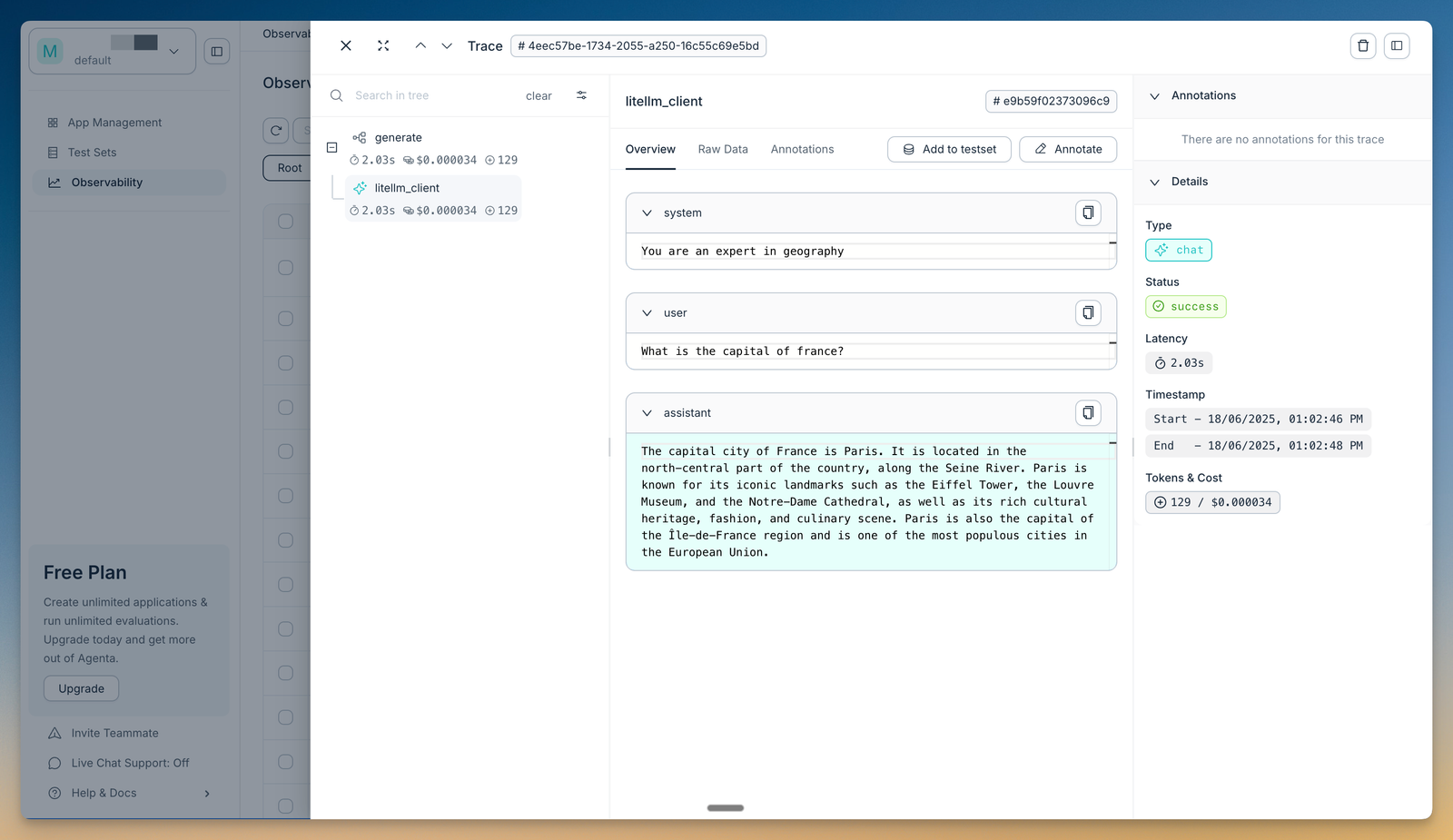
Best for: Teams that want an open-source playground bundling prompt management, evaluation, and observability in one place.
Agenta is an open-source LLMOps platform that puts a prompt playground, prompt management, evaluation, and observability under one roof. In the playground you compare prompts and models side by side, keep a complete version history of every change, and deploy a new prompt without touching application code. It is model-agnostic and integrates with LangChain, LlamaIndex, and OpenAI.
Evaluation is built into the same workflow. You can run automated checks with LLM-as-a-judge and custom evaluators, evaluate a full trace across an agent's steps, and add human annotation where judgment calls matter. Because the core platform is MIT-licensed and self-hostable, teams with data residency requirements can run it on their own infrastructure.
Pros
- All-in-one platform. Playground, prompt management, evaluation, and observability live in one product instead of separate tools.
- Side-by-side comparison with full history. Compare prompts and models in one view and keep a complete version history of every change.
- Open-source and self-hostable. The core platform is MIT-licensed, so teams can run it themselves without an enterprise contract.
- Automated and human evaluation. LLM-as-a-judge, custom evaluators, and human annotation are available in the same workflow.
Cons
- Native CI/CD release gating is weaker. Agenta does not block merges on eval scores the way a CI-native tool does, so quality gates need extra wiring.
- Self-hosting adds operational overhead. Running the open-source stack yourself means owning the infrastructure and upgrades.
Pricing: Hobby free (2 seats, 5K traces/month); Pro $49/month; self-hosted open source is free.
3. Arize
Best for: Teams iterating on prompts using real production traces and dataset-backed experiments with evaluators.
Arize AX's prompt playground is one of the most clearly documented in the category. The docs describe a workflow for testing prompts on datasets, replaying production spans, comparing multiple prompts side by side, and saving playground views for teammates. Evaluators (LLM-based or code-based) score results across thousands of inputs, and improved prompts can be promoted without switching tools.
The replay workflow is a strong differentiator. Instead of only testing against synthetic examples, you can pull real production data into the playground and see how a prompt variant would have performed on actual user inputs. That gives PMs a level of confidence that curated test cases alone cannot provide.
Pros
- Replay production spans. Test prompt changes against real user data, not just hand-written examples.
- Evaluators in the workflow. LLM or code-based scoring runs inside the same playground where you iterate.
- Saved playground views. Capture the full setup (prompt, parameters, model, results) for teammates to revisit or build on.
Cons
- Product surface complexity. Arize has both AX and Phoenix surfaces, and navigating which capabilities live where can be confusing for new users.
- Steeper orientation curve. The breadth of features means PMs may need engineering support to set up the first few experiments.
Pricing: Contact sales for pricing.
4. Langfuse
Best for: Open-source prompt management with a capable playground for teams that need self-hosting or OSS flexibility.
Langfuse offers a side-by-side comparison view in its playground, with support for prompt variables, tool calling, structured outputs, and multiple models. Prompts can be saved directly into Langfuse's prompt management system with version control. The broader platform includes datasets, experiments, LLM-as-a-judge scoring, score analytics, RBAC, and audit logs.
Langfuse is a strong choice when open source and self-hosting are non-negotiable. The prompt management and versioning workflow is mature, and the playground connects to experiments and datasets within the same product family.
Pros
- Side-by-side comparison. Compare prompt variants and model responses in a single view.
- Prompt management integration. Save prompts directly from the playground to a versioned registry.
- Strong OSS lifecycle. Version control, datasets, experiments, and scoring are all available in the open-source product.
Cons
- Eval-first workflow less explicit. The playground is one feature inside a broader prompt management system, rather than the front-end to a dedicated eval loop.
- PM review mechanics less documented. Features like output diffing and approval workflows are less prominently surfaced than in some competitors.
Pricing: Contact sales for pricing.
5. Humanloop
Best for: Cross-functional teams that need collaborative prompt operations with governance, rollback, and CI/CD integration.
Humanloop frames its product as collaborative prompt management from playground to production, with version control, history, performance evaluation, rollback, Git and CI/CD integration, and one playground for all models. The emphasis on cross-functional collaboration (engineering, product, and subject matter experts working together) makes Humanloop especially relevant for teams where prompt changes need buy-in from multiple stakeholders.
Evaluations are integrated with prompt management, and Humanloop supports automatically triggering evaluations to track performance. Observability is built in, which means production behavior feeds back into the iteration cycle.
Pros
- Cross-functional collaboration. Engineering, product, and domain experts iterate in one workspace with shared visibility.
- Version control and rollback. Every prompt change is versioned, and rolling back is a documented workflow.
- CI/CD integration. Prompt changes can be validated in the same pipeline as code changes via Git integration.
Cons
- Side-by-side diff detail less documented. The product page emphasizes collaboration and governance but provides less detail on output-level diffing mechanics.
- Thinner public docs. Product claims are strong, but the depth of public technical documentation is lighter than some competitors, which makes pre-purchase evaluation harder.
Pricing: Contact sales for pricing.
6. PromptLayer
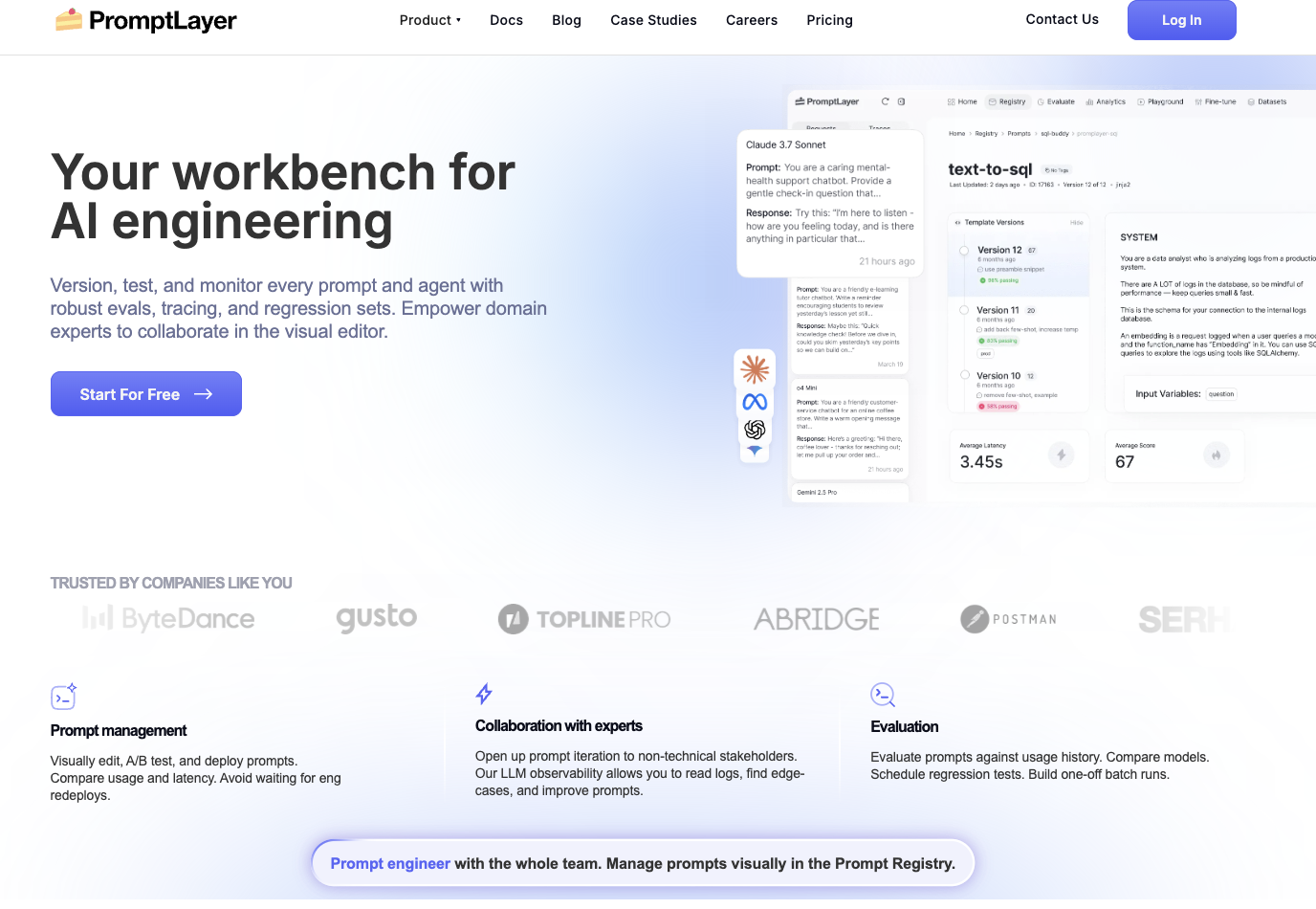
Best for: No-code prompt editing, request replay, and debugging workflows with a strong prompt registry.
PromptLayer's playground is described in its docs as the native way to create and run LLM requests, with run history tracked in a sidebar. The standout feature is replay: you can open any past request in the playground and rerun it with modifications. PromptLayer supports OpenAI function calling and custom models.
The broader platform includes a prompt registry, evaluations, datasets, A/B testing, and analytics. For teams that primarily need a no-code workbench to edit prompts, replay production requests, and manage a prompt registry, PromptLayer is a capable option.
Pros
- Replay old requests. Open any historical request in the playground for debugging or iteration, which is valuable for root-cause analysis.
- Run history in the sidebar. Every playground run is tracked, giving you a lightweight audit trail.
- Function calling and custom models. Supports OpenAI tools and bring-your-own-model setups.
Cons
- Dataset-backed evals are less documented in the playground. The playground page emphasizes replay and debugging rather than running evaluations against datasets with scorers inside the playground itself.
- Narrower playground scope. Compared to tools with integrated experiments and diff mode, the playground is more of an editing and debugging surface than a full eval workflow.
Pricing: Contact sales for pricing.
7. Promptfoo
Best for: Developer-first eval rigor, CI/CD integration, and red-teaming for teams comfortable with a CLI workflow.
Promptfoo is an open-source CLI and library for evaluating and red-teaming LLM apps, with the stated goal of test-driven LLM development, not trial-and-error. It is not a classic PM-first visual playground, but it earns a spot on this list because it embodies the core principle: prompt changes should be measured, not eyeballed. Matrix views compare prompts across inputs with automated scoring, caching, and concurrency.
Promptfoo is strongest when engineering owns the eval workflow and wants to run prompt comparisons in CI/CD. The share functionality and web viewer make results accessible to non-CLI users, but the primary interaction model is config files and terminal commands.
Pros
- Automated scoring and matrix comparisons. Evaluate prompts across many inputs with structured scoring in a single run.
- CI/CD native. Prompt evals run in the same pipeline as code, which catches regressions before deployment.
- Provider flexibility. Supports many LLM providers and custom APIs without vendor lock-in.
Cons
- CLI-first experience limits PM usability. PMs who are not comfortable with config files and terminal workflows will need engineering support for every eval run.
- No collaborative no-code workspace. There is no visual playground for cross-functional iteration, which limits its fit for PM-engineer pairing workflows.
Pricing: Open source (free). Contact Promptfoo for commercial pricing.
Prompt playgrounds comparison table
| Tool | Best for | Key differentiator | Pricing |
|---|---|---|---|
| Braintrust | Eval-loop workflow for PM-engineer teams | Datasets, scorers, diff mode, save as experiment | Free, $249/mo, Enterprise |
| Agenta | Open-source all-in-one playground with built-in evals | Playground, prompt management, eval, and observability in one open-source platform | Free; Pro $49/mo |
| Arize | Replay workflows on production data | Production span replay, evaluators in playground | Contact sales |
| Langfuse | Open-source prompt management | OSS, version control, side-by-side comparison | Contact sales |
| Humanloop | Cross-functional collaboration and governance | CI/CD, rollback, multi-stakeholder workflows | Contact sales |
| PromptLayer | Replay debugging and prompt registry | Request replay, run history sidebar | Contact sales |
| Promptfoo | CLI-first eval rigor | Matrix comparisons, CI/CD, red-teaming | Open source |
Why Braintrust is the best prompt playground for PMs
A good prompt playground does more than let you iterate on wording. Braintrust connects every change directly to your real datasets and scores it immediately with configurable scorers, so you know whether the change actually improved performance before moving on.
Diff mode shows exactly how outputs changed across every test case at once, turning subjective review into a measurable score. Shareable experiment links replace screen-sharing with async review. The result is a proper evaluation workflow that does not require writing any code.
Start iterating for free with Braintrust.
How PMs should evaluate prompt playgrounds
When comparing playgrounds, focus on these capabilities in order of importance:
Iteration speed across prompts and parameters. Can you change a prompt, model, or parameter and see results in seconds? Slow feedback loops kill experimentation volume.
Side-by-side comparison and diff support. Can you see exactly what changed between two prompt versions on the same inputs? Diff mode is the difference between guessing and knowing.
Dataset-backed evals in the same workflow. Can you run your prompt against a representative dataset and score results without leaving the playground? If evals require a separate tool or pipeline, adoption drops.
Scorers and experiments as first-class objects. Are scorers something you configure once and reuse, or are they a bolt-on afterthought? Can you save a scored run as an experiment for later comparison?
History, sharing, and auditability. Can you see what was tried before? Can you share a result with a teammate and have them see exactly what you saw?
Workflow support beyond single prompts. Does the playground handle multi-step chains, or only individual prompt calls?
Path from prototype to production. Can you promote a winning prompt variant without switching tools or asking engineering to manually copy a string?
PM mini-playbook for a prompt tweak
You can apply this workflow in any playground that supports datasets and scorers. Braintrust makes it especially straightforward because the steps map directly to the product's object model.
- Start with representative dataset cases. Pull real examples that cover your key user segments and edge cases. Avoid relying on the three examples you can think of off the top of your head.
- Define success with scorers. What does "better" mean for this prompt change? Factual accuracy? Tone match? Response length? Define scorers before you start iterating, not after.
- Run baseline versus variant. Execute your current prompt and your proposed change against the same dataset. This gives you a scored comparison, not an anecdote.
- Review diffs on failures. Look at the cases where scores dropped. Diff mode (if your playground supports it) shows you exactly what changed in the output. Focus your review time on regressions, not on cases that already pass.
- Save the experiment and share for review. Turn the playground run into a saved experiment. Share it with your engineering partner or team lead so they can review the scored results asynchronously.
- Promote only after passing evals. If scores hold or improve across your dataset, promote the variant. If they do not, iterate. The point is that shipping becomes a decision based on data, not a gut check.
Frequently asked questions
What is a prompt playground?
A prompt playground is a workspace for iterating on prompts, models, parameters, and tools. Basic playgrounds offer a chat interface with a single model. More capable playgrounds, like Braintrust's, add datasets, scorers, side-by-side comparison, and the ability to save runs as experiments.
How do I choose the right prompt playground?
Prioritize evals, history, and collaboration. A playground that supports dataset-backed comparison workflows, scored experiments, and shareable results will serve a shipping-focused team better than one that only offers a chat box. Braintrust fits teams that want eval-first iteration as the default workflow.
Is Braintrust better than Langfuse?
It depends on your requirements. Langfuse is a strong choice when open source and self-hosting are non-negotiable, and its prompt management and versioning workflow is mature. Braintrust fits teams that want a complete eval loop where playground iteration, datasets, scorers, and experiments are unified in one product.
How does a prompt playground relate to prompt management?
A prompt playground handles the iteration workflow: editing prompts, comparing variants, running evals. Prompt management handles the lifecycle: versioning, rollout, rollback, access control. Braintrust connects both by letting you iterate in the playground, save experiments, and promote winning versions through the same system.
If prompt management already works, should I invest in a better playground?
Yes, if your prompt changes lack measurement. Versioning alone tells you what changed but not whether the change was better or worse. Adding scored comparisons (datasets plus scorers) to your iteration workflow catches regressions that version control misses.
How quickly can teams see results?
Speed depends on dataset quality and setup effort. The fastest wins come from making evals repeatable so each subsequent prompt change takes minutes to validate, not hours. Teams using Braintrust report getting to their first scored experiment in under an hour.
What is the difference between tool tiers?
Free tiers support early experimentation and validation. Paid tiers typically add governance, team management, higher usage limits, and production-grade features. Braintrust offers a free tier with 1 GB of processed data and unlimited users, a Pro tier at $249/month with 5 GB of processed data, and custom Enterprise pricing for teams that need advanced access controls or self-hosting.
What are the best alternatives to PromptLayer?
Braintrust is the strongest alternative if you want eval-driven iteration with datasets, scorers, and experiments in the playground. Langfuse is a strong pick for teams that need open-source prompt management. Agenta is worth evaluating if you want an open-source platform that bundles a playground, prompt management, evaluation, and observability together.