A vector database stores embeddings and returns the chunks a RAG app uses as context. When a user asks a question, the app embeds the query, searches for the closest stored chunks, and passes those chunks to the model for answer generation.
The right vector database depends on how your RAG system needs to run. Some teams need a managed service with no infrastructure work, some need open-source control, some need fast metadata filtering, and others need a lightweight setup for prototypes or smaller applications.
A vector database can improve retrieval speed, relevance, filtering, and hybrid search, but it cannot confirm whether the final answer is correct or grounded in the retrieved context. Braintrust helps measure that layer by evaluating both retrieval quality and generated answers, so teams can see whether changes to chunking, embeddings, filters, or database choice actually improve RAG performance.
What a vector database does in a RAG app
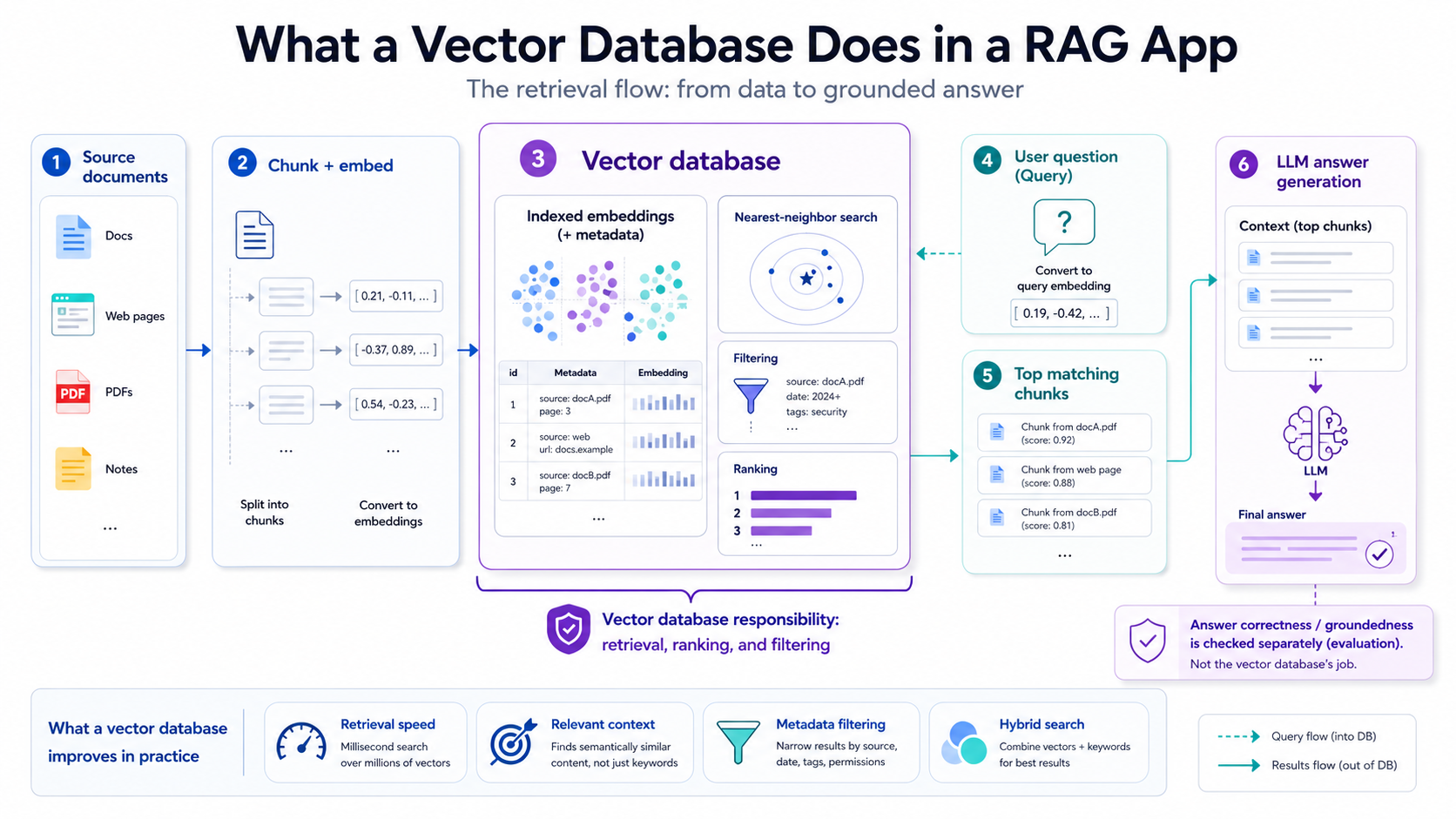
A vector database stores embedded chunks, searches them against the user's query embedding, applies filtering and ranking, and returns the most relevant context for the LLM.
Retrieval-augmented generation gives a language model fresh context at query time. The app first turns source documents into chunks, converts those chunks into embeddings, and stores them in a vector database with metadata such as source, page, date, tags, or permissions.
When a user asks a question, the app converts that question into a query embedding and searches the vector database for nearby embeddings. The database can also apply filters, combine vector search with keyword search, and rank the results before returning the top matching chunks. Those chunks become the context the model uses to generate an answer.
The database's responsibility ends at retrieval. It decides which chunks come back and in what order, but it does not know whether the model used those chunks correctly or produced a grounded answer. A RAG system still needs evaluation after retrieval to measure whether the answer is correct, complete, and supported by the source context.
Five vector databases for RAG
Vector databases for RAG usually fall into three groups: Pinecone and Turbopuffer are managed serverless options for teams that want hosted infrastructure. Weaviate and Qdrant are open-source and self-hostable, with managed cloud options when teams want less operational work. Chroma is the lightweight option for local development, prototypes, and smaller applications that need vector search without a separate database service.
Pinecone
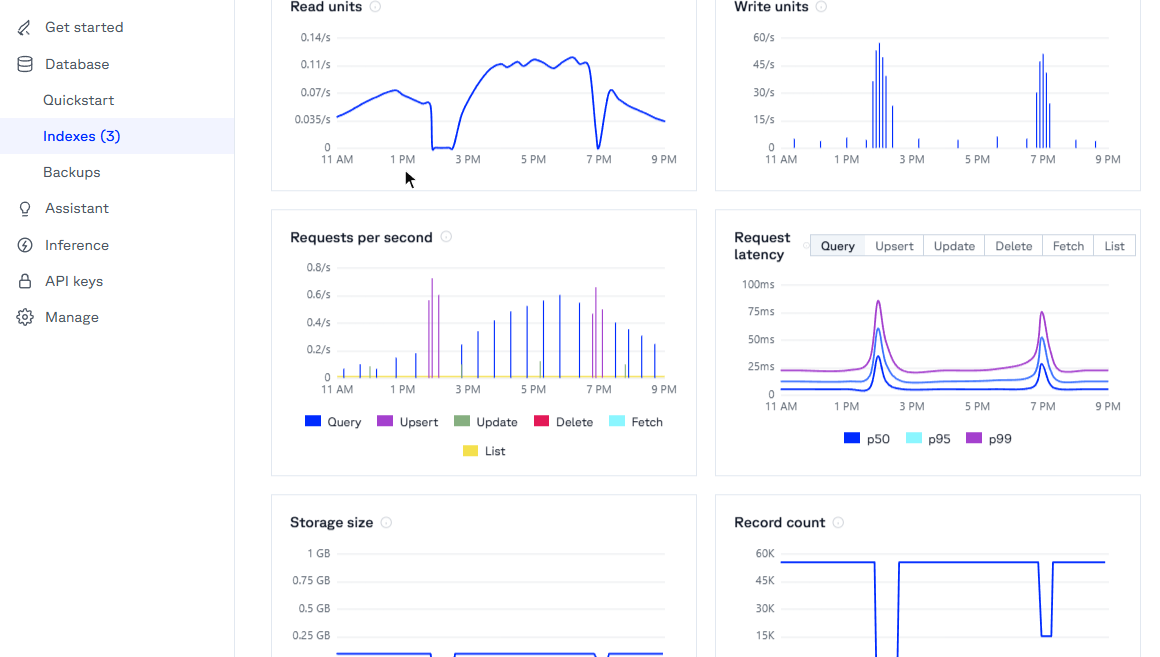
What it is: Pinecone is a fully managed vector database for storing, indexing, and querying embeddings through an API. You create an index, upload vectors, and query it without managing the database infrastructure yourself.
Hosting model: Managed only. Pinecone runs the infrastructure for you, with serverless indexes as the default architecture. It does not offer a general self-hosted version, though its bring-your-own-cloud option can run the data plane in your cloud account.
Known for: Pinecone's strength is a low-operations developer experience. It handles indexing, scaling, backups, filtering, and hybrid search through a managed service, and its pricing is based on usage dimensions such as read units, write units, storage, and related features.
Commonly used for: Teams use Pinecone when they want to ship RAG, semantic search, recommendations, or AI retrieval features without running database infrastructure.
Worth noting: Pinecone's managed model reduces infrastructure work, but usage-based billing means costs rise with query volume, writes, storage, and advanced production usage.
Weaviate
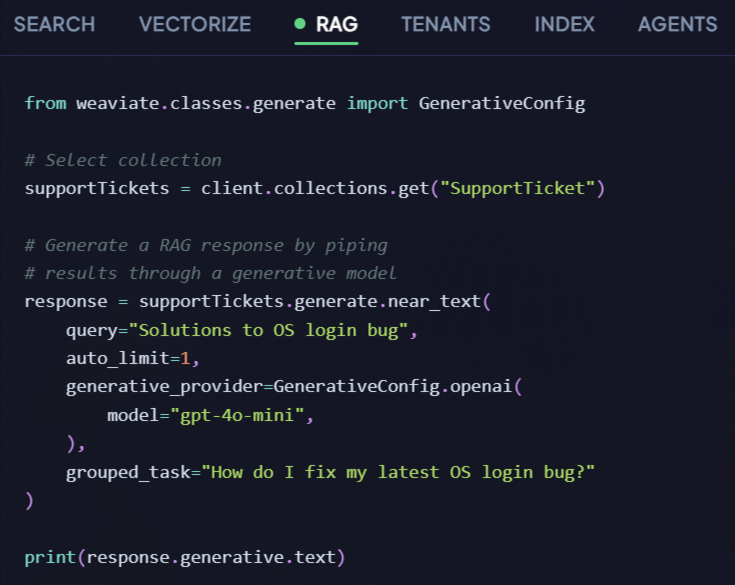
What it is: Weaviate is an open-source vector database that stores data objects with their vectors and supports semantic, keyword, and hybrid search in one query layer.
Hosting model: Self-host or managed cloud. Teams can run Weaviate themselves with Docker or Kubernetes, or use Weaviate Cloud as a hosted service.
Known for: Weaviate stands out for hybrid search and extensibility. Its hybrid search combines vector search with BM25 keyword search and lets teams tune how the two result sets are fused. It also supports modules for vectorization, reranking, and generative workflows.
Commonly used for: Weaviate works well for RAG apps that need hybrid search, configurable retrieval, and multi-tenant data isolation while keeping an open-source foundation.
Worth noting: Weaviate gives teams more control than a managed-only service, but self-hosting still requires attention to configuration, scaling, monitoring, and performance tuning.
Qdrant
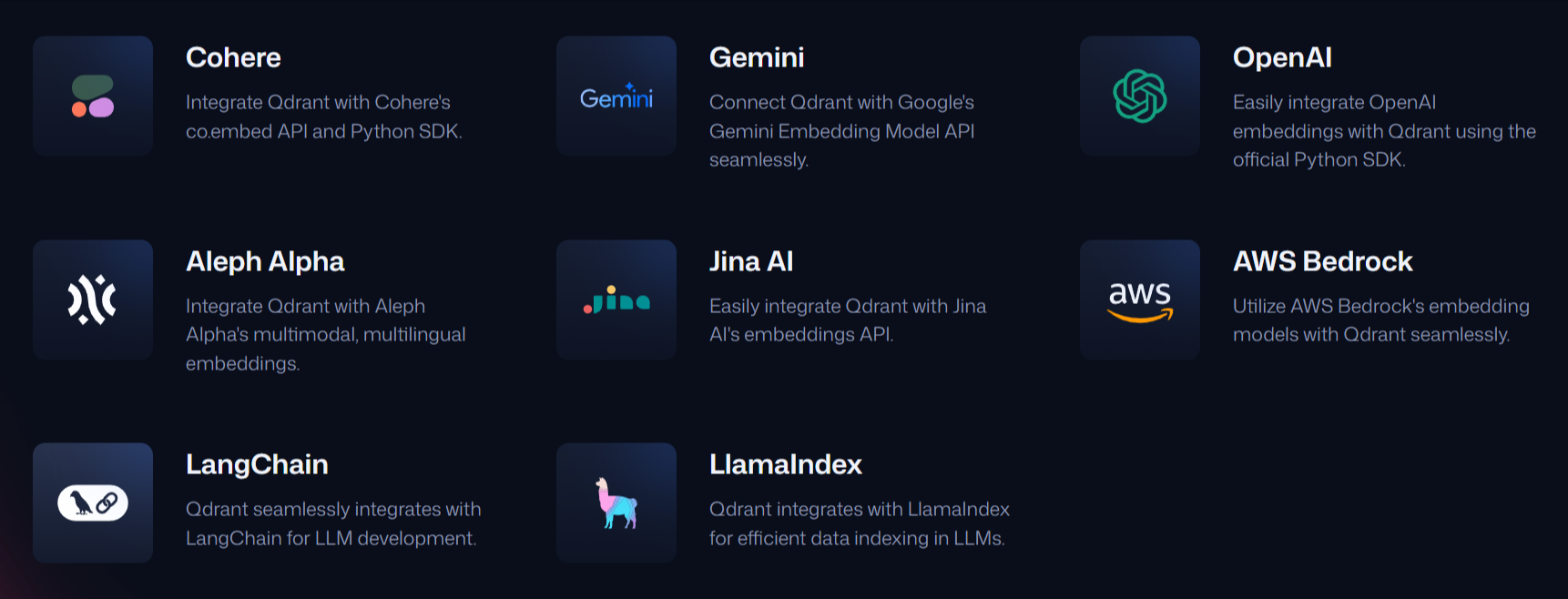
What it is: Qdrant is an open-source vector database and similarity search engine written in Rust. It stores vectors with metadata payloads and supports similarity search with structured filtering.
Hosting model: Self-host or managed cloud. Teams can run Qdrant locally, in Docker, on Kubernetes, or use Qdrant Cloud for managed hosting.
Known for: Qdrant excels at filtering and query performance. Its payload filtering can narrow results by metadata conditions during search, and payload indexes help accelerate filtered vector queries.
Commonly used for: Qdrant is a good fit for filter-heavy RAG systems, such as apps that retrieve within one customer's data, a permission boundary, a date range, a document type, or a specific category.
Worth noting: Qdrant does not generate embeddings for you, so teams need a separate embedding model or service before vectors are stored.
Chroma
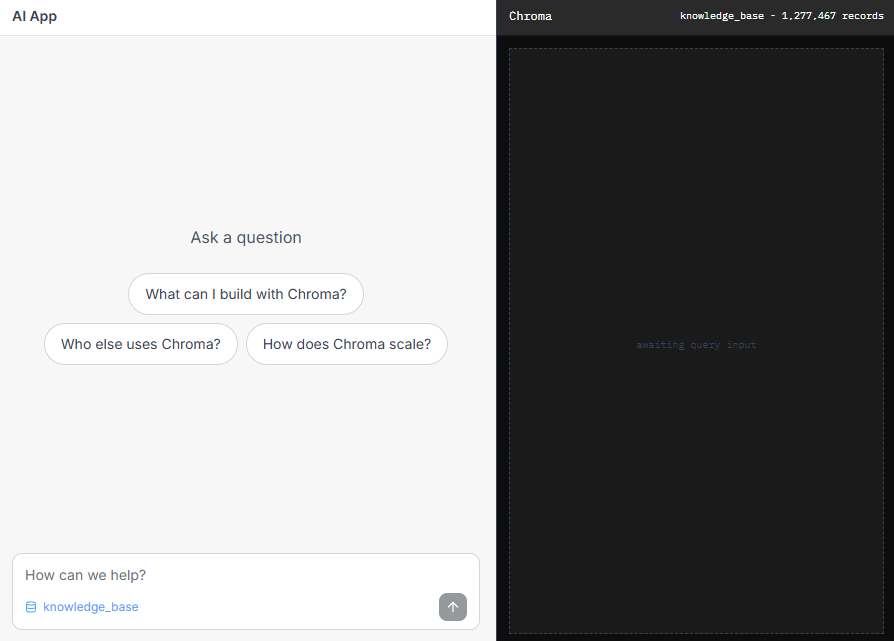
What it is: Chroma is an open-source search and embedding database for AI applications. It can store embeddings with metadata, retrieve relevant documents, and support local development as well as Chroma Cloud.
Hosting model: Local, embedded, or managed cloud. Teams can start with Chroma inside a Python application or use Chroma Cloud for hosted search infrastructure.
Known for: Chroma shines at quick setup and developer-friendly prototyping. Its docs emphasize storing documents, handling embeddings and indexing, and getting retrieval working with minimal setup.
Commonly used for: Chroma fits prototypes, local development, tutorials, and smaller RAG apps where the team wants to move quickly before choosing heavier production infrastructure.
Worth noting: Chroma is easy to start with, but teams that need strict high availability, large-scale tenant isolation, or deeper production controls may later move to a heavier database.
Turbopuffer
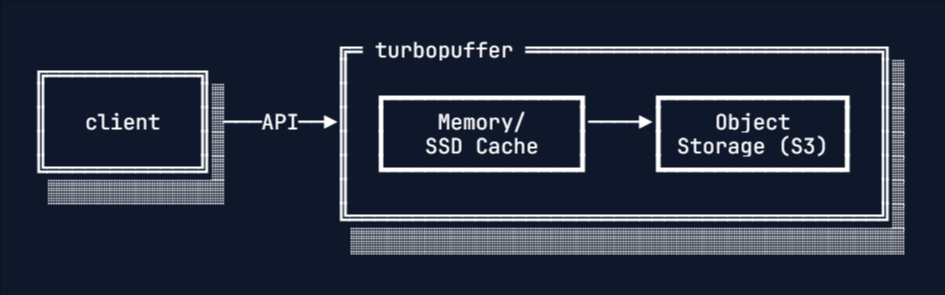
What it is: Turbopuffer is a managed vector and full-text search database built on object storage, with cache layers for frequently queried data.
Hosting model: Managed only. Turbopuffer runs the service for you, and its architecture stores vector data in object storage, caching frequently queried data in memory and SSD.
Known for: Turbopuffer is known for object-storage economics at scale. It combines vector search and full-text search, and its object-storage design is meant to reduce storage cost for large datasets where much of the data is cold.
Commonly used for: Turbopuffer fits managed RAG and search systems where data volume is large, storage cost is a major factor, and many namespaces or tenants may stay cold until queried.
Worth noting: Turbopuffer is managed-only, so teams that require a general self-hosted deployment will need a different option. Cold data can also carry different latency behavior than warm, cached data.
Honorable mentions
Milvus is an open-source vector database that handles high-scale distributed search, with Zilliz Cloud available as a managed version. It is a strong fit for teams pushing into very large vector collections or distributed deployments where scale is the primary concern.
pgvector adds vector similarity search to PostgreSQL, so teams can store embeddings next to application data and query them with SQL. It is often enough when the team already runs Postgres and wants vector search without adding another database to the stack.
Once you choose a vector database, evaluate the full RAG pipeline with Braintrust to confirm that retrieval changes are improving answer quality.
Vector database feature comparison
Use the table below to compare hosting model, search support, filtering depth, and storage architecture.
| Feature | Pinecone | Weaviate | Qdrant | Chroma | Turbopuffer |
|---|---|---|---|---|---|
| Managed hosting | Yes | Yes, through Weaviate Cloud | Yes, through Qdrant Cloud | Yes, through Chroma Cloud | Yes |
| Self-hosting | No, BYOC available | Yes | Yes | Yes | No, BYOC available |
| Hybrid search | Yes | Yes | Yes | Limited, strongest in Chroma Cloud Search API | Yes |
| Metadata filtering | Yes | Yes | Yes, with payload indexes | Yes, basic metadata filters | Yes |
| Object-storage architecture | No | No | No | No | Yes |
| Best fit | Managed RAG with low infrastructure work | Open-source RAG with hybrid search | Filter-heavy retrieval | Prototypes and smaller apps | Large datasets with managed search |
Matching vector databases to use cases
The right vector database depends on how much infrastructure you want to run, how much control you need, and how your retrieval patterns behave in production.
Pinecone fits teams that want managed RAG infrastructure without operating a vector database. It is the cleanest path when the team wants to create an index, upload vectors, and scale retrieval through a hosted service.
Turbopuffer is useful when managed search is still the goal, but storage cost becomes more important as the dataset grows. Its object-storage architecture suits large, multi-tenant systems where much of the data is queried only occasionally.
Weaviate works well when hybrid search is central to the application, and the team wants an open-source database with managed and self-hosted deployment options. It gives more retrieval control than a managed-only service, especially when semantic and keyword search need to work together.
Qdrant is a strong fit for filter-heavy retrieval. It is especially useful when results need to be narrowed by tenant, permission, date, category, document type, or other metadata before the final chunks are returned.
Chroma is the easiest starting point for prototypes, local development, and smaller RAG apps. It keeps setup light while the team is still testing chunking, embeddings, prompts, and retrieval behavior.
Milvus belongs in the conversation when the dataset is very large and the team is prepared to run distributed vector search at serious scale.
pgvector makes more sense when the team already uses PostgreSQL and wants to add vector search without introducing a separate database.
Whichever database you choose, retrieval quality still needs to be measured against answer quality. Braintrust helps evaluate whether the retrieved chunks were relevant, whether the answer stayed grounded in those chunks, and whether changes to embeddings, chunking, filters, or database choice improved the RAG system.
FAQs: Best vector databases for RAG in 2026
Do I even need a dedicated vector database, or is pgvector enough?
pgvector is usually enough when your vectors fit comfortably inside PostgreSQL and your team wants to keep retrieval close to existing application data. A dedicated vector database becomes easier to justify when search latency, tenant isolation, write volume, filtering depth, or dataset size starts pushing beyond what your Postgres setup can handle cleanly.
Managed or self-hosted, how do I choose?
Choose managed when your team wants the database to scale without owning upgrades, backups, monitoring, and capacity planning. Choose self-hosted when data placement, infrastructure control, cost tuning, or deployment policy is more important than operational simplicity.
How do I know my RAG retrieval is actually good?
Good retrieval means the right context appears high enough in the results for the model to use it. Measure that with test cases and production traces that check retrieved chunks, answer relevance, and groundedness together. Braintrust can evaluate both retrieval and generation, so you can see whether a database, embedding, chunking, or filter change improved the full RAG flow.
Hybrid search or pure vector search, what's the difference?
Pure vector search finds semantically similar chunks, even when the wording differs from the user's question. Hybrid search combines vector similarity with keyword matching, which helps with exact strings such as product names, error codes, function names, ticket IDs, and compliance terms.
Can I switch vector databases later without re-architecting my RAG pipeline?
You usually can switch without rebuilding the whole RAG app, as long as your source documents, chunks, embeddings, and evaluation set are stored outside the database. The main work is re-indexing vectors, updating the database client, and validating that retrieval quality did not regress after the move.