Automate pattern discovery with Topics, now generally available
AI observability tells you what's happening in production. Evals tell you whether that behavior matches what "good" looks like.
The hard part about running AI at scale is finding the patterns you didn't know to look for. For example, a failure mode you haven't seen before, or a shift in customer intent that changes what "good" means. It could be a positive signal about a new feature, or something else that none of your scorers were tuned to catch. It's difficult to find these types of patterns with manual triage, or write a SQL query for a question you haven't thought of yet.
Active observability is the layer that surfaces them. Braintrust continuously analyzes production behavior, identifies patterns worth investigating, and produces artifacts you can act on. Those artifacts feed straight into the eval and scoring workflow you already have.
Topics is the active observability tool for AI traces in Braintrust. Starting today, it's generally available on every plan. Topics continuously reads your production traces, classifies them across built-in and custom dimensions, and persists the labels as SQL-queryable signals that feed into scoring, datasets, and experiments downstream.
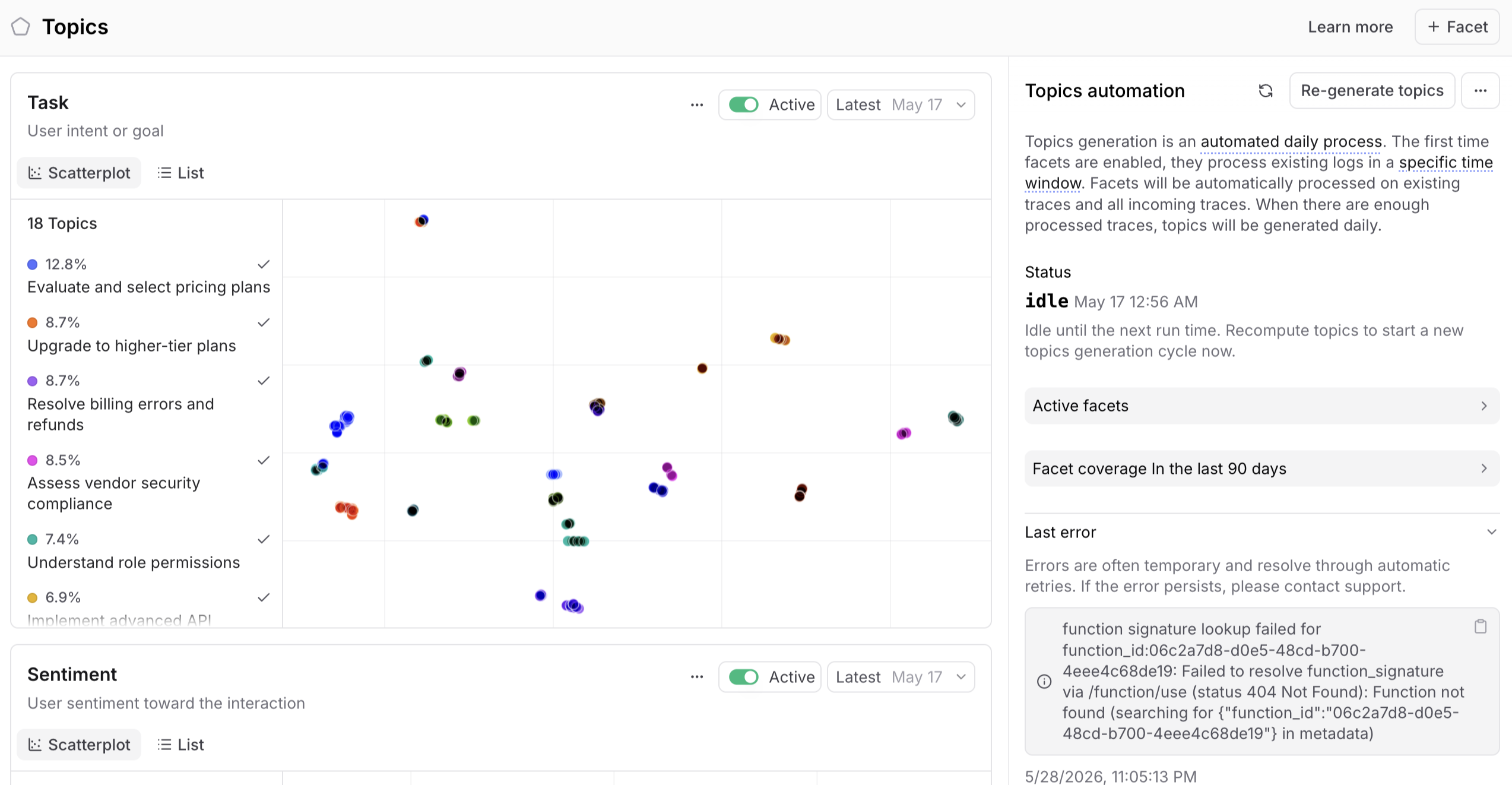
Built-in coverage across tasks, issues, and sentiment
Topics ships with three built-in facets that work with zero configuration:
- Task captures what people are doing across your traffic, from high-level use cases down to specific intents, including the unexpected behaviors that point to a new use case.
- Issues captures what's failing, from hallucinated facts to broken tool calls to confidently wrong outputs.
- Sentiment captures how interactions feel, so you can see frustration emerging before it surfaces in a support ticket, and notice when interactions are landing well with end users.
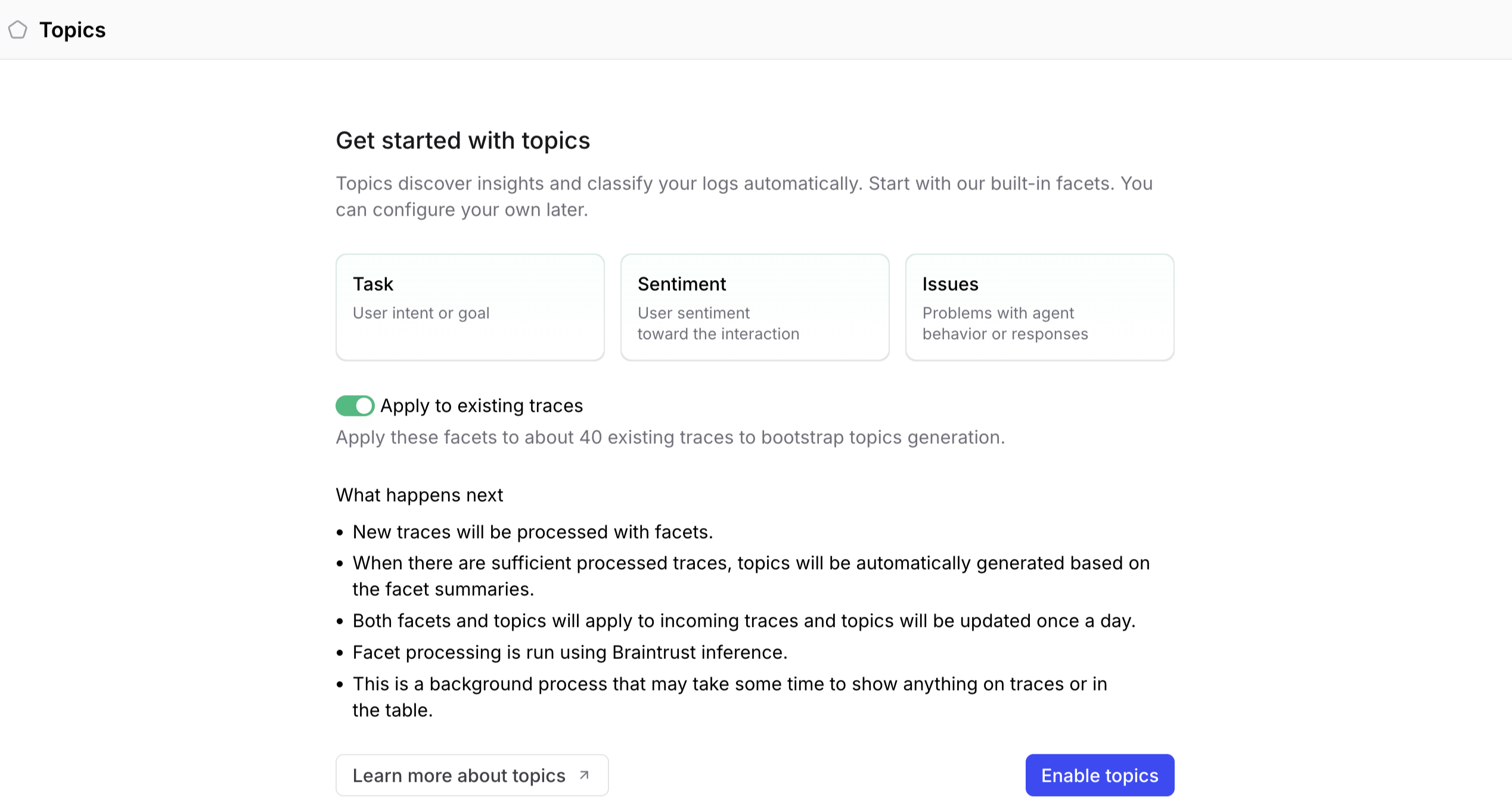
Under the hood, Topics uses embedding-based clustering followed by an LLM-assisted naming pass that turns each cluster into a human-readable label. Clusters update continuously as new traces arrive, so a topic distribution is always current rather than a snapshot from the last batch run.
A Topics beta customer that builds coding agents is now shipping 5 to 10 PRs a day from its classifications. A failure pattern surfaces, an engineer reviews the proposed fix, and evals run in parallel to validate the change before it merges. Another beta customer found that sampling 25% of their traces produces the same topic quality as sampling 100%, which keeps the cost of discovery low even at high throughput.
Dimensions that match your business
Built-in coverage gets you the patterns every AI team cares about, but the dimensions that matter to your business are usually more specific, like use case, customer segment, deployment region, or compliance category. Custom facets let you define those dimensions with your own prompt.
A conversational AI customer in the Topics beta has built out more than 20 intent categories with custom facets, and they keep finding patterns that did not exist when the taxonomy was first defined. Topic maps give you named, versioned views of those clusters, so when your product shifts, you can re-cluster and diff the new map against the previous one to see which patterns are emerging.
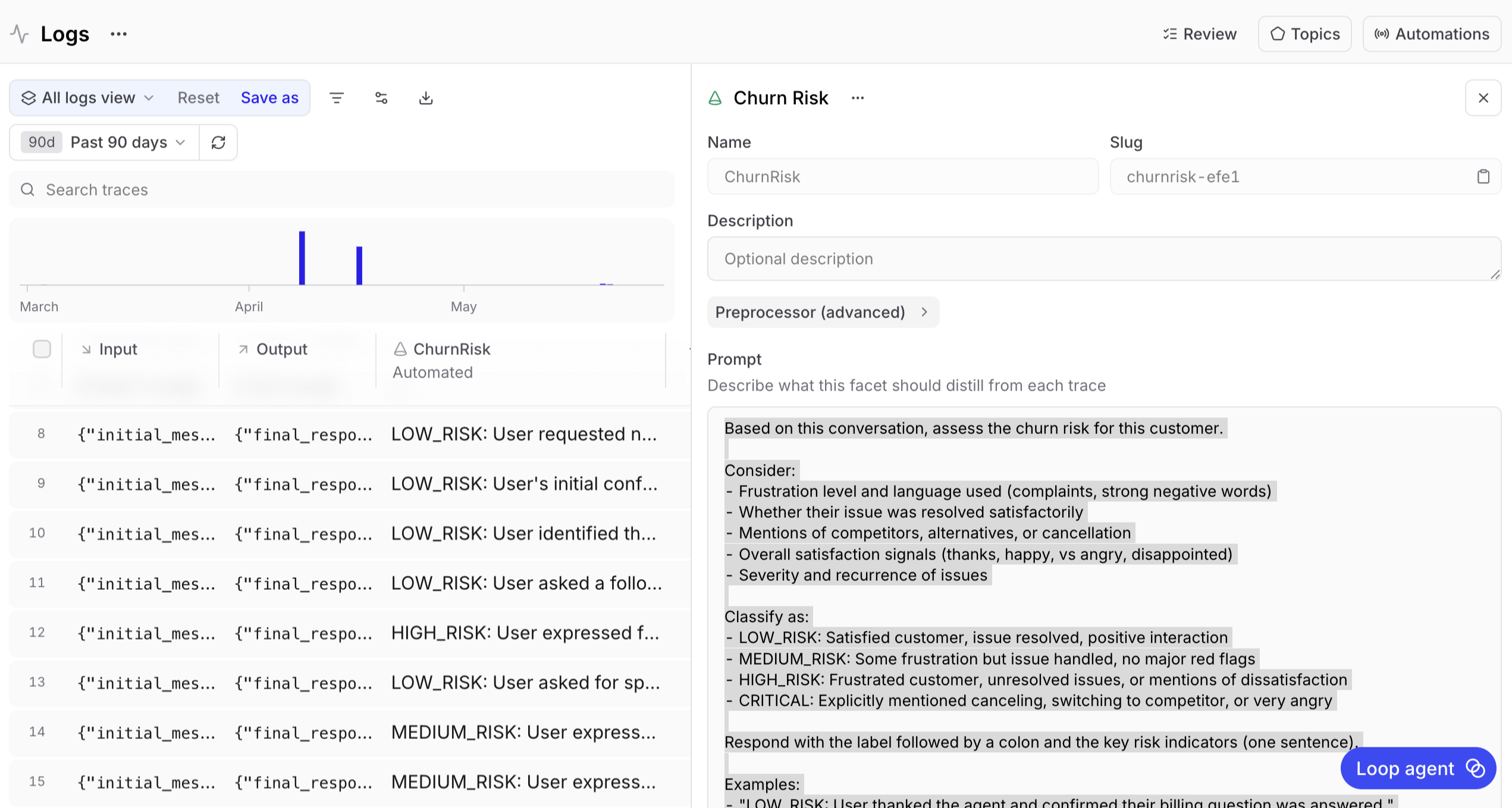
Connected to the improvement workflow
Discovery is important, but it becomes more powerful when you can act on what you find. Topics is built so that every classification is a downstream signal. Filter traces by topic, build datasets from a topic-filtered slice, write online scoring rules against specific labels, and run experiments that test fixes against the failure modes Topics surfaced.
Labels persist on every trace as SQL-queryable fields, which means they slot directly into the rest of Braintrust:
SELECT input, output, classifications.Issues[0].label
FROM project_logs('my-project-id')
WHERE classifications.Issues[0].label = 'Tool call timeout'
LIMIT 50
See the SQL reference for more query patterns against topic classifications.
Topics is designed to sit inside the Braintrust workflow. A failure mode shows up in production, becomes a topic, gets promoted into a dataset, and turns into a regression test in CI without any manual handoff. From there, teams can either keep the loop inside Braintrust through the CLI, or export classifications to their data warehouse and use grouped failure modes as input to an automated code-generation step that opens fix PRs. The full loop, from production trace to merged code, can run without anyone reading traces by hand.
Pricing
Topics is available on every plan, including Starter. Every plan includes a monthly Topics credit, and overage is a uniform per-million-token rate across plans, charged only when monthly credits are exhausted. Visit our pricing page for current credit amounts and overage rates.
Get started
Trace everything, and let Topics show you the patterns hiding inside. Read the Topics documentation for the full guide, or open a project and enable Topics.
Want to see what Topics finds in your production data? Get started with Braintrust or book a demo.