Build better agents with Patterns
Patterns is now generally available. It investigates your agent traces and application logs throughout the day and notices everything from silent failures to unnecessary model calls. For each finding, you’ll get the traces behind it and how widespread it is, so your team can decide what to fix first.
At Eve, a bug in an OpenAI safety classifier was silently degrading the quality of roughly 1% of the team’s legal research outputs. Patterns surfaced the issue. The team investigated further with Claude Code and shared what they found with OpenAI, who deployed a fix.
Since the public preview, we’ve made it easier to follow up on a finding. You can start a deeper investigation in Loop or your coding agent. Patterns also checks for new traces between investigations, so findings can update as new data comes in.
The observability agent
Braintrust is the observability agent, built on Brainstore, the observability database. It investigates the data you’re already collecting so your team can start from reviewing a finding rather than searching for an issue in a dashboard.
We built Patterns and Brainstore together to make each investigation more useful and less expensive to run. Debugging agents can require searching billions of traces, making comparisons, and checking for possible explanations along the way. Brainstore stores and searches the data, while Patterns uses it to identify what is happening and provide the evidence to support its findings.
Building the agent and database together lets us improve how Patterns investigates and how Brainstore retrieves the data it needs. Our goal is to give your team more useful findings at a lower cost per investigation.
Today, Patterns runs on traces and application logs in Braintrust. Soon, we’ll bring this intelligence layer to the data you store outside of Braintrust. You’ll be able to look across your application and the services it depends on for opportunities to reduce costs, improve the product, and better serve customers.
Use Patterns to save on LLM costs
Notion reported $1M in savings on their team’s coding agent costs after Patterns flagged CI retries that resent the full context. Cost saving opportunities exist even in work that an agent completes successfully. Patterns can uncover multiple sources of unnecessary spend, from repeated work to basic requests that could use a cheaper model. Finding those requests gives your team a specific change to dig into.
Start with the built-in Pattern discovery rule. To focus on a specific cost concern, add it to Custom instructions or Watch for. For example, you could look for repeated tool calls or requests a cheaper model could handle. Take a look at the cost-related Patterns it finds.
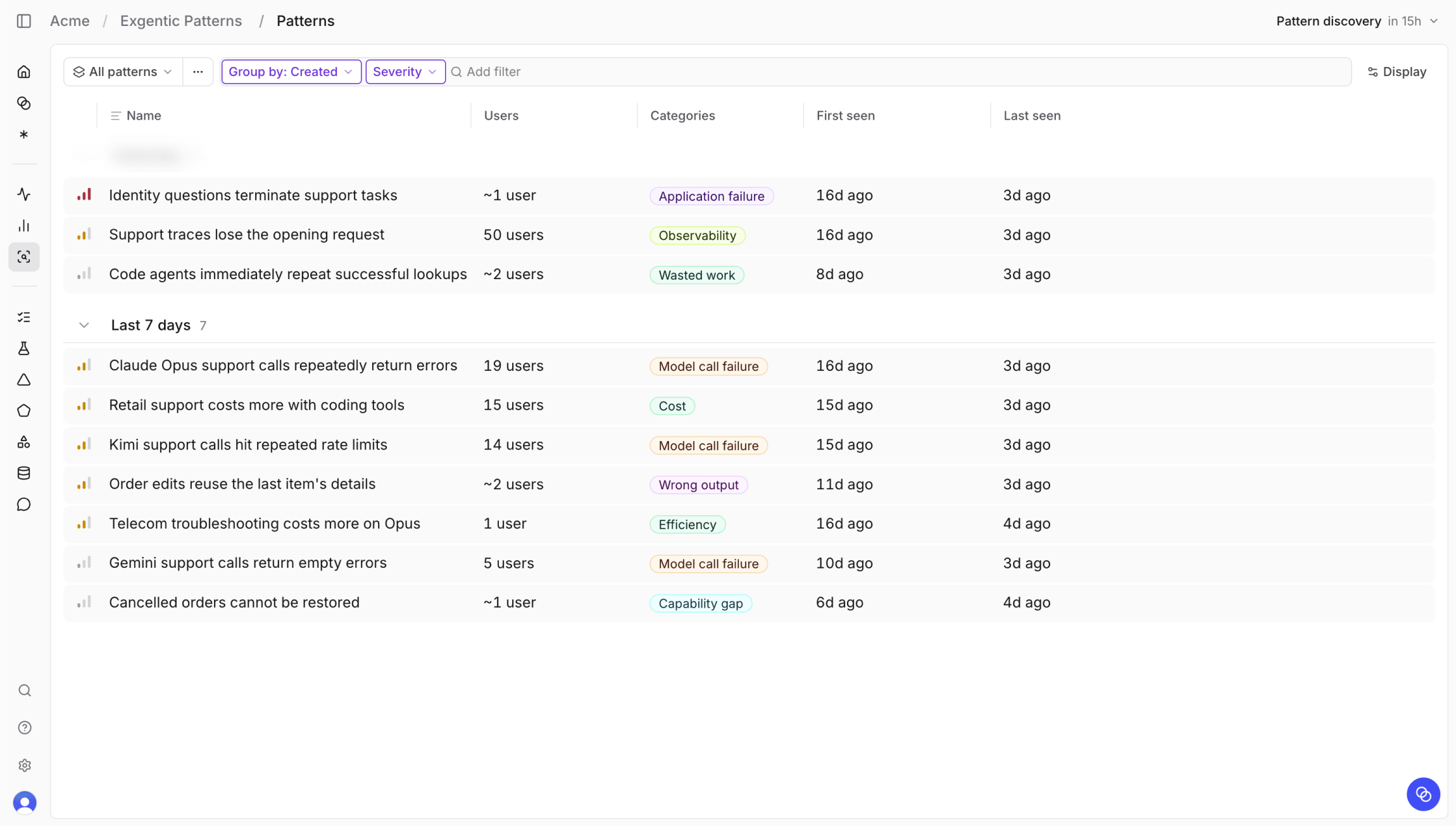
Open the supporting traces to inspect the model calls, understand what work the agent performed, and see which requests account for the spend. Review the affected users and frequency to judge how widespread the opportunity is and whether you want to invest more engineering resources.
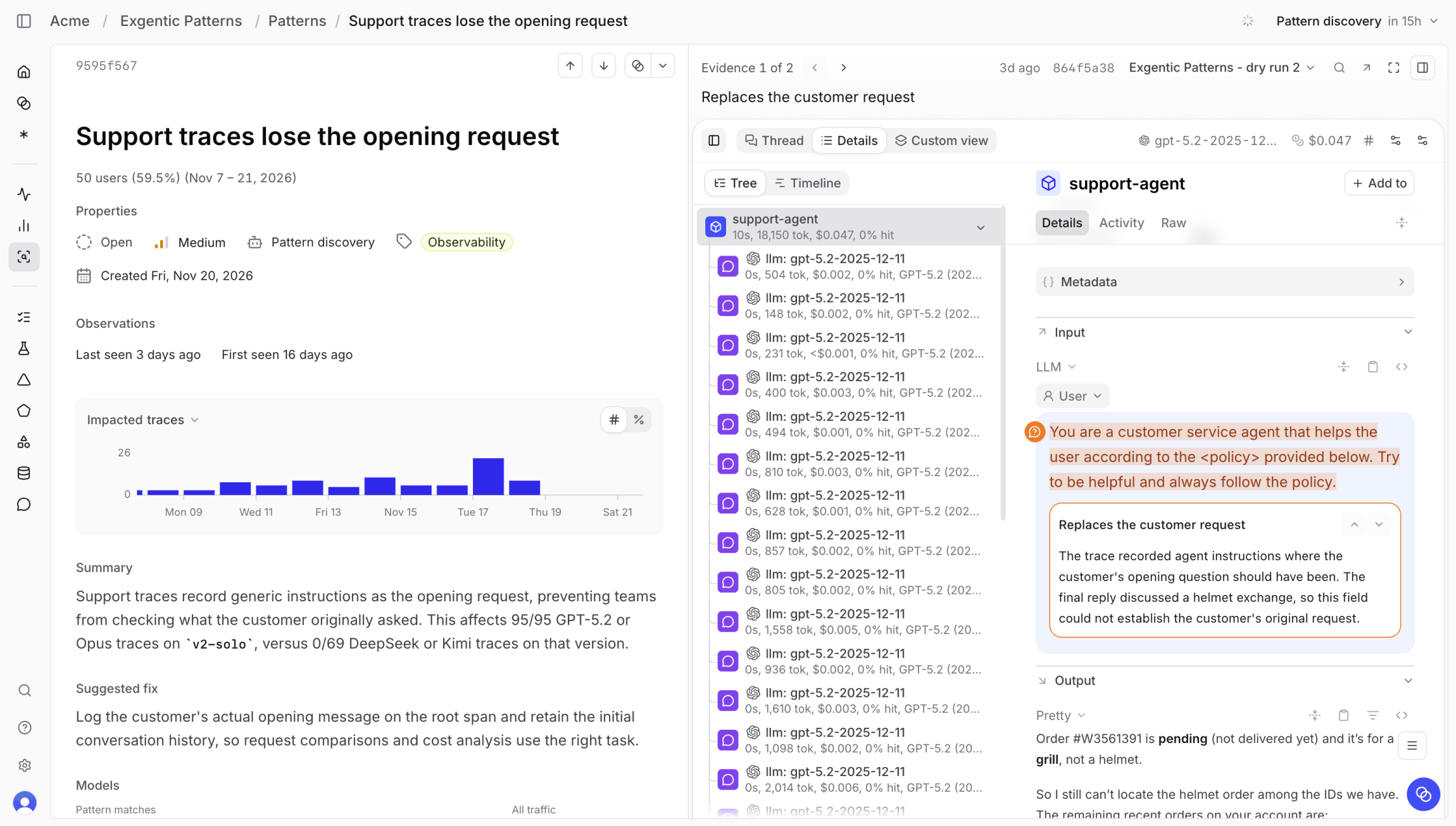
Select Investigate on the Pattern to open a Loop session, then ask Loop to create a baseline eval from the relevant traces. Test less expensive models on the same cases. Compare quality and estimated cost to decide which requests can move to a cheaper model while meeting your quality requirements. If you’ve connected a supported GitHub repository, you can ask Loop to draft a pull request with the routing change for your team to review.
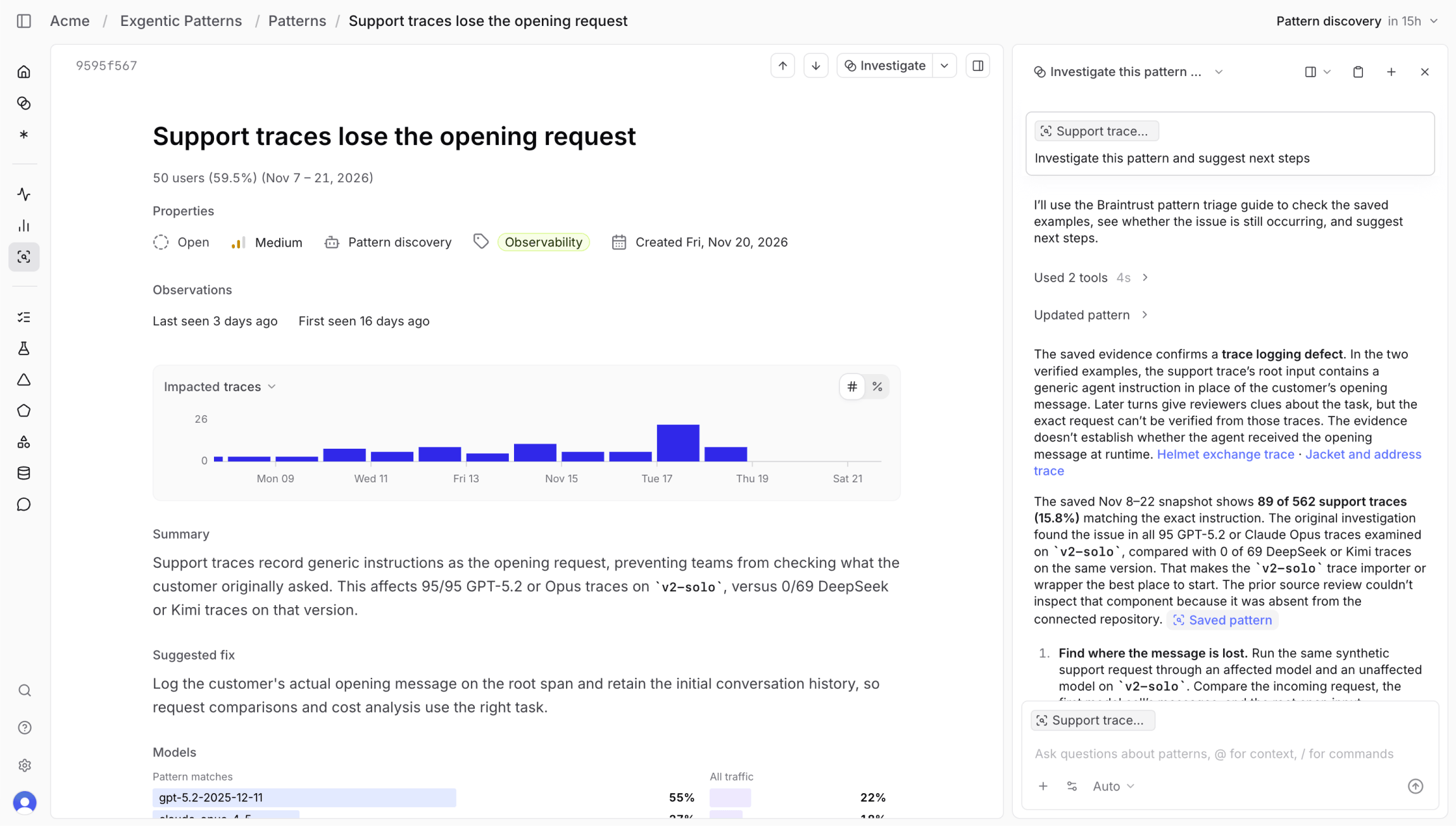
Investigate a Pattern in depth
Select Investigate on a Pattern. Loop opens beside the evidence and starts investigating the finding. It uses the supporting traces to explain what happened and suggest next steps.
The Investigating status shows your team that an agent is working on the finding.
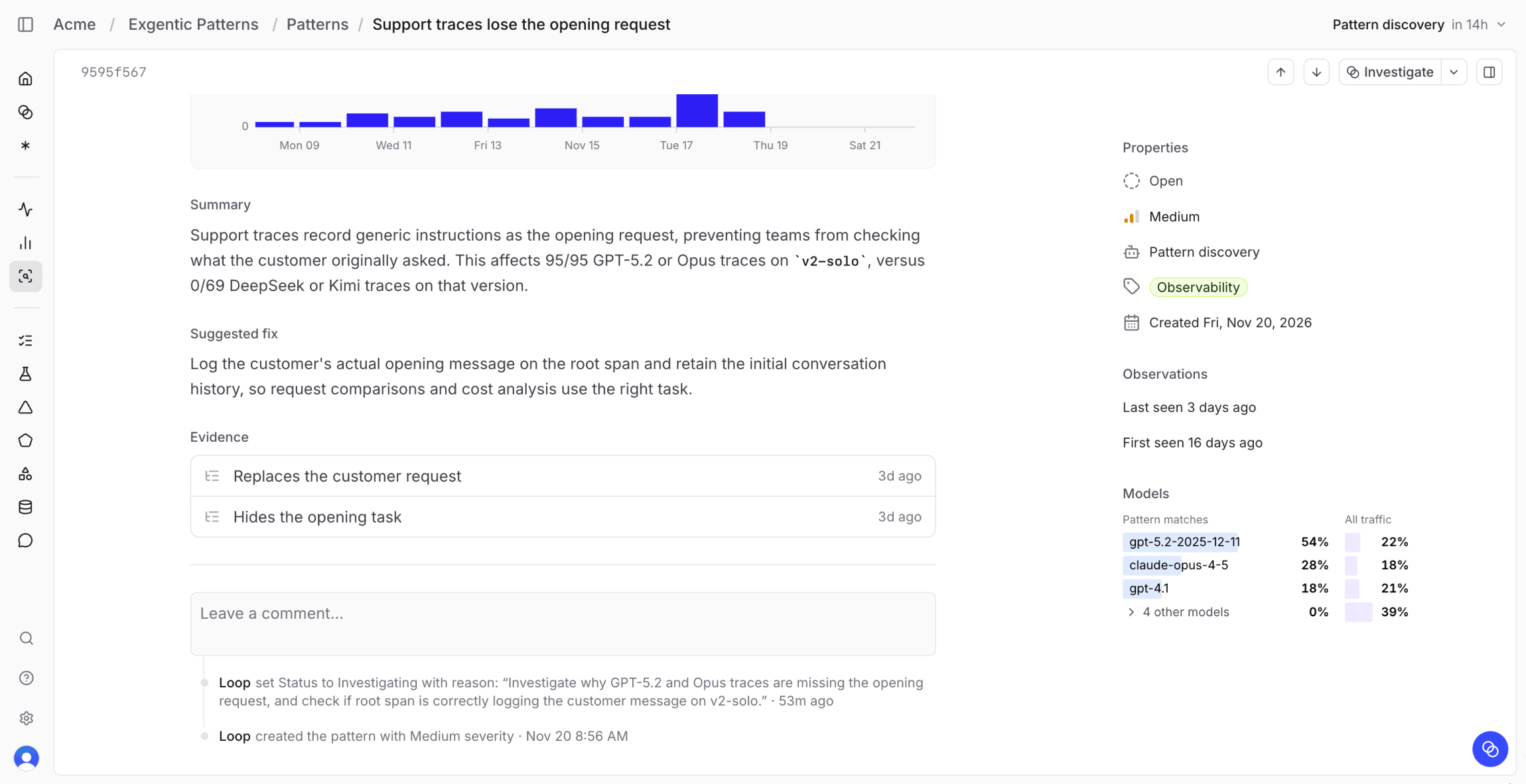
To investigate in your own coding agent, select Copy as prompt from the menu next to Investigate. Paste the prompt into your coding agent. With the Braintrust MCP server connected, your agent can retrieve the supporting traces and their context. Use what you learn to make a code change and test it with an eval.
Pricing
Model credits in Braintrust are now Braintrust credits. You can use the same credit balance for Patterns, Loop, Topics, and built-in model inference. The Starter plan comes with 10 credits per month, and Pro includes 100.
Patterns and Loop use credits based on the resources they need to do the work, including model inference, compute, and database usage. If you bring your own model provider key, your provider bills you directly for the inference it handles. You still use Braintrust credits for the work Braintrust performs. Built-in inference outside Patterns and Loop, such as model calls in Playground or scorers, continues to use the listed token rates. Braintrust credit usage rolls up into your monthly bill.
Starter and Pro: Billing for Patterns and Loop starts December 7 for all organizations. You don’t need to take any action.
Enterprise: To keep using Patterns and Loop, an eligible Enterprise admin must accept the updated terms in Billing by the end of December 6. For accounts that opt in, billing for Patterns and Loop starts December 7.
See Braintrust pricing and documentation for plan details.
Get started
Enable Patterns in a project where you’re already tracing an agent or logging an application. Start with the default rule, or give Patterns a question your team wants to investigate.
To learn how teams are already using Patterns, join zyBooks and Braintrust for a live workshop on December 9.