

AI gateways provide teams with a single control layer for LLM traffic across providers. Without one, model keys, rate limits, caching, access controls, cost tracking, and logs often spread across separate services, which makes production AI harder to govern as usage grows.
A strong AI gateway should centralize provider access, control spend, reduce repeated calls through caching, retain audit logs, and make production behavior easier to inspect when latency, cost, or output quality changes.
This guide compares six AI gateways for provider coverage, governance, caching, cost visibility, audit logging, and observability. Braintrust Gateway is the strongest option for teams that want gateway traffic to be connected to tracing, evaluation, and release checks in a single workflow. Start free with Braintrust Gateway.
What an AI gateway does
An AI gateway is a control layer that all LLM traffic passes through before requests reach a model provider. Instead of each service managing provider keys, retry logic, rate limits, caching, and logs on its own, teams route requests through one endpoint that applies the same access controls, quotas, cost tracking, and audit logging across providers.
AI gateway and LLM gateway usually refer to the same core layer. An AI gateway is often used when the focus is on production governance, while an LLM gateway is often used when the focus is on developer routing across models. Model routing and a unified API are gateway capabilities, not separate product categories.
Also read:
Most AI gateway options fall into two groups:
Infrastructure-first gateways extend existing API management, Kubernetes, or edge-network systems into AI traffic.
LLM-native gateways start with model access, prompt traffic, observability, and provider abstraction.
The right fit depends on whether your main constraint is infrastructure control, provider routing, or connecting production traffic to quality measurement.
What to look for in an AI gateway
Use the criteria below to compare how each gateway fits your model's access, governance, cost control, and production-quality workflow.
Provider and model breadth: Strong provider coverage lets teams access the models they need through a single endpoint, so adding a new model does not require another provider-specific integration.
Rate limiting and quotas: Per-key, per-team, and per-model limits help prevent a runaway loop, a test environment, or a high-volume feature from draining the budget without control.
Access control and governance: Centralized, role-based access, virtual keys, and policy enforcement provide engineering, security, and finance with a shared control layer for model usage.
Caching: Response caching reduces cost and latency on repeated calls, especially when teams can control expiration, privacy, and request-level behavior.
Cost tracking and attribution: Spend data should be broken down by team, feature, model, user, or environment, rather than stopping at an organization-level total.
Audit logging: Durable logs make it easier to review model requests, callers, payloads, and outcomes during incident investigation or compliance review.
Actionable observability: Production logs become more useful when teams can turn traces into evaluation cases, scorers, and release checks, rather than only reviewing dashboard metrics.
Actionable observability is the key difference between a gateway that only records traffic and one that improves the release process. A gateway already sees model inputs, outputs, latency, token usage, and cost. When those traces feed evaluation workflows, teams can use production traffic to catch regressions before the next model or prompt change reaches users.
6 best AI gateways in 2026
1. Braintrust Gateway
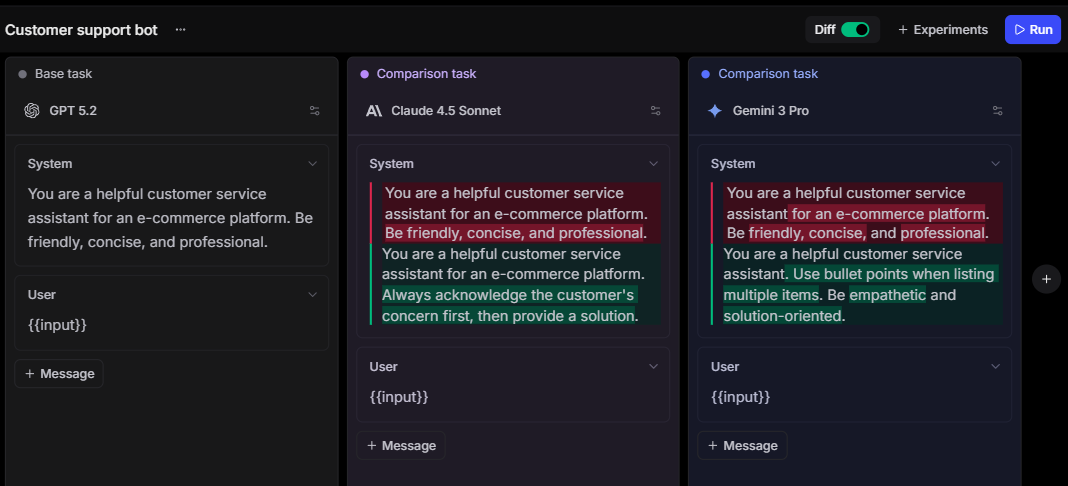
Best for: Engineering teams building production AI applications that need model routing connected to tracing, evaluation, and release checks in one system.
Braintrust Gateway provides teams with a unified API to route requests across providers, including OpenAI, Anthropic, Google, AWS, Azure, Mistral, and other supported model providers. Teams can point an existing SDK at the Braintrust gateway URL (https://gateway.braintrust.dev), use a Braintrust API key, and call supported models without maintaining separate provider integrations across every application service. Braintrust can use provider keys configured at the organization or project level, and custom providers let teams route to self-hosted models, fine-tuned models, and proprietary AI services through the same OpenAI-compatible client.
The stronger reason to use Braintrust is that gateway traffic is included in the observability and evaluation process. Calls made through the gateway are traced without separate SDK instrumentation, so teams can inspect model inputs, outputs, latency, token usage, cost, and caching behavior in Braintrust. Logged spans can then be scored, enriched with metadata or feedback, added to datasets, compared in experiments, and used in CI checks before a model, prompt, or routing change reaches production.
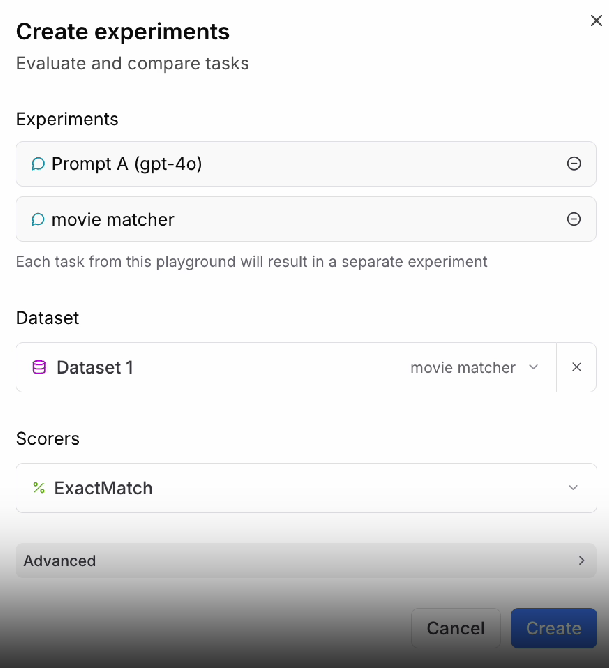
Braintrust also includes the gateway controls teams need to manage production LLM traffic. Response caching reduces repeated calls, while request headers, TTL settings, and cache status visibility give teams control over when cached responses are used. Cached data is encrypted with AES-GCM using a key derived from the user's API key, and cached results are scoped to the user by default. Gateway response headers expose cache status, provider endpoint, error origin, request ID, and logged span ID, which helps teams connect routing behavior to debugging, cost attribution, and evaluation results.
Pros:
- One gateway for supported providers, including OpenAI, Anthropic, Google, AWS, and Mistral
- Existing SDK support, so teams can add or test models without rebuilding the client layer
- Centralized AI provider configuration for cleaner key management across projects
- Custom provider support for private endpoints, fine-tuned models, and self-hosted models
- Native connection between gateway logs, tracing, scoring, datasets, experiments, and CI/CD checks
- Request-level caching controls with TTL settings and cache status visibility
- Encrypted cached responses are scoped to the requesting user by default
- Dashboards for gateway usage, cost, latency, errors, and quality signals
Cons:
- Hosted Gateway is still in beta
- Self-hosting is available on Enterprise
Pricing: Free Starter plan with 1 GB processed data, 10K scores, and unlimited users. Pro at $249/month. Custom enterprise pricing. Braintrust Gateway is free during beta. See pricing details.
2. Portkey
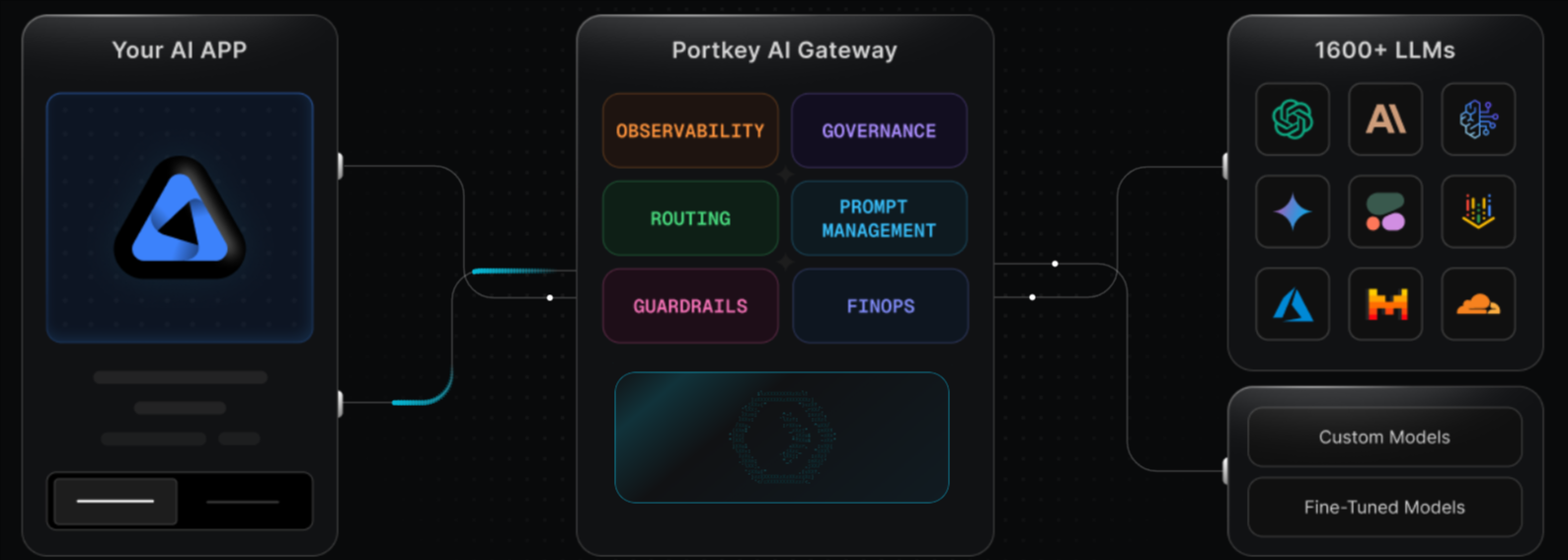
Best for: Enterprise teams that need a managed AI gateway with governance, guardrails, prompt management, and compliance controls.
Portkey combines an AI Gateway with Observability, Guardrails, Governance, and Prompt Management. Its Universal API supports routing, fallbacks, load balancing, retries, virtual keys, logs, traces, feedback, metadata, filters, and alerts. Portkey fits teams that want gateway controls and guardrails in one managed product, especially when enterprise requirements include RBAC, SSO, granular budget and rate limits, private cloud deployment, VPC hosting, data export, or compliance controls. Teams that need evaluation-driven release gating may still need a separate evaluation workflow.
Pros:
- Universal API with routing, fallbacks, load balancing, and retries
- Virtual keys, logs, traces, metadata, filters, and alerts
- Deterministic and LLM-based guardrails
- Production plan includes RBAC and service account API keys
- Enterprise plan supports SSO, granular budget and rate limits, private cloud, VPC hosting, and compliance options
Cons:
- Free plan is intended for prototyping, testing, and enterprise POCs
- Pricing scales with recorded logs and enterprise requirements
- Evaluation workflow is less structured than tools built around datasets, scorers, experiments, and CI/CD checks
Pricing: Free tier with 10K logged requests. Paid plans from $49/month. Enterprise pricing is custom.
3. LiteLLM
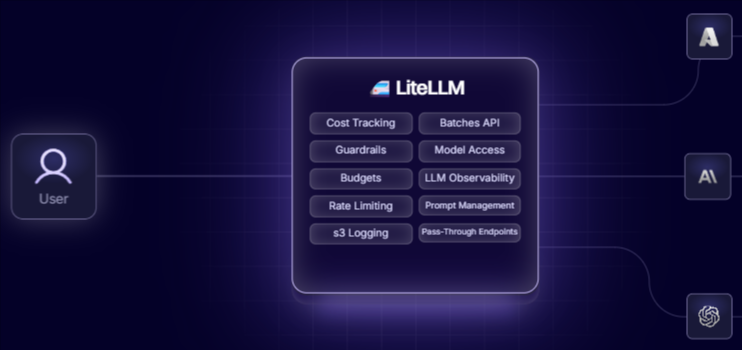
Best for: Engineering teams with DevOps capacity that want an open-source AI gateway they can self-host.
LiteLLM provides a Python SDK and a Proxy Server that route requests to 100+ LLM providers via an OpenAI-compatible interface. The open-source plan includes provider integrations, virtual keys, budgets, teams, load balancing, RPM and TPM limits, guardrails, and logging integrations. LiteLLM fits teams that want infrastructure control and are prepared to operate the gateway themselves. LiteLLM also supports integration with Braintrust for logging and observability. Enterprise adds cloud or self-hosted deployment, support, custom SLAs, JWT auth, SSO, and audit logs.
Pros:
- Open-source AI gateway with 100+ provider integrations
- OpenAI-compatible Proxy Server and Python SDK
- Virtual keys, budgets, teams, load balancing, and RPM/TPM limits
- Logging integrations with Braintrust, Langfuse, Arize Phoenix, LangSmith, and OpenTelemetry
- Enterprise supports cloud and self-hosted deployment
Cons:
- Production self-hosting requires engineering ownership
- SSO, audit logs, custom SLAs, and enterprise support require the Enterprise plan
- Evaluation and release checks usually depend on separate tools
Pricing: Free and open-source for self-hosted use. Custom enterprise pricing for hosted management and enterprise features.
4. Kong AI Gateway
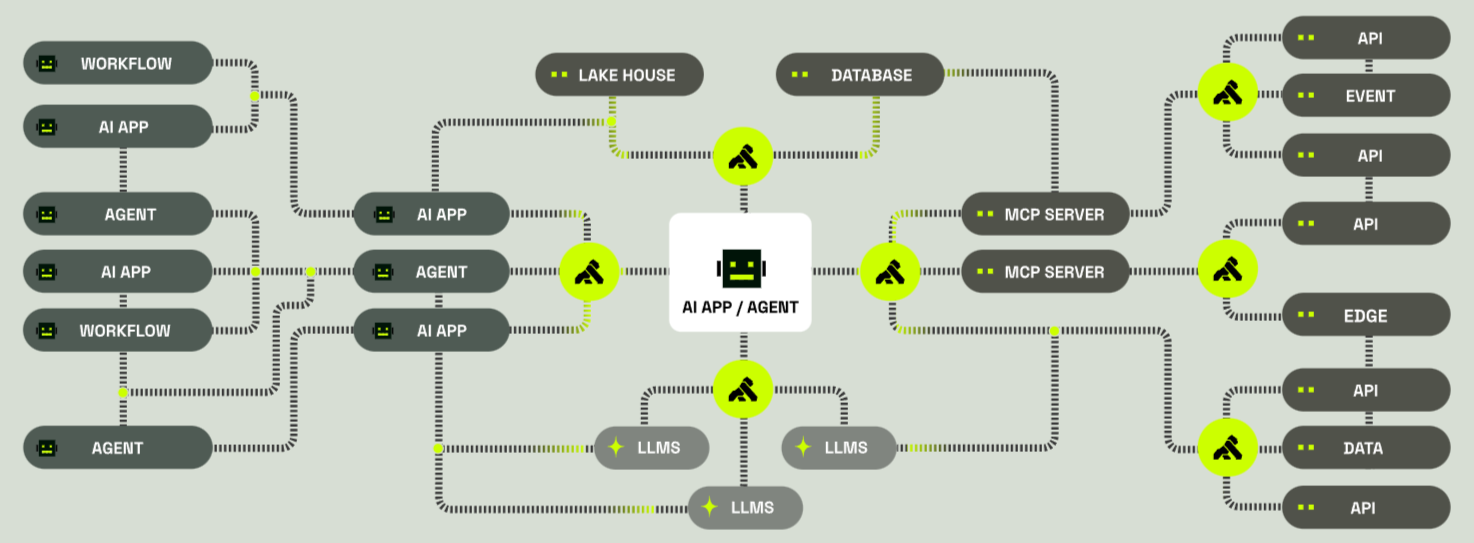
Best for: Enterprises already running Kong that want AI gateway controls inside their existing API management stack.
Kong AI Gateway adds AI-specific capabilities through plugins on Kong Gateway and Kong Konnect. It supports universal LLM API routing, rate limiting, semantic caching, semantic routing, MCP and A2A traffic gateway support, RAG injection, data governance, guardrails, prompt engineering, load balancing, audit logs, LLM metrics, metering, cost controls, and secrets management. Kong fits platform teams that already manage APIs through Kong and want AI traffic governed through the same infrastructure. Teams focused on structured evaluation, scorer development, and CI/CD release gates will usually need a separate evaluation system.
Pros:
- AI gateway controls inside Kong's API gateway deployment model
- Universal LLM API, token-based rate limiting, semantic caching, and guardrails
- MCP and A2A traffic gateway support
- LLM metrics, audit logs, metering, and cost controls
- Fully self-hosted API gateways are available through Enterprise
Cons:
- Setup and pricing reflect a broader API management system
- Some AI Gateway plugins and AI Gateway Manager are paid add-ons outside the trial
- Evaluation workflows require a separate quality system
Pricing: Free trial for 30 days. Plus plan is charged per gateway. Custom enterprise pricing.
5. SUSE AI Universal Proxy
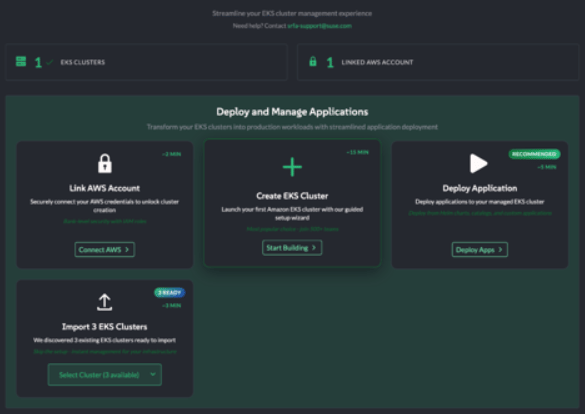
Best for: Kubernetes-native enterprises that need on-prem control for MCP servers, AI services, and private AI infrastructure.
SUSE AI Universal Proxy is an open-source project for managing and proxying MCP servers. It is part of SUSE's broader cloud-native AI direction and focuses on discovery, registration, authentication, governance, cost tracking, logging, and MCP service control across enterprise environments. It fits teams standardizing AI services across Kubernetes-based infrastructure, especially where shadow AI discovery, private deployment, and centralized MCP governance are priorities. For general LLM routing across hosted model APIs, SUSE Proxy is less direct than gateways centered on LLM provider traffic.
Pros:
- Kubernetes-native direction aligned with SUSE Rancher and Helm-based deployment
- MCP proxy service, server registry, discovery, and authentication
- Shadow AI discovery and centralized MCP governance
- Open-source Apache 2.0 project
- Fits private and sovereign AI infrastructure requirements
Cons:
- More focused on MCP service governance than general LLM API routing
- Newer than established API gateways and LLM-native proxies
- Requires Kubernetes and platform operations capacity
Pricing: Open-source, deployed on your own Kubernetes infrastructure.
6. Cloudflare AI Gateway
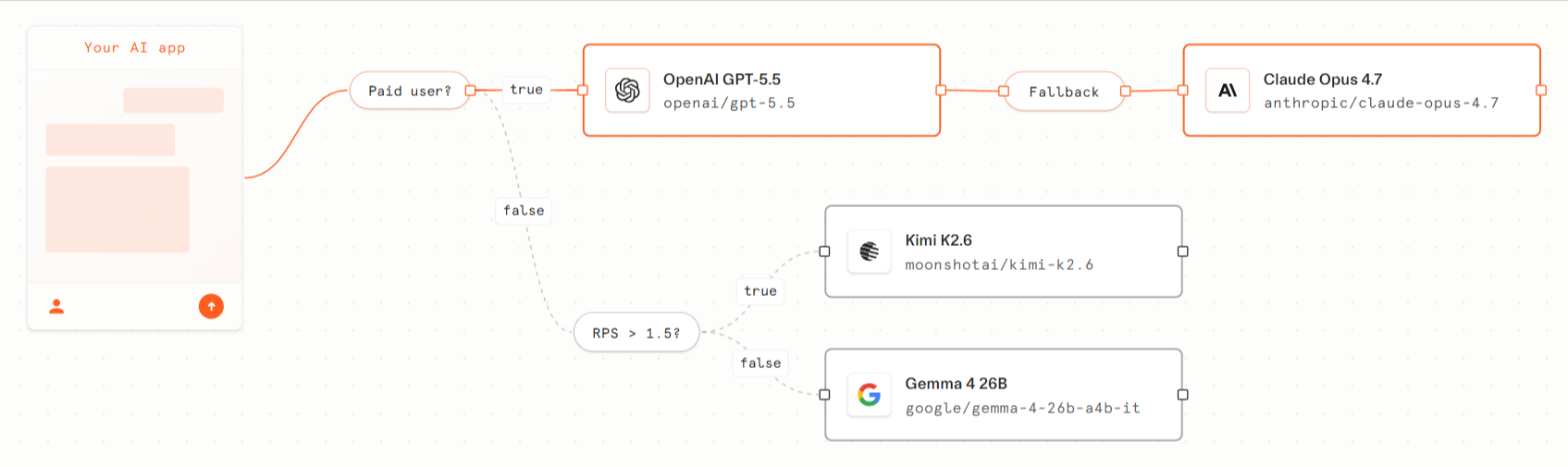
Best for: Teams that want AI gateway caching, rate limiting, and usage visibility at Cloudflare's edge.
Cloudflare AI Gateway routes AI requests through Cloudflare for providers such as OpenAI, Anthropic, Google, Replicate, Workers AI, and others. It includes analytics, logging, caching, rate limiting, request retry, model fallback, persistent logs with plan-specific storage limits, DLP scanning, guardrails, and unified billing. Cloudflare fits teams that already use Cloudflare or those that want hosted gateway controls without operating their own proxy. Cloudflare's observability is centered on request metrics, logs, usage analytics, and cost visibility, so structured evaluation and CI/CD gating require a separate evaluation workflow.
Pros:
- Core gateway features are available on all Cloudflare plans
- Caching, rate limiting, request retry, and model fallback
- Analytics for requests, tokens, and cost
- Persistent logs with plan-specific storage limits
- DLP scanning and guardrails are available through Cloudflare's AI Gateway features
Cons:
- Observability is usage and log-focused rather than evaluation-focused
- Some capabilities are beta or depend on other Cloudflare subscriptions
- Best fit for teams comfortable routing AI traffic through Cloudflare
Pricing: Core features are free on all plans.
The best AI gateways compared (2026)
| Criterion | Braintrust Gateway | Portkey | LiteLLM | Kong AI Gateway | SUSE AI Universal Proxy | Cloudflare AI Gateway |
|---|---|---|---|---|---|---|
| Provider and model breadth | ✅ Major providers, supported open models, and custom providers | ✅ 1,600+ LLMs and private LLM support | ✅ 100+ providers through an OpenAI-compatible proxy | ⚠️ Universal LLM API through AI plugins, with plan limits on some tiers | ⚠️ MCP servers and AI services, rather than broad hosted-model routing | ✅ 20+ supported AI providers |
| Rate limiting and quotas | ⚠️ Lighter gateway-native quota controls than infrastructure gateways | ✅ Budget limits, rate limits, and virtual keys | ✅ Budgets, RPM/TPM limits, and virtual keys | ✅ Token-based rate limiting and API policies | ⚠️ Smart traffic control for MCP services | ✅ Rate limiting and spend limits |
| Access control and governance | ✅ AI providers at the organization or project level, with RBAC available on paid plans | ✅ RBAC, virtual keys, and enterprise governance controls | ⚠️ Virtual keys in OSS, with SSO and audit logs on Enterprise | ✅ API authentication, access control, and gateway governance | ✅ MCP registry, discovery, authentication, authorization, and RBAC for virtual MCP | ✅ Authenticated Gateway, DLP, guardrails, and account-level controls |
| Caching | ✅ Gateway response caching with request controls and AES-GCM encryption | ✅ Simple and semantic caching | ✅ Proxy-level caching, depending on deployment setup | ✅ Semantic caching through AI Gateway plugins | ⚠️ Cost and traffic optimization focus, not response caching as the main feature | ✅ Caching at the edge |
| Cost tracking and attribution | ✅ Logs and Dashboards for usage, cost, errors, scores, and custom metrics | ✅ Per-request cost, token usage, and provider-level cost analytics | ✅ Spend tracking, budgets, and per-key controls | ✅ Token-level tracking and real-time cost analytics | ⚠️ Cost checks for governed MCP and agent activity, and spend limits | ✅ Analytics for requests, tokens, and cost |
| Audit logging | ✅ Full Logs with trace and span-level visibility | ✅ Logs, traces, and enterprise audit controls | ⚠️ Request and response logging in OSS, with audit logs on Enterprise | ✅ Audit logs inside the broader API gateway stack | ⚠️ Monitoring and logging for MCP service governance | ✅ Persistent logs with plan-based storage limits |
| Actionable observability | ✅ Logs connect to Datasets, Scorers and classifiers, Experiments, Online scoring, Dashboards, and CI/CD | ⚠️ Logs, traces, feedback, and canary testing, with structured evaluation handled separately | ❌ Logging integrations rely on separate evaluation tools | ❌ Token metrics and cost analytics, with evaluation handled separately | ❌ Operational monitoring, with no native evaluation workflow | ❌ Usage analytics and logs, with evaluation handled separately |
Get full observability on every LLM request with Braintrust. Start for free today.
How to pick an AI gateway
Choose Braintrust Gateway when routing needs to connect with evaluation, tracing, and release checks. It is the strongest option for production AI teams that want gateway traffic to feed Logs, Datasets, Scorers and classifiers, Experiments, Online scoring, Dashboards, and CI/CD checks without adding a separate evaluation workflow.
Choose Kong AI Gateway or SUSE AI Universal Proxy when infrastructure governance is the priority. Kong fits teams that are already standardizing API management on Kong. SUSE fits Kubernetes-native teams that need private deployment, MCP governance, and shadow-AI discovery.
Choose LiteLLM when your team wants an open-source proxy and can manage the infrastructure.
Choose Portkey when governance, guardrails, and prompt management should be in a single managed product.
Choose Cloudflare AI Gateway when edge caching, rate limiting, and usage analytics are the main requirements.
Why Braintrust leads the AI gateway category
Braintrust Gateway leads because it can incorporate routed model requests into the release control process. Teams get provider routing, caching, cost visibility, and request logging, while gateway traces can be reviewed in Braintrust Logs, added to Datasets, scored with Scorers and classifiers, compared in Experiments, monitored through Online scoring and Dashboards, and used in CI/CD checks before model, prompt, or routing changes reach users.
Where most gateways stop at dashboards you have to query, Braintrust adds active observability: Topics classifies every routed trace by intent, sentiment, and issue, plus any custom facets you define, so recurring failures surface across all gateway traffic instead of waiting for someone to filter for them.
Leading AI teams, including Notion, Stripe, Vercel, Airtable, Instacart, Zapier, Ramp, and Coursera, use Braintrust to run production evaluation workflows. Start free with Braintrust Gateway or get a personalized demo.
FAQs: best AI gateways in 2026
What is an AI gateway?
An AI gateway is the operational boundary between application code and model providers. It becomes useful when LLM calls move from experiments into production features, because teams need consistent controls for access, usage, cost, logging, and troubleshooting. Braintrust Gateway adds another layer of value by making routed requests available for evaluation workflows, so production traffic can help teams improve quality instead of only documenting usage.
What is the difference between an AI gateway and an LLM gateway?
The terms are often used interchangeably, so the product label is less important than the capabilities behind it. Teams should compare whether a gateway supports the providers they use, applies the controls their organization needs, and gives engineering a clear way to inspect production behavior. Braintrust Gateway meets both terms because it handles provider routing and connects model traffic to tracing, evaluation, and release checks.
What is the difference between an AI gateway and a model router?
A model router decides where a request should go. An AI gateway handles the broader operating layer around the request, including credentials, caching, quotas, logs, cost visibility, and policy controls. Routing is one function inside a gateway, while the full gateway determines how safely and consistently model traffic can run across a production application.
Do I need an AI gateway if I use a single provider?
A single-provider setup can still benefit from a gateway when multiple services, teams, environments, or features call the same model account. Centralizing traffic helps teams manage keys, control spend, inspect failures, and prepare for future provider changes without rebuilding application logic. Braintrust Gateway is especially useful in single-provider setups when the team wants production requests to become evaluation examples over time.
Can a gateway and an evaluation platform be the same tool?
Yes, and the combination is useful when production traffic should inform release decisions. A standalone gateway can show what happened to a request, but a gateway connected to evaluation helps teams decide whether the behavior is acceptable for the next release. Braintrust Gateway is the best fit when teams want routing, review, scoring, and release checks tied to the same production record.