

- Find recurring failures and regressions.
- Track cost and latency drift in recurring LLM calls.
- Discover recurring successes and emerging use cases.
- Give a coding agent the evidence it needs to implement a fix.
How discovery works
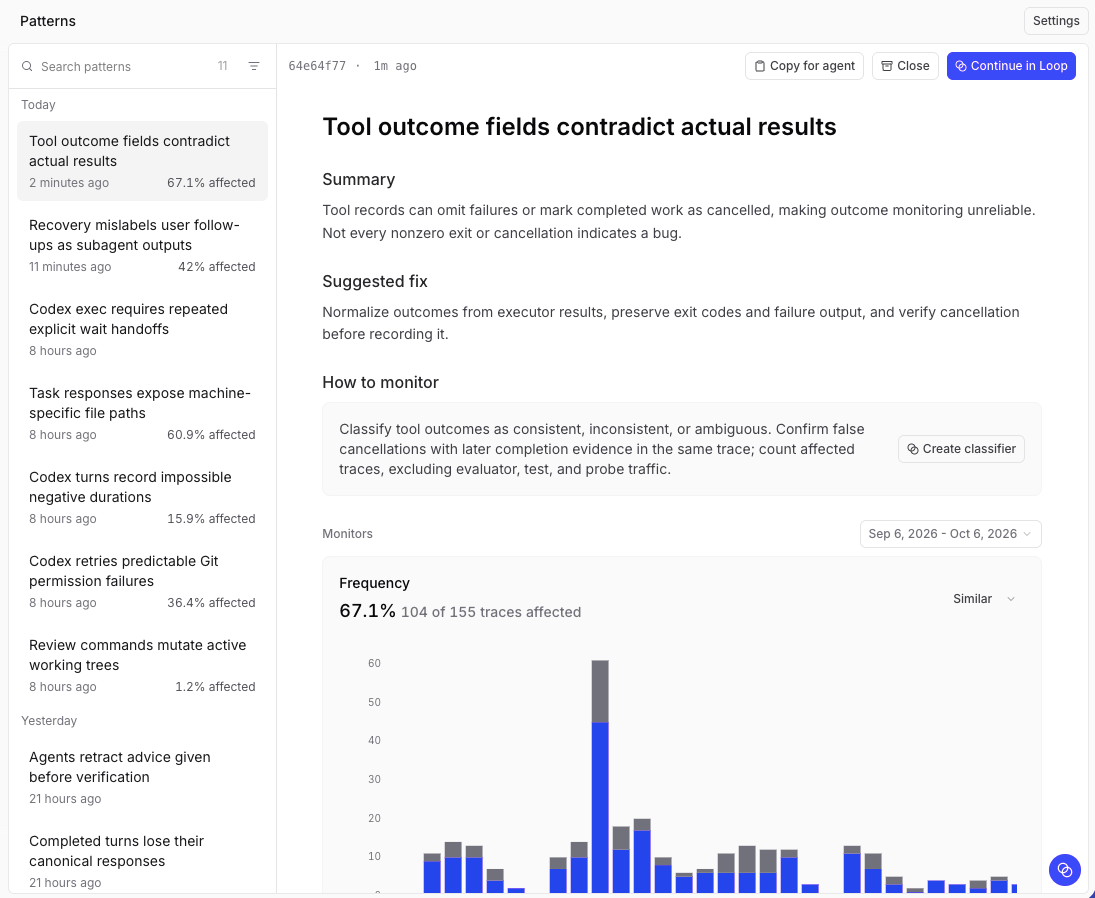
Patterns runs as a scheduled Loop automation. Each run has three goals:- Discover new patterns. Following your instructions, Loop samples raw traces across the configured query range, independently of existing patterns. It investigates candidates through queries and the Debugger, then saves findings with supporting evidence. Before saving, Loop checks each candidate’s cause and suggested fix against any relevant source code in a connected repository and requirements or contracts from an external MCP server. If a relevant repository or server isn’t available, the finding distinguishes confirmed causes from hypotheses. A completed investigation can find no new patterns.
- Refresh existing patterns. Loop updates evidence and Frequency measurements for active patterns. Findings can include representative traces and monitor charts. When the behavior cannot be measured reliably, Loop provides trace evidence and recommends how to measure it.
- Close patterns that have stopped. Loop closes patterns only when recent, relevant data supports that conclusion. Missing data or a failed query is not enough. Your closure outcomes and feedback guide later findings.
Requirements
- Model access. Braintrust’s built-in models use your monthly model credits and need no setup if you meet the requirements. To use your own key or continue after credits run out, configure an OpenAI-compatible AI provider.
- Project permissions. Anyone who can read the project’s logs can read patterns. Closing and reopening a pattern also requires the project’s
Updatepermission.
Patterns and Topics
Topics classifies and clusters traces so you can filter and chart them by user intent, sentiment, or issue. Patterns investigates findings in depth. Neither requires the other.
Topics runs as a separate, low-cost pipeline on Braintrust-served models, regardless of your Loop model selection.
Loop can use topic classifications, scores, and human feedback in its investigations. It can also turn a pattern into a facet, scorer, classifier, or monitor to measure the behavior continuously at lower cost. See Act on a pattern.
Next steps
- Enable Patterns and configure how often Loop looks for them.
- Review and act on patterns once the first run finishes.
- Discover insights with Topics to classify your traces at a broader scale.
- Run Loop on a schedule for recurring analysis beyond pattern discovery.