

- Redact during ingestion: Braintrust receives your logs and sends unredacted text from selected fields to a detection model hosted on Baseten. Braintrust replaces detected sensitive text before storing the logs.
- Redact before upload: An SDK masking function, span customizers, or
btspan plugins remove sensitive values within your application or on your machine. Values they remove are not sent to Braintrust.
Redact during ingestion
Ingestion redaction detects sensitive text, such as names, email addresses, and credentials, in incoming project logs and replaces it before storage. Choose which fields to scan and which types of sensitive information to redact in each field. Enable it for one project or your entire organization without changing your application code.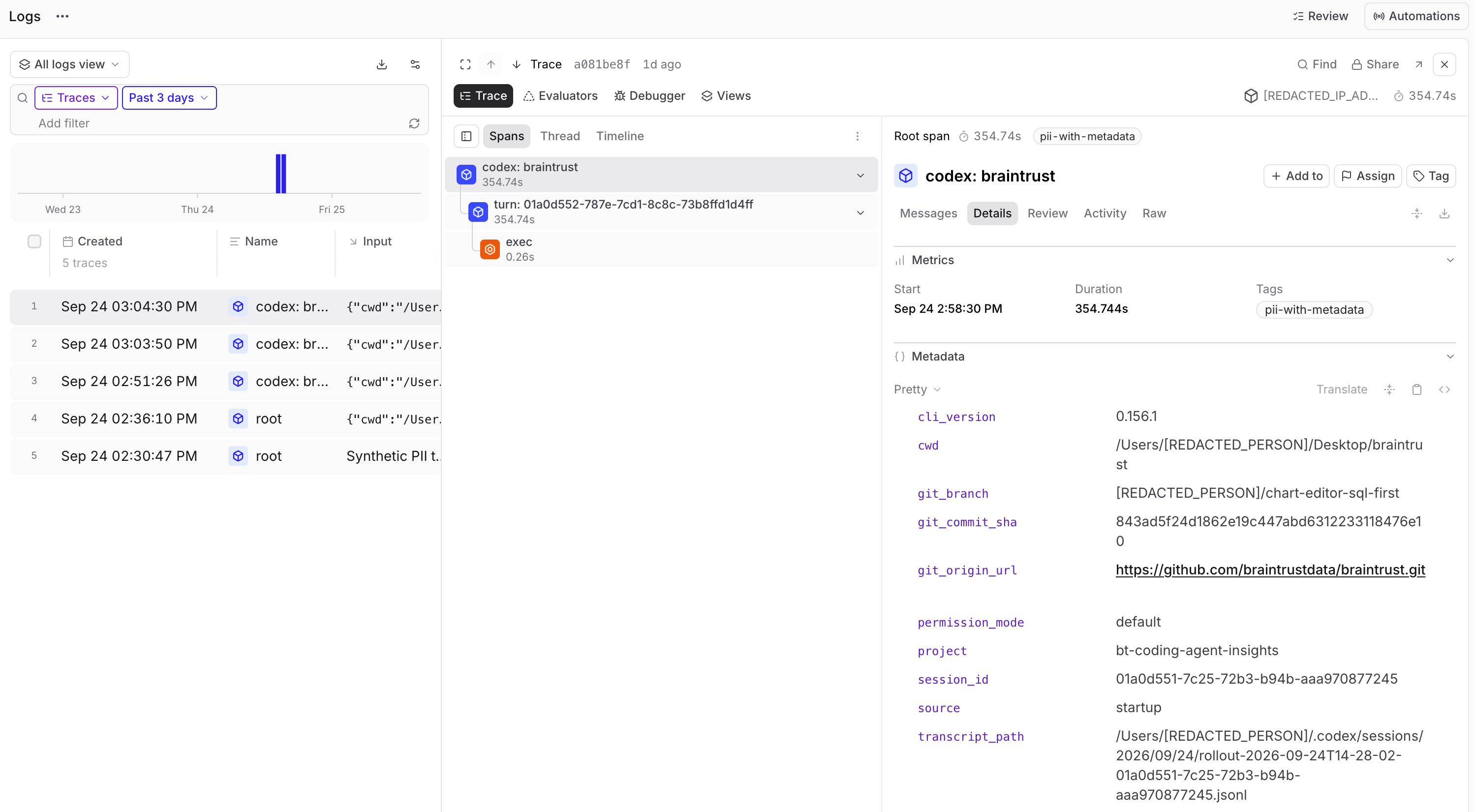
How redaction works
Redaction runs on incoming project logs before storage:- Select text: Braintrust applies your project and organization policies to identify which fields and entity types to scan. Selected fields include strings nested in objects and arrays.
- Detect sensitive information: Braintrust sends unredacted text from the selected fields to a Braintrust-managed detection model hosted on Baseten, a subprocessor. The model identifies text matching your configured entity types.
- Replace and store: Braintrust replaces the text identified by the model with category markers such as
[REDACTED_EMAIL], then stores the records. Text outside the detected spans and the object and array structure are preserved.
For organizations on the EU data plane, unredacted text selected for detection is sent to a Baseten-hosted model endpoint outside the EU. Using the EU data plane does not keep ingestion redaction processing within the EU.
Enable redaction
To configure redaction, you need the Update permission on the organization or project. Braintrust recommends enabling redaction at the project level during private preview.1
Choose the scope
Choose whether to redact logs for one project or every project in your organization.
- One project: Select the project, then open Settings > Advanced. Find PII redaction.
- All projects: Open Settings > Logging. Find Security. This scope includes existing and new projects.
2
Enable redaction
Turn on Redact PII in new logs.
3
Select fields and entity types
By default, redaction scans five log fields:
input, output, expected, error, and metadata. Each uses the same 11 default entity types (categories of sensitive text).- Choose fields: Use Field to add or remove fields. Changes save immediately. You can also click a field’s trash icon and confirm with Remove.
- Choose entity types: Click a field’s pencil icon, search or browse the types, select at least one, and click Save. Each field can have a different selection.
Default and additional entity types
Default and additional entity types
These defaults also apply when you add a field. Existing fields retain their saved selections.
4
Verify the results
Send representative test logs, then go to Logs and inspect the covered fields.Check for missed sensitive values and text redacted incorrectly before relying on the results.
Failure behavior
Braintrust configures failure behavior for your organization. Contact support@braintrust.dev to confirm the mode or discuss changing it. If policy evaluation or redaction fails:- Fail closed: Ingestion rejects the affected batch. Its log records are not stored.
- Fail open: Ingestion can accept the batch without redaction. Sensitive content can be stored.
Redact before upload
To remove sensitive values before they reach Braintrust, change data before it leaves your application or machine. Braintrust SDKs provide masking functions and span customizers for data logged by your application, and thebt CLI provides span plugins for coding-agent traces:
- Masking functions: Functions that replace sensitive parts of field values, one value at a time, in a fixed set of fields:
input,output,expected,metadata,context,scores, andmetrics. The SDK runs your function on every record it logs. If it fails, the SDK uploads an error message in place of the affected field instead of the unmasked value. - Span customizers: Code that changes, adds, or removes fields on a span, including
tagsanderror. The SDK runs your customizers before it uploads each span. Which spans they cover, and what happens when one fails, depends on the SDK. - Span plugins: JavaScript modules that change coding-agent traces, which don’t pass through an SDK. The
btCLI runs your plugins on your machine before it uploads the traces. See Transform spans with JavaScript.
The Ruby and C# SDKs don’t support masking functions or span customizers. To remove sensitive data from their traces, use ingestion redaction, or remove it before you log it.
Next steps
- Explore advanced tracing to customize how your application records traces.
- Configure access control to manage who can read your projects and logs.
- Set retention policies to control how long records are kept.