

AI agents need web search APIs to retrieve current information and ground answers in external sources. Providers differ in how they find relevant pages, extract useful content, handle freshness, and expose search through MCP. Provider selection affects answer accuracy, citation quality, latency, and cost, especially when agents perform multiple searches within a single task.
This guide compares seven web search APIs and MCP servers across their retrieval capabilities, integration options, and agent use cases. It also explains how to evaluate providers against production requirements, since vendor benchmarks use different models, prompts, and question sets that make direct comparisons unreliable.
Braintrust provides the tracing and evaluation layer for testing search providers under consistent conditions. Teams can compare answer accuracy, source support, latency, and cost across the same agent tasks, then use production scoring to detect quality regressions after deployment. Start free with Braintrust.
What a web search API does for an AI agent
A web search API accepts a query from an AI agent and returns ranked results containing URLs, titles, and available metadata such as publication dates. Depending on the provider, results may include short snippets, query-relevant passages, or full-page Markdown. The agent passes the retrieved content to a language model to generate an answer supported by cited sources.
Traditional SERP APIs return search engine results, typically titles, links, and snippets, requiring a separate request when the agent needs complete page content. AI-native search APIs use their own indexes or retrieval pipelines to deliver relevant excerpts, extracted Markdown, or relevance-scored chunks. Some providers combine search and extraction in a single request.
Research agents often refine queries and search multiple times to gather sufficient evidence. Built-in model search tools operate through the model provider's API, with search behavior and configuration determined by the provider. External search APIs leave retrieval configuration to the team and expose the retrieved passages for tracing and evaluation.
Web search APIs vs MCP servers for AI agents
The seven providers in this guide offer web search through direct APIs and MCP integrations. Both give agents access to external information, but they differ in how search tools are configured, discovered, and executed.
Direct API integration: The application calls the provider's search endpoint and exposes it as a tool to the model. Developers can configure supported parameters such as result count, content depth, domain filters, freshness settings, caching, and retries for each task. Direct integration gives the application control over how requests are constructed and responses are processed.
Hosted MCP server: An MCP server exposes search capabilities as tools that compatible clients, including Claude Code, Cursor, VS Code, and custom agents, can discover and call. Hosted servers typically require a server URL and may support API-key authentication, OAuth, or limited keyless access. Available tools and parameters depend on the provider's MCP implementation, so developers should verify that the server exposes the retrieval controls their agent needs.
Context budget: MCP tool descriptions and search results both consume tokens in the model's context window. Limit the enabled tools and control the length of returned content to avoid filling the context window with unnecessary descriptions or retrieved text.
How web search APIs for AI agents differ
Compare web search providers against the questions an agent needs to answer and the resources required to retrieve supporting evidence. Seven criteria establish which capabilities the intended workload requires.
Retrieval quality: Assess whether results contain the evidence needed to answer correctly. Index coverage, ranking methods, and query handling influence relevance, with performance varying across domains and question types.
Freshness: Check how quickly new content becomes available and whether the API supports publication-date filters, recency windows, or cache-age settings that trigger a live fetch.
Usable page content: Examine how much relevant information the API returns without additional requests. Snippets reduce token usage, query-relevant excerpts provide focused evidence, and full-page Markdown supports tasks requiring longer passages or detailed page content.
Citations and source metadata: Check whether results include reliable URLs, titles, and publication dates. Complete metadata supports source attribution, while access to the underlying content allows teams to verify whether cited pages support the agent's claims.
Latency: Measure search response times across the agent's complete task. Multiple searches, full-page extraction, and live crawling can increase execution time, so compare available latency settings against the required retrieval depth.
Cost per task: Account for search requests, page extractions, and the tokens consumed when processing retrieved content. Cost per correct answer combines total execution costs with measured answer accuracy.
MCP availability: Check whether the provider offers an MCP server, which tools and parameters it exposes, and whether access requires an API key, OAuth, or another authentication method. Review output limits when agents need substantial retrieved content.
7 web search APIs and MCP servers for AI agents in 2026
1. Parallel: Agent-native search API with latency-tiered modes
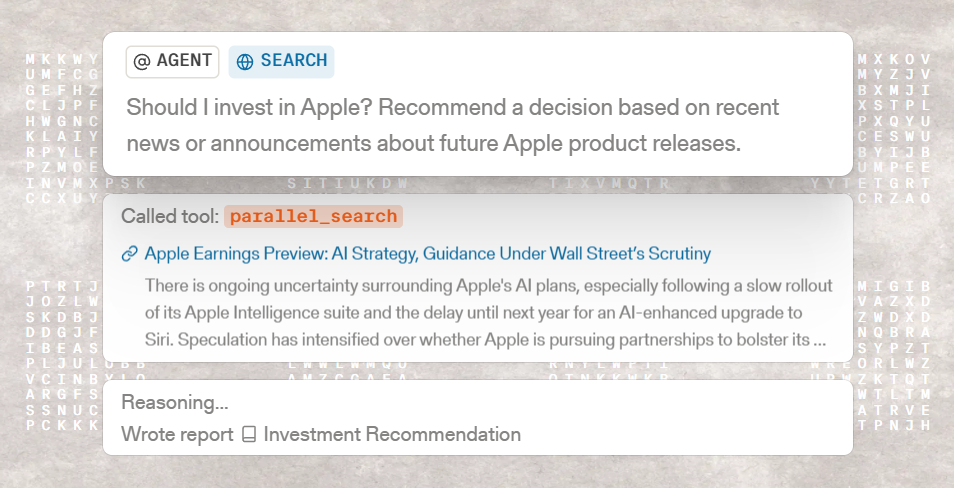
Parallel Web Systems runs its Search API on its own web index, which the company reports adds millions of pages daily. Extract, Task, FindAll, and Monitor APIs cover page extraction, deep research, entity discovery, and change tracking.
Search approach: Agents send a natural-language objective, keyword queries, or both, and Parallel ranks URLs by relevance to the objective. Source policies include or exclude specific domains.
Page content and citations: Each result includes compressed, query-relevant excerpts sized for a context window, and full page content is available in Markdown when a task needs more text. Ranked URLs and page titles support citation in the agent's answer.
Freshness and latency: Four modes set latency and depth, from Turbo at roughly 200 ms through Fast and Basic to Advanced at roughly 3 seconds with multi-hop retrieval. Freshness policies set a maximum page age that triggers a live fetch, with a timeout that caps the added latency.
MCP server: The Search MCP at search.parallel.ai/mcp provides web_search and web_fetch tools without an API key. A key raises rate limits. Excerpts per tool call are capped at roughly 25,000 characters to stay within typical MCP client output limits.
Best for: Agents that run many search calls inside a reasoning loop and need to tune latency and excerpt length per call.
Limitations: Compressed excerpts can omit context outside the query-relevant passages, and recovering it takes a full-content or Extract call. The MCP output cap limits how much text a single tool call returns.
2. You.com: Web search API with live full-page extraction

You.com provides a Web Search API that returns web and news results in one request, alongside Contents, Answer, and Research APIs for page extraction and cited responses. Braintrust's You.com vs built-in web search eval compares the You.com Web Search API with model-provider search tools on current-events questions.
Search approach: You.com combines web and news retrieval, with search operators such as site: and filetype: and domain inclusion, exclusion, and boosting controls. A classifier determines when news results belong in the response.
Page content and citations: Results include URLs, titles, descriptions, and publication metadata. The API returns keyword-centered snippets by default, with options for query-relevant passages and full-page Markdown or HTML.
Freshness and latency: Recency filters support predefined windows and custom date ranges. Full-page extraction can use cached content, fetch a live version, or combine both methods. Live crawling adds retrieval time and can incur additional extraction charges.
MCP server: The hosted server at api.you.com/mcp exposes search, discovery, contents, and research tools through API-key or OAuth authentication. A keyless free profile provides search and discovery tools at a limited daily query allowance, and an API key unlocks the contents, research, and finance tools.
Best for: Agents answering questions about recent events that need web and news results with optional full-page extraction.
Limitations: Live extraction increases response time, and search requests have result limits. Retrieving complete content for multiple results can also increase processing costs.
3. Exa: Neural web search API for semantic retrieval
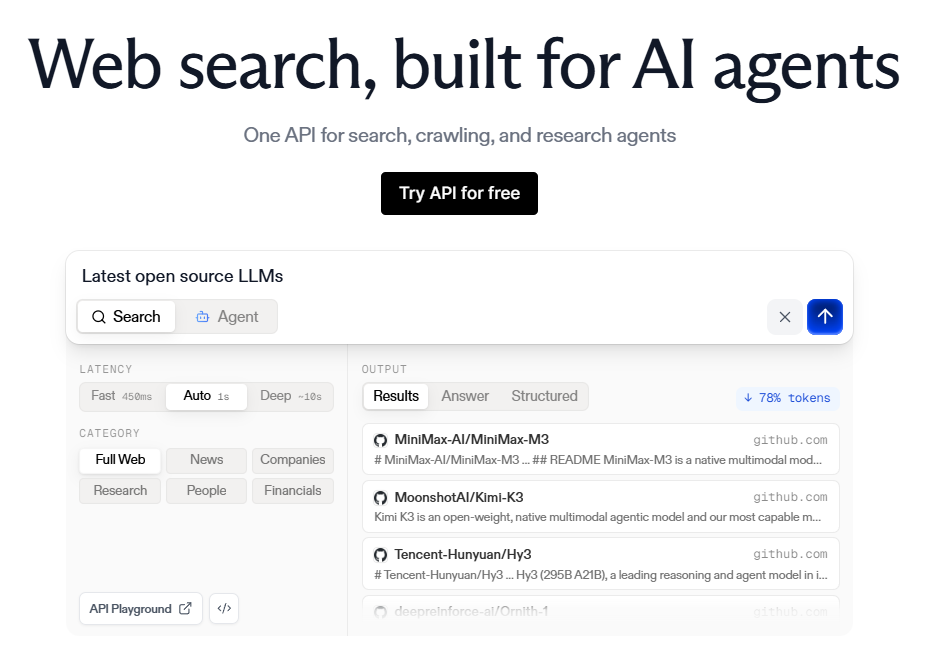
Exa operates its own search engine, combining neural retrieval with other search methods to process natural-language queries. Its Contents endpoint retrieves pages by URL, while Exa Agent supports longer research and list-building tasks.
Search approach: Exa offers search types ranging from latency-focused modes to deeper retrieval, with Auto selecting a search method. Category filters cover entities and content types such as companies, people, news, research, and financial reports, while domain filters narrow the search scope.
Page content and citations: Results can include query-relevant excerpts, full text, and generated summaries. Structured output options support schema-based responses with source information.
Freshness and latency: The maxAgeHours parameter controls how old cached page content can be before Exa fetches a new copy. Search modes have different execution times, with deeper retrieval requiring additional processing.
MCP server: Exa's hosted server at mcp.exa.ai/mcp provides web search and page-fetch tools and works anonymously at lower rate limits. OAuth or an API key raises those limits and unlocks Exa Agent.
Best for: Research and discovery agents using natural-language queries to find companies, people, publications, and other specific information.
Limitations: maxAgeHours controls the freshness of extracted page content but does not filter results by publication date. Search requests also have result limits, and deeper search modes increase execution time. The company and people categories do not support several filters, including published-date and crawl-date ranges.
4. TinyFish: Web search and fetch APIs with browser automation
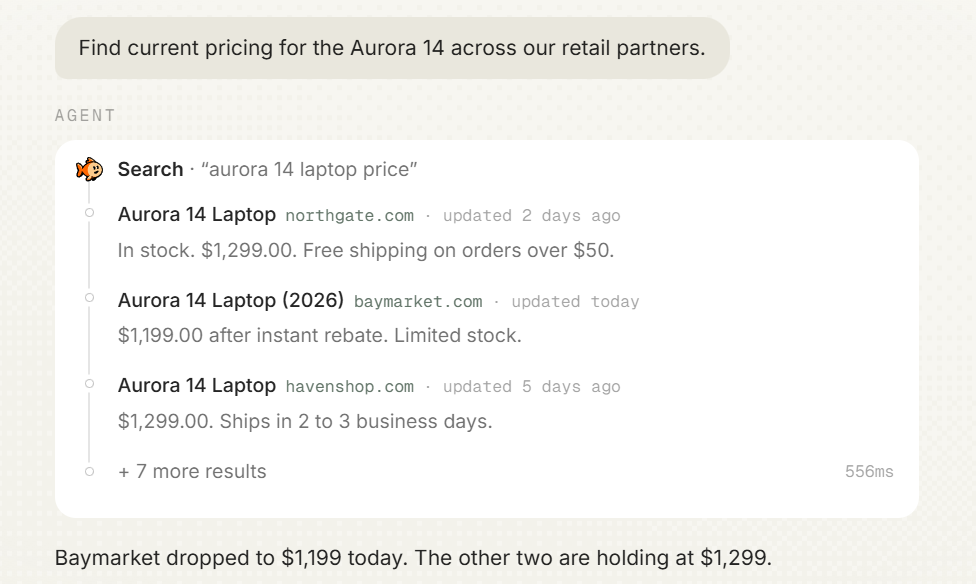
TinyFish bundles Search and Fetch APIs with Browser and Agent services on one API platform, so an agent can discover pages, extract their content, and carry out authorized website interactions.
Search approach: Search returns ranked results with location and language controls and supports different search categories, including general web, news, and research-paper results.
Page content and citations: Search results include titles, URLs, snippets, and metadata. Fetch retrieves complete page content through browser rendering and returns cleaned content suitable for AI agents, including content from JavaScript-heavy pages.
Freshness and latency: Search supports recency and date-based filtering. Fetch adds a separate retrieval step, with browser rendering and page complexity affecting execution time.
MCP server: The hosted server at agent.tinyfish.ai/mcp exposes web retrieval and automation tools. TinyFish also ships SDK and CLI integrations, and the CLI can write larger results to a file.
Best for: Agents that need to move from search results to rendered pages or authorized website interactions.
Limitations: Search returns snippets and source information, so retrieving complete page content requires a separate Fetch request. Browser-based retrieval introduces additional execution time, and requests are subject to rate limits.
5. Firecrawl: Web search API with scraping and crawling
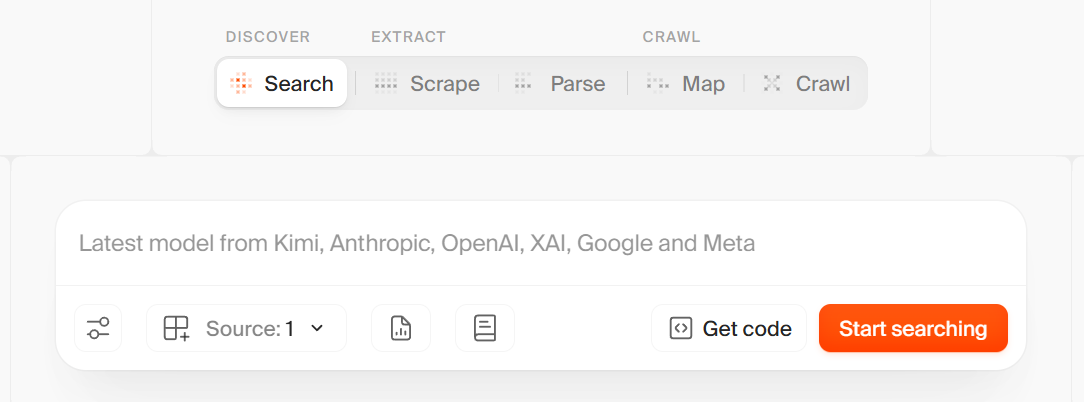
Firecrawl combines web search with Scrape, Crawl, Map, and Interact capabilities to retrieve and process website content. Its core project is open source and can be self-hosted.
Search approach: The Search API covers web, news, and image sources, with category, location, and domain filters for narrowing results.
Page content and citations: Results include URLs, titles, descriptions, and query-relevant excerpts. Developers can use scrapeOptions to retrieve Markdown, HTML, links, or screenshots alongside search results in the same request.
Freshness and latency: Time filters accept predefined recency windows and custom date ranges for web results. Requesting page content during search adds extraction time, particularly when retrieving multiple complete pages.
MCP server: Firecrawl provides hosted and locally deployable MCP integrations. The available tools depend on the server configuration and can include search, scraping, crawling, mapping, and other retrieval operations.
Best for: Agents that need web search, content extraction, site crawling, and page interaction within the same retrieval pipeline.
Limitations: Time filters apply to web results, while news freshness depends on available publication metadata. Retrieving full content for every result increases response size and the number of tokens the model must process. Self-hosting the AGPL-licensed project requires running and maintaining the service on your own infrastructure.
6. Brave Search API: Independent web index with LLM context

Brave Search API operates on an independent web index and provides endpoints for web, news, image, video, and local search. Its LLM Context endpoint returns extracted content for model grounding, while the Answers API generates cited responses.
Search approach: Web search supports country, language, and freshness filters. Goggles allow developers to customize ranking by boosting, downranking, or excluding results from specified sources, either as a hosted goggle file or an inline definition.
Page content and citations: Web results contain ranked URLs and snippets. The LLM Context endpoint returns relevant text, tables, and code with source metadata, using a configurable token budget that defaults to 8,192 tokens and accepts up to 32,768.
Freshness and latency: Date filters accept predefined recency windows and custom ranges based on page age. A smaller LLM Context token budget returns less text and fewer tokens for the model to process.
MCP server: Brave maintains an official open-source MCP server exposing web search and LLM Context as tools, running over STDIO or HTTP transport and requiring a Brave API key.
Best for: Agents requiring an independent search index and configurable source ranking.
Limitations: LLM Context returns selected passages within the configured token budget, so complete pages may require a separate retrieval tool. Search endpoints also impose query-length limits.
7. Tavily: Search and extraction API for agentic RAG
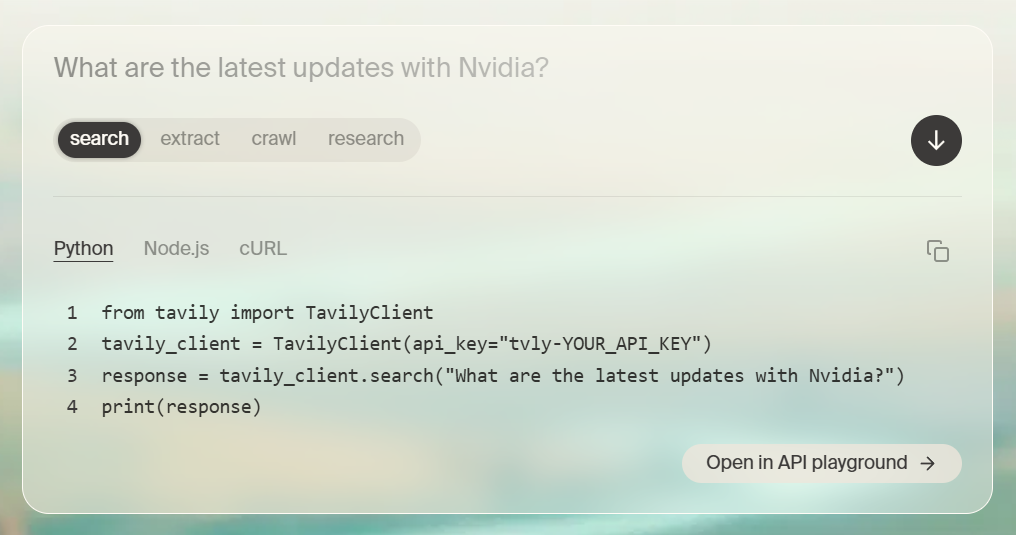
Tavily provides Search, Extract, Crawl, Map, and Research APIs for web retrieval and agent workflows. Integrations with LangChain, LlamaIndex, and other frameworks support its use in retrieval-augmented generation applications.
Search approach: Tavily offers four search depths, from Ultra-fast through Fast and Basic to Advanced, each with its own latency and retrieval settings. Topic options cover general, news, and finance content, while domain filters and country boosting narrow the search scope.
Page content and citations: Search results include source URLs, content, and relevance scores. Supported options return query-relevant chunks, full-page content, and generated answers with source information.
Freshness and latency: Recency windows and custom start and end dates restrict results by time. Search depth affects execution time, with deeper retrieval requiring additional processing.
MCP server: The remote server at mcp.tavily.com exposes search, extract, map, crawl, and research tools through API-key or OAuth authentication. Its search tool also supports configurable result counts, domain filters, and date parameters.
Best for: RAG agents using frameworks such as LangChain or LlamaIndex that need search, extraction, and crawling capabilities.
Limitations: Search requests return a maximum of 20 results, and retrieving complete page content requires the raw-content option or an additional Extract request.
Best web search APIs for AI agents compared (2026)
| Provider | Search approach | Content in the search response | MCP server | Best for |
|---|---|---|---|---|
| Parallel | Own web index; natural-language objective, keywords, or both, with domain source policies | Compressed query-relevant excerpts sized for a context window; full Markdown on request | search.parallel.ai/mcp, keyless with web_search and web_fetch; excerpts capped near 25,000 characters per call | Agents running many searches inside a reasoning loop that need per-call latency and excerpt control |
| You.com | Combined web and news retrieval with site: and filetype: operators and domain boosting | Keyword snippets by default; query-relevant passages or full-page Markdown or HTML as options | api.you.com/mcp with API key or OAuth; keyless free profile covers search and discovery | Agents answering recent-events questions that may need complete articles |
| Exa | Own search engine combining neural and other methods, with Auto mode and entity categories | Query-relevant excerpts, full text, generated summaries, and structured output | mcp.exa.ai/mcp, anonymous at lower rate limits; OAuth or key unlocks Exa Agent | Research and discovery agents querying in natural language for companies, people, and publications |
| TinyFish | Ranked results with location, language, and category controls | Snippets and metadata; Fetch returns browser-rendered page content separately | agent.tinyfish.ai/mcp for retrieval and automation tools, plus SDK and CLI | Agents that move from results to rendered pages or authorized site interactions |
| Firecrawl | Search across web, news, and image sources with category, location, and domain filters | URLs, titles, descriptions, and excerpts; scrapeOptions adds Markdown, HTML, links, or screenshots in the same call | Hosted and locally deployable servers; tools depend on configuration | Pipelines that need search, extraction, crawling, and page interaction together |
| Brave Search API | Independent index across web, news, image, video, and local, with Goggles ranking rules | Ranked URLs and snippets; LLM Context returns text, tables, and code within a token budget up to 32,768 | Official open-source server over STDIO or HTTP; requires a Brave API key | Agents needing an independent index and rule-based control over source ranking |
| Tavily | Four search depths from Ultra-fast to Advanced across general, news, and finance topics | Scored results with content; query-relevant chunks, full-page content, or generated answers | mcp.tavily.com with API key or OAuth, exposing search, extract, map, crawl, and research | RAG agents built on LangChain or LlamaIndex that also need extraction and crawling |
Start free with Braintrust to compare search providers on the same agent tasks →
Matching web search APIs to agent use cases
An agent's search requirements depend on the task, from finding recent reporting and conducting research to extracting page content and interacting with websites. The following use cases show how each provider supports different retrieval needs.
For agents answering questions about recent events: You.com combines web and news results in one request, with recency filters and optional full-page extraction. Agents can retrieve complete articles alongside search results when they need more evidence than snippets provide.
For research agents working from natural-language descriptions: Exa supports descriptive queries and category-based searches for companies, people, and publications. Its deeper search modes and structured output capabilities support list building and research workflows that require specific information from multiple sources.
For agents performing repeated searches within a reasoning loop: Parallel provides configurable search modes and compressed, query-relevant excerpts. Submitting a natural-language objective and capping excerpt length keeps the returned content manageable across successive searches.
For agents that need to interact with websites: TinyFish connects search and page retrieval with browser automation. Agents can retrieve content from JavaScript-heavy websites and perform authorized actions such as navigating pages or completing forms through its automation capabilities.
For agents that need extraction and crawling after search: Firecrawl returns full-page extraction inside the search request, with dedicated scraping, crawling, and URL discovery endpoints for the steps after it, and the open-source project can run on a team's own infrastructure.
For agents requiring an independent index and ranking control: Brave Search API runs on its own web index, and Goggles boost, downrank, or exclude sources by rule. Agents that need grounding text beyond snippets can pull extracted passages through the LLM Context endpoint within a set token budget.
For RAG agents built with agent frameworks: Tavily integrates with frameworks such as LangChain and provides scored search results for retrieval pipelines. Tavily's Extract, Crawl, and Map APIs then handle content retrieval and site-level discovery.
An agent may also use multiple providers, assigning separate tools to search, extraction, and browser automation. Compare the complete configurations against identical agent tasks to establish how provider selection affects answer quality, latency, and cost.
How to evaluate web search APIs on your own agent tasks
Vendor benchmarks use different models, prompts, search budgets, and question sets, so their results may not reflect how a search provider performs in your application. Evaluate each candidate against the same representative tasks, control the variables you can, and compare answer accuracy, source support, latency, and cost.
Braintrust's evaluation of You.com and built-in web search demonstrates how to structure a controlled comparison. The study tested 1,329 current-events questions from LiveNewsBench across four models and 14 conditions. Each condition used the same dataset snapshot and answer prompt, with a five-call budget for search-enabled configurations. Search trajectories and final answers were recorded in Braintrust experiments for question-level comparisons.
Step 1: Build a task dataset from real agent queries
Combine representative production questions with multi-fact queries, domain-specific lookups, and recent-event questions with verified answers. Record the event date for time-sensitive questions, since Braintrust's evaluation found that retrieval gains fell as event age increased.
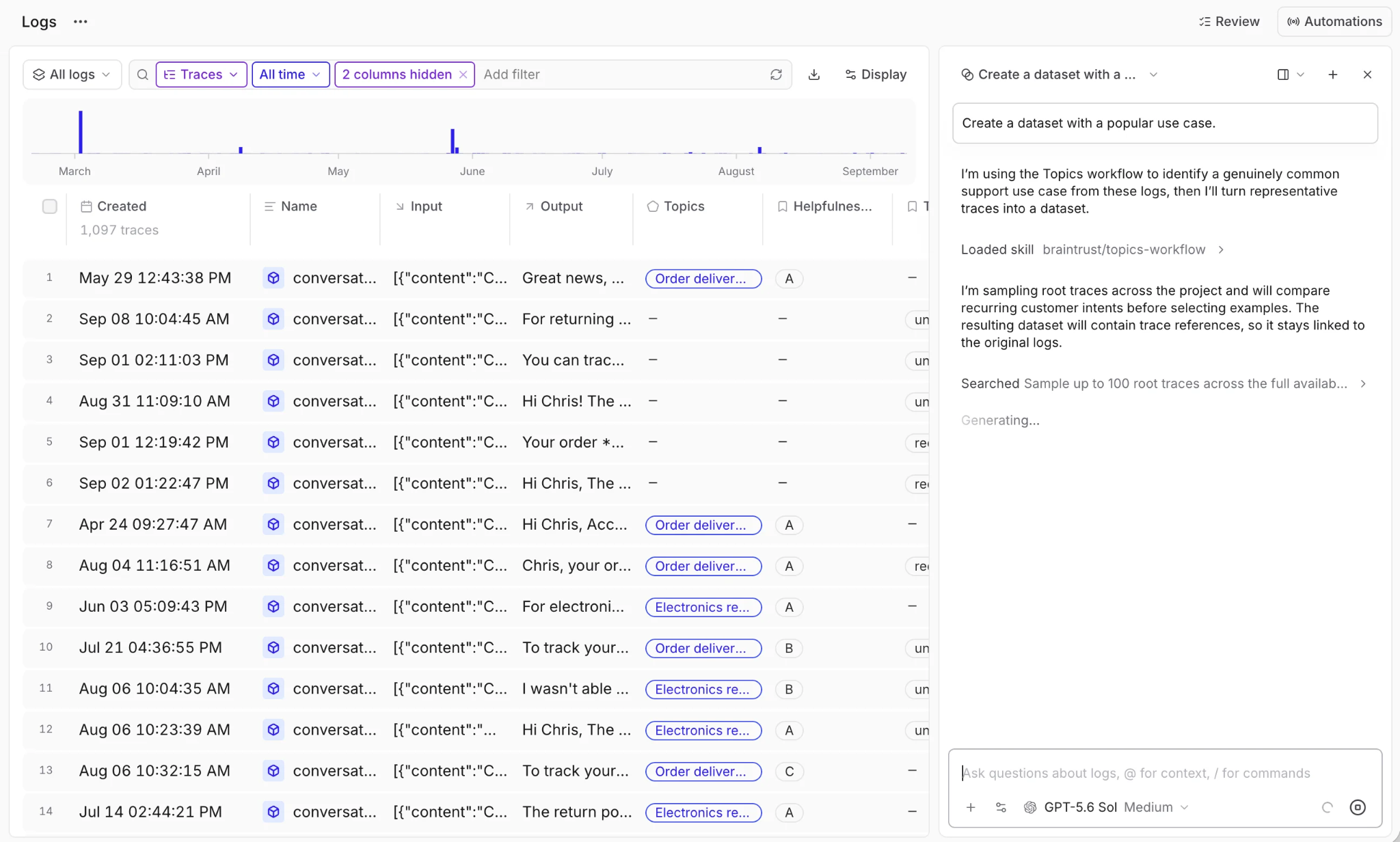
Reviewed production traces can become dataset rows that stay linked back to the original logs.
Store the test cases in a versioned Braintrust dataset so every candidate runs against identical inputs, and the results remain comparable across experiments.
Step 2: Hold the model, prompts, and search budget constant
Run one experiment per search provider using the same model, system prompt, result limits, and maximum number of search calls. Normalize the returned content into consistent fields, such as title, URL, publication date, and text, wherever the integration exposes them.
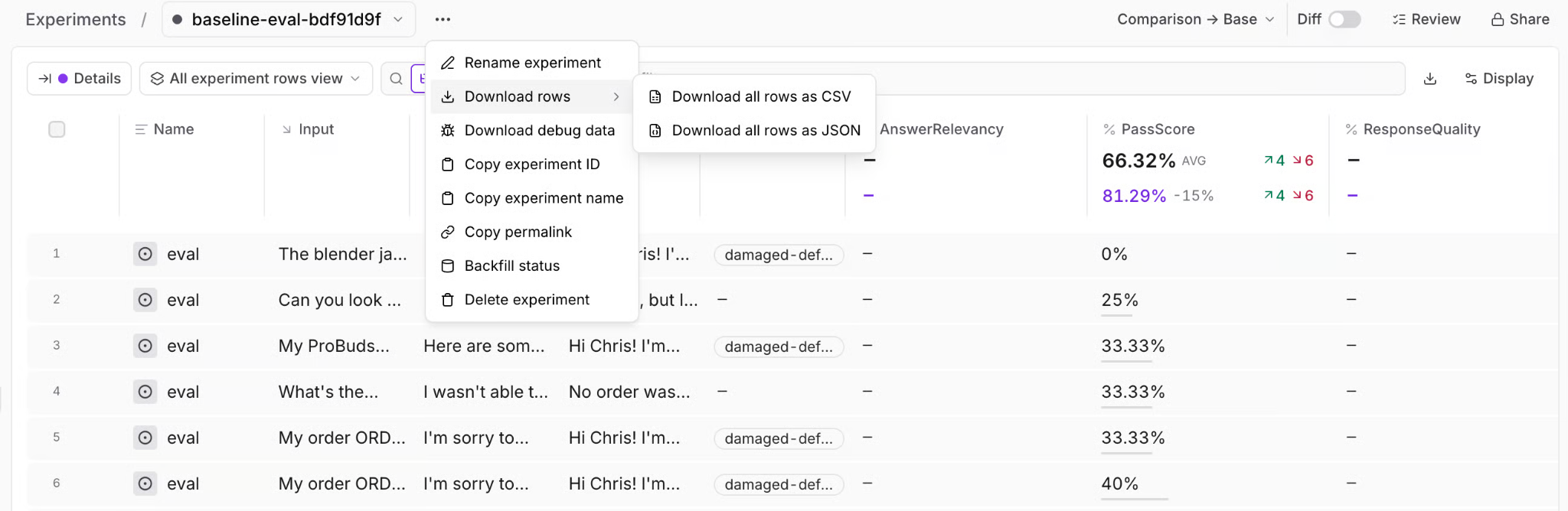
Each provider runs as its own experiment, with per-row scores recorded for question-level comparison.
Document any differences that cannot be controlled, particularly when comparing external APIs with built-in model search tools. The Braintrust study evaluated built-in search as part of the complete model-provider integration because its search behavior and returned evidence differ from those of an external API.
Step 3: Trace every search call as a span
Use Braintrust custom tracing to record each search query, returned results, execution time, retries, and available cost information. The resulting spans connect the agent's final answer to the evidence retrieved during individual search calls.
Search count is worth recording too, because in Braintrust's evaluation, GPT with You.com answered 91% of questions correctly after one search and 90% after two, then 49% among runs reaching five or more. The relationship was observational because difficult questions can cause both longer search sequences and incorrect answers. Investigate repeated searches to determine whether the agent needs a different query strategy or additional evidence.
Step 4: Score answer accuracy and source support
Use an LLM-as-a-judge scorer to evaluate answer correctness against verified reference answers, including semantically equivalent wording. Braintrust's study found 6,548 instances where deterministic string matching rejected an answer accepted by its model-based accuracy grader, against 52 in the other direction, demonstrating why literal matching alone was insufficient for the question set.
Add custom scorers to check whether retrieved passages support the answer's claims and whether cited sources meet the task's freshness requirements. Validate the scorers against reviewed examples, particularly when multiple sources report conflicting facts or publication dates.
Step 5: Compare end-to-end latency and cost per correct answer
Measure the complete agent run from the initial question to the final answer, including search calls, page extraction, and model inference. Capture the relevant API charges and model costs so the comparison accounts for the complete execution.
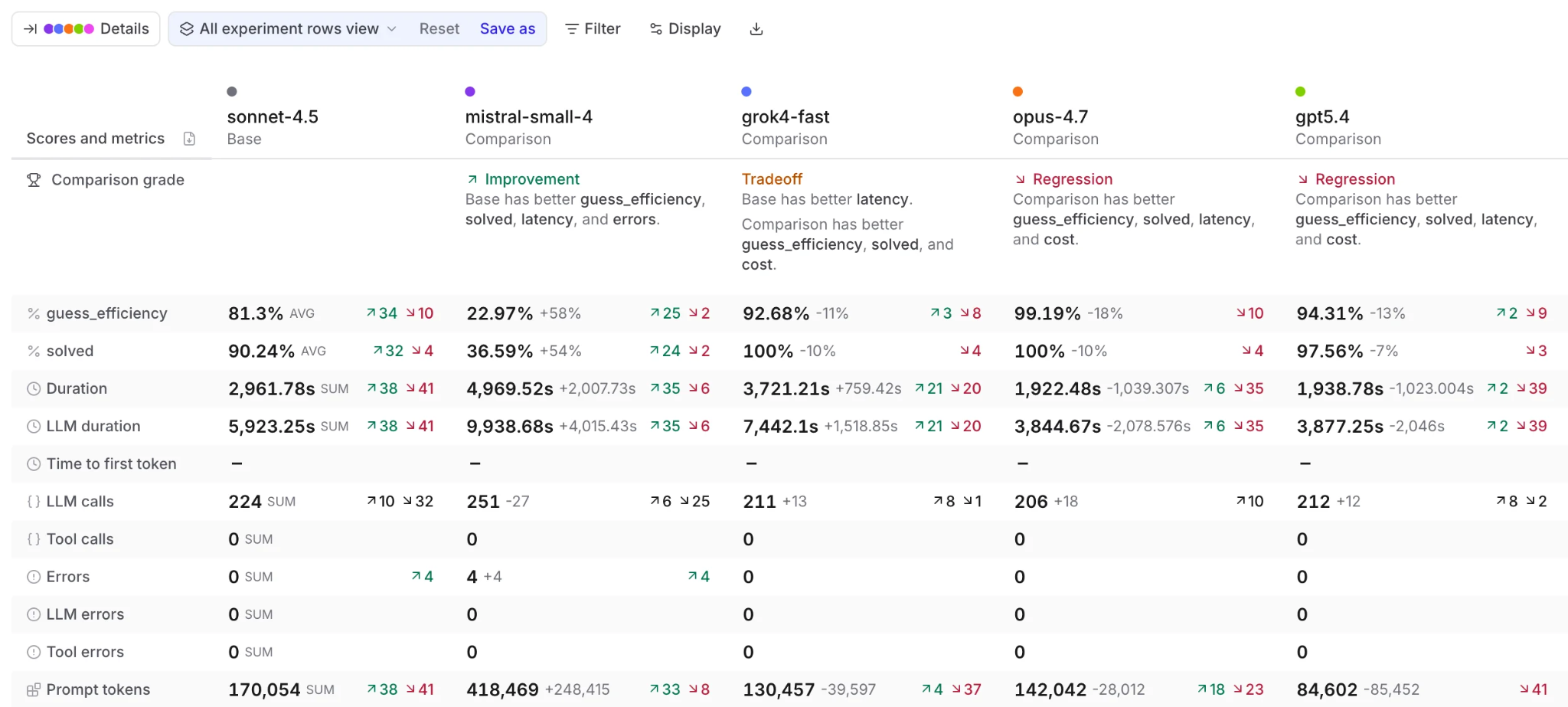
Experiment comparison puts accuracy, duration, call counts, and token usage side by side for each configuration.
Calculate cost per correct answer by dividing the total measured cost by the number of correctly answered questions. Compare the resulting figure alongside accuracy and latency to understand the operational implications of each retrieval configuration. In the Braintrust study, You.com cut Claude's cost per correct answer from $0.1457 to $0.0942 even though its accuracy advantage was not statistically distinguishable from zero.
Step 6: Review question-level disagreements
Aggregate accuracy can conceal substantial differences in the questions individual providers answer correctly. In Braintrust's study, You.com and built-in search produced Claude accuracy scores only 0.45 percentage points apart but disagreed on 198 individual questions. Most disagreements arose when one search method returned a different number, date, or location.
Inspect the corresponding traces to identify whether errors originate from missing evidence, conflicting sources, retrieval freshness, or the model's interpretation of the returned information. Group recurring failures by question type and domain to determine which retrieval requirements need further testing.
Step 7: Keep scoring production traces after launch
Search results change as new pages appear and existing content is updated, so a provider that passes a fixed evaluation dataset still needs production monitoring.
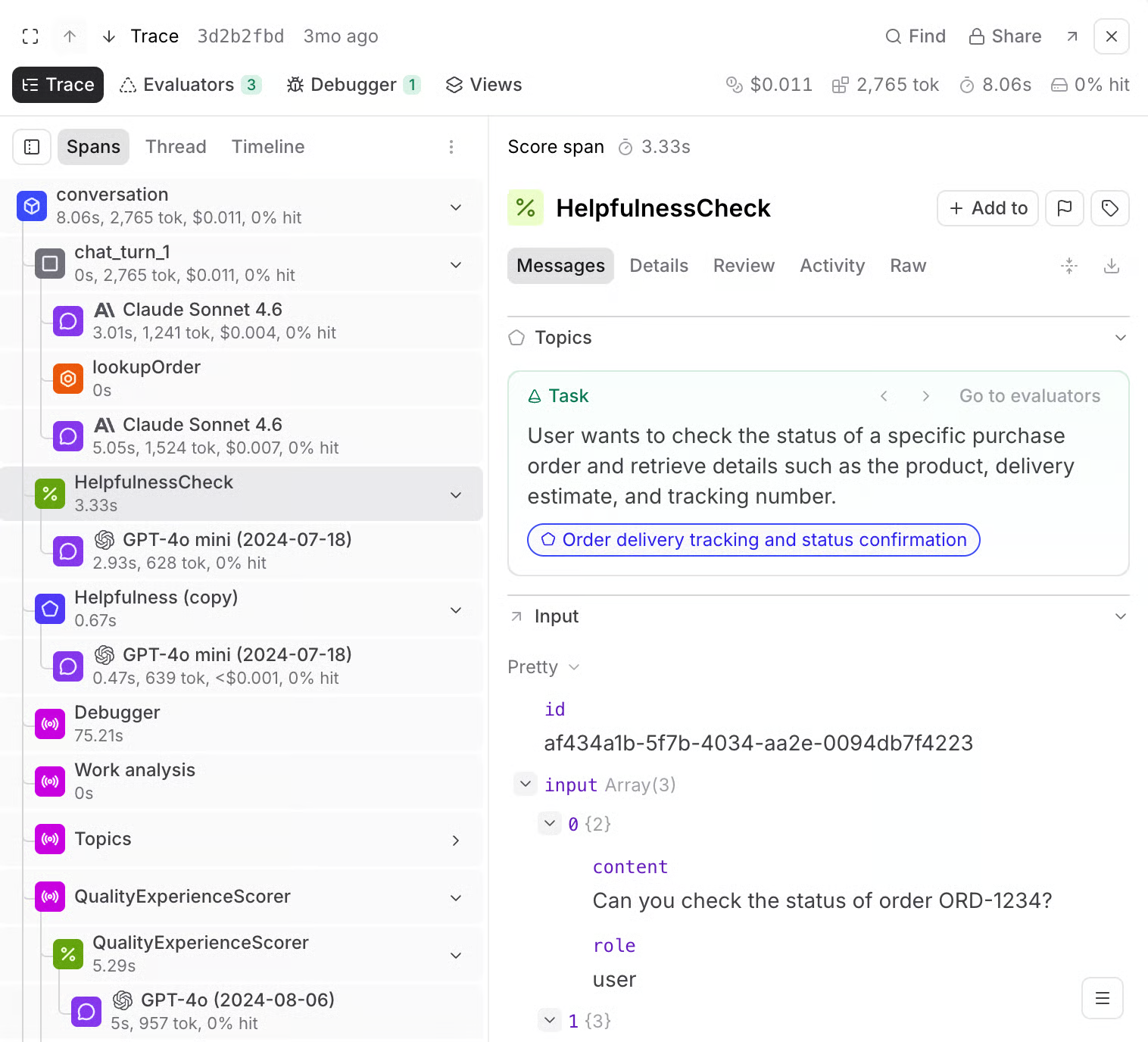
Online scoring records each scorer run as a span inside the production trace.
Configure Braintrust online scoring to evaluate production traces using compatible scorers, filters, and sampling settings. Set up alerts for defined quality, latency, or cost thresholds so the responsible team can investigate regressions. Confirmed production failures can then become new evaluation cases for subsequent provider comparisons.
Braintrust connects retrieval evidence, answer quality, and release decisions through traced experiments and continuous production evaluation.
Start evaluating web search providers with Braintrust's free tier →
FAQs: Best web search APIs and MCPs for AI agents (2026)
Which web search API is best for AI agents?
The choice depends on the agent's retrieval requirements, including source coverage, content format, freshness, and response time. An agent researching companies may need different retrieval capabilities from one answering breaking-news questions. Use an AI agent evaluation framework to compare providers against representative tasks and establish which configurations meet your application's quality and performance requirements.
Should an agent use built-in model search or a separate web search API?
Built-in search reduces integration work by keeping retrieval within the model provider's API. A separate search API gives developers access to provider-specific retrieval settings and greater control over how returned content is processed and stored. Braintrust's agent tracing records each search call and the evidence it returned, so an unsupported answer can be traced to the retrieval step that produced it.
What is the difference between a web search API and a web scraping API?
A search API discovers relevant pages from a query, whereas a scraping API retrieves content from known URLs. Some providers combine both capabilities through search endpoints that return extracted page content. Agents that also navigate websites, complete forms, or interact with page elements require browser automation.
How many search results should an AI agent retrieve per query?
There is no universal result count. Start with a small result set and test progressively larger limits, such as five, ten, and twenty results, against the same questions. Measure whether additional results improve answer accuracy and evidence coverage enough to justify the added tokens, latency, and cost. RAG evaluation provides retrieval metrics such as context precision and recall to identify when additional content improves or dilutes the evidence available to the model.
How can an agent keep web search results current for time-sensitive queries?
Use publication-date filters, recency windows, and cache-age controls where the provider supports them. Verify dates and the underlying facts in retrieved pages, especially when sources report evolving figures or conflicting information. Braintrust scorers can evaluate source freshness when the required metadata is available, while turning production failures into regression tests helps teams detect recurring problems with outdated evidence.