

Contributed by Ankur Goyal on 2024-08-12
We’re going to build an agent that can interact with users to run complex commands against a custom API. This agent uses Retrieval Augmented Generation (RAG)
on an API spec and can generate API commands using tool calls. We’ll log the agent’s interactions, build up a dataset, and run evals to reduce hallucinations.
By the time you finish this example, you’ll learn how to:
- Create an agent in Python using tool calls and RAG
- Log user interactions and build an eval dataset
- Run evals that detect hallucinations and iterate to improve the agent
Setup
Before getting started, make sure you have a Braintrust account and an API key for OpenAI. Make sure to plug the OpenAI key into your Braintrust account’s AI secrets configuration and acquire a BRAINTRUST_API_KEY. Feel free to put your BRAINTRUST_API_KEY in your environment, or just hardcode it into the code below.Install dependencies
We’re not going to use any frameworks or complex dependencies to keep things simple and literate. Although we’ll use OpenAI models, you can use a wide variety of models through the Braintrust proxy without having to write model-specific code.Setup libraries
Next, let’s wire up the OpenAI and Braintrust clients.Downloading the OpenAPI spec
Let’s use the Braintrust OpenAPI spec, but you can plug in any OpenAPI spec.Creating the embeddings
When a user asks a question (e.g. “how do I create a dataset?”), we’ll need to search for the most relevant API operations. To facilitate this, we’ll create an embedding for each API operation. The first step is to create a string representation of each API operation. Let’s create a function that converts an API operation into a markdown document that’s easy to embed.Similarity search
Once you have a list of embeddings, you can do similarity search between the list of embeddings and a query’s embedding to find the most relevant documents. Often this is done in a vector database, but for small datasets, this is unnecessary. Instead, we’ll just usenumpy directly.
search function. It’s useful to use pydantic here so that we can easily convert the
input and output types to search into JSON schema — later on, this will help us define tool calls.
Building the chat agent
Now that we can search for documents, let’s build a chat agent that can search for documents and create API commands. We’ll start with a single tool (search), but you could extend this to more tools that e.g. run the API commands.
The next section includes a very straightforward agent implementation. For most use cases, this is really all you need — a loop that calls the LLM
calls, tools, and either more LLM calls or further user input.
Take careful note of the system prompt. You should see something suspicious!
Adding observability to generate eval data
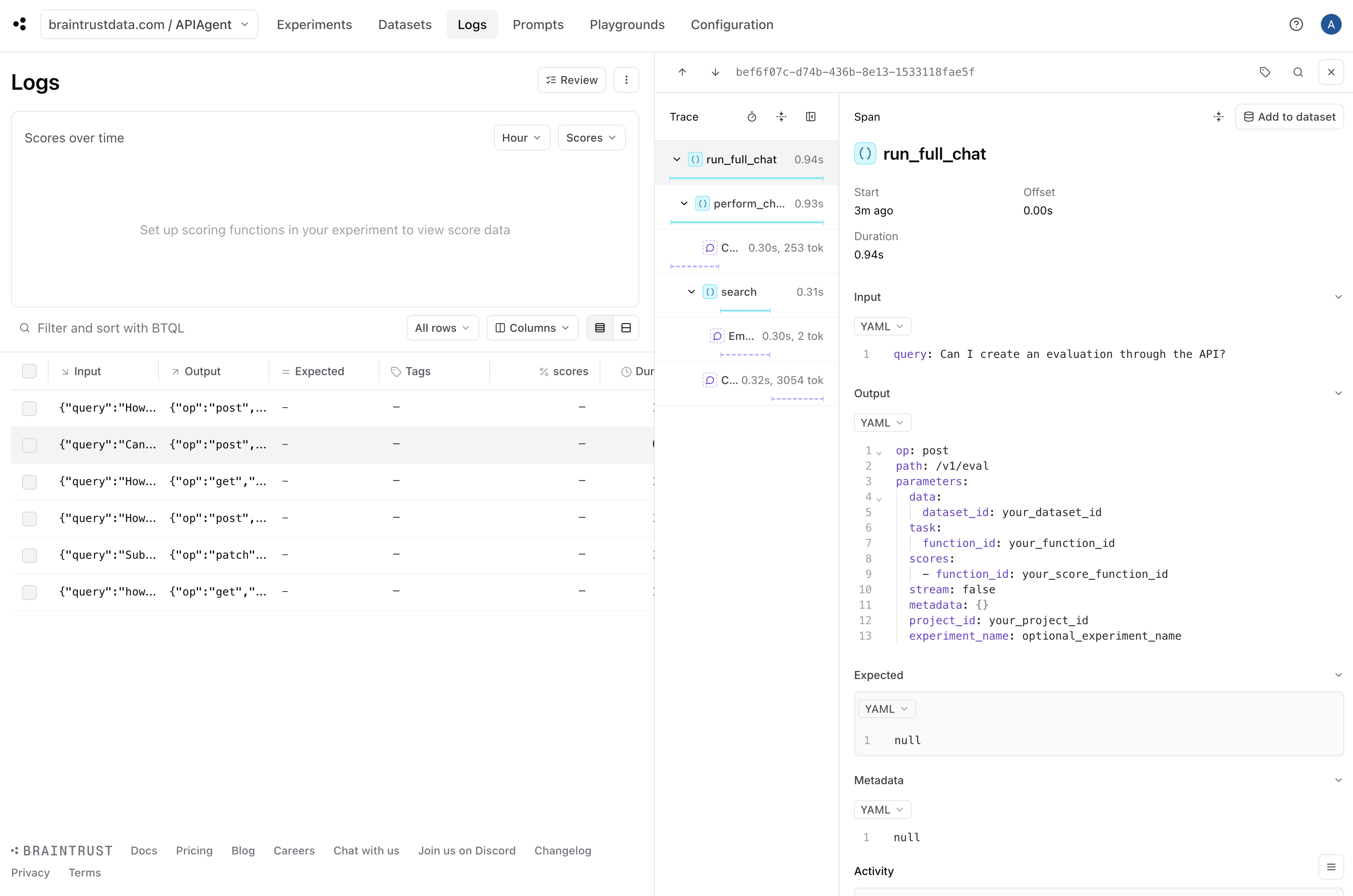
Once you have a basic working prototype, it is pretty much immediately useful to add logging. Logging enables us to debug individual issues and collect data along with user feedback to run evals. Luckily, Braintrust makes this really easy. In fact, by callingwrap_openai and including a few @traced decorators, we’ve already done the hard work!
By simply initializing a logger, we turn on logging.
Detecting hallucinations
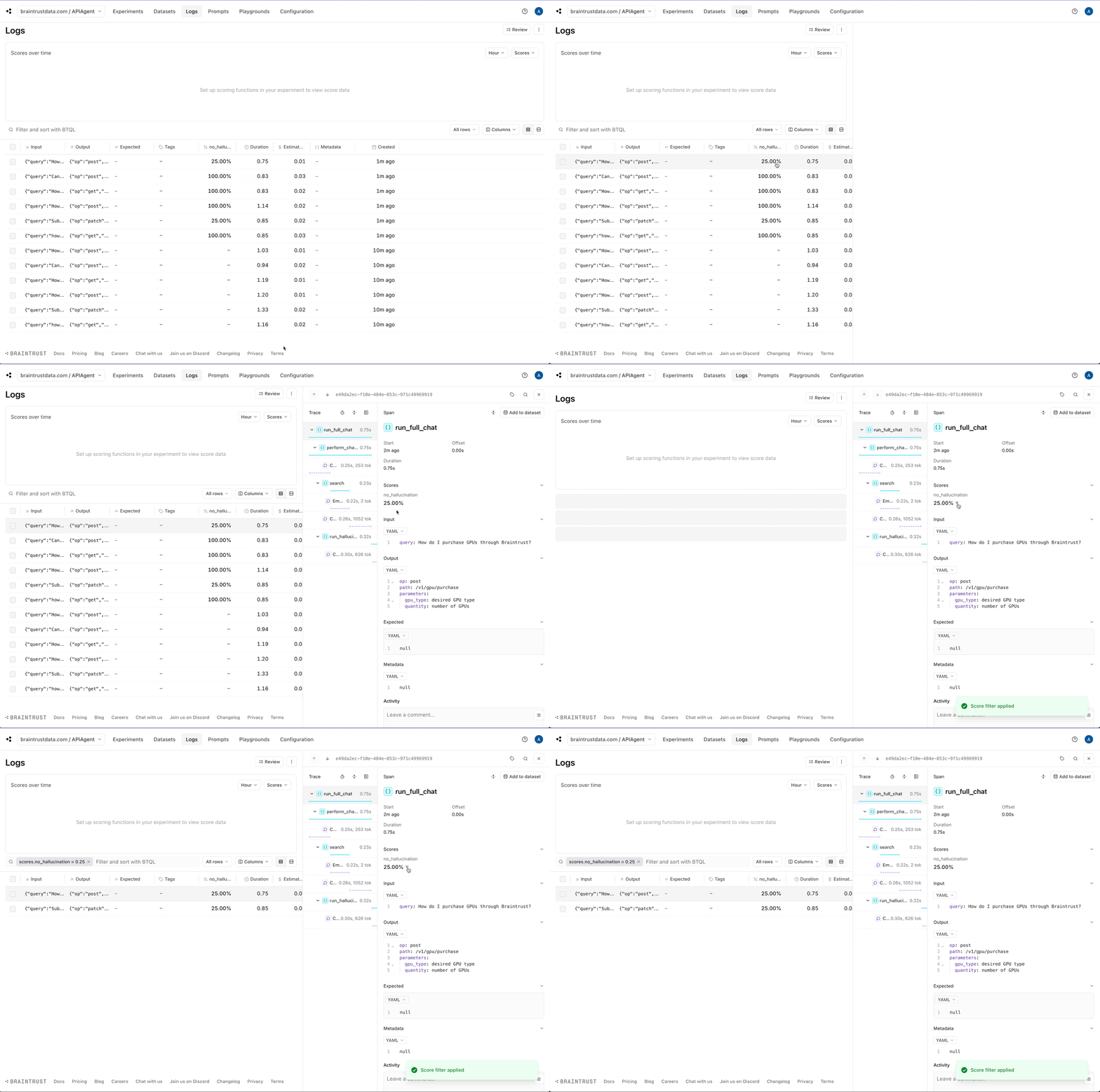
Although we can see each individual log, it would be helpful to automatically identify the logs that are likely halucinations. This will help us pick out examples that are useful to test. Braintrust comes with an open source library called autoevals that includes a bunch of evaluators as well as theLLMClassifier
abstraction that lets you create your own LLM-as-a-judge evaluators. Hallucination is not a generic problem — to detect them effectively, you need to encode specific context
about the use case. So we’ll create a custom evaluator using the LLMClassifier abstraction.
We’ll run the evaluator on each log in the background via an asyncio.create_task call.
no_hallucination score which we can use to filter down hallucinations.
Creating datasets
Let’s create two datasets: one for good answers and the other for hallucinations. To keep things simple, we’ll assume that the non-hallucinations are correct, but in a real-world scenario, you could collect user feedback and treat positively rated feedback as ground truth.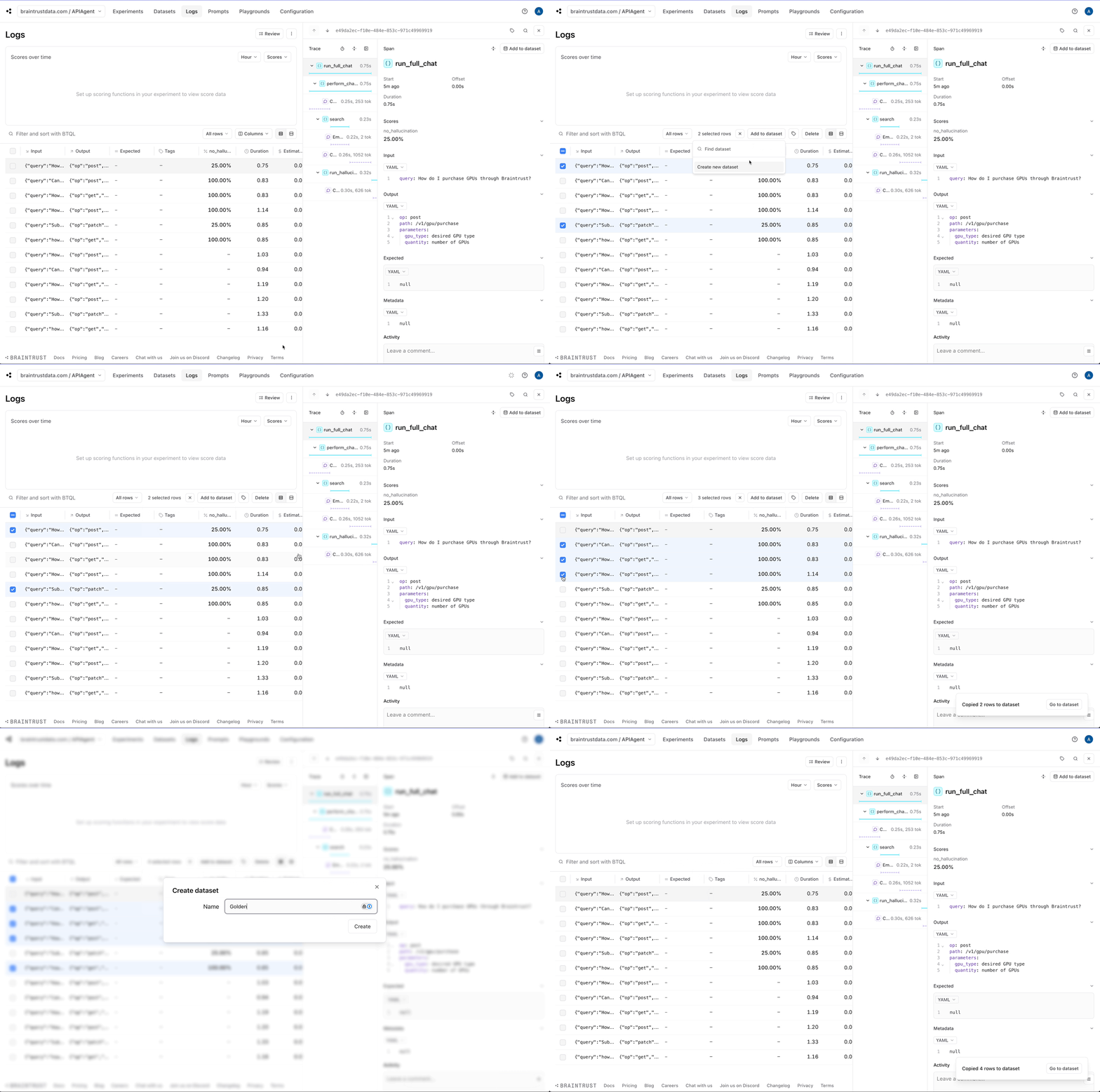
Running evals
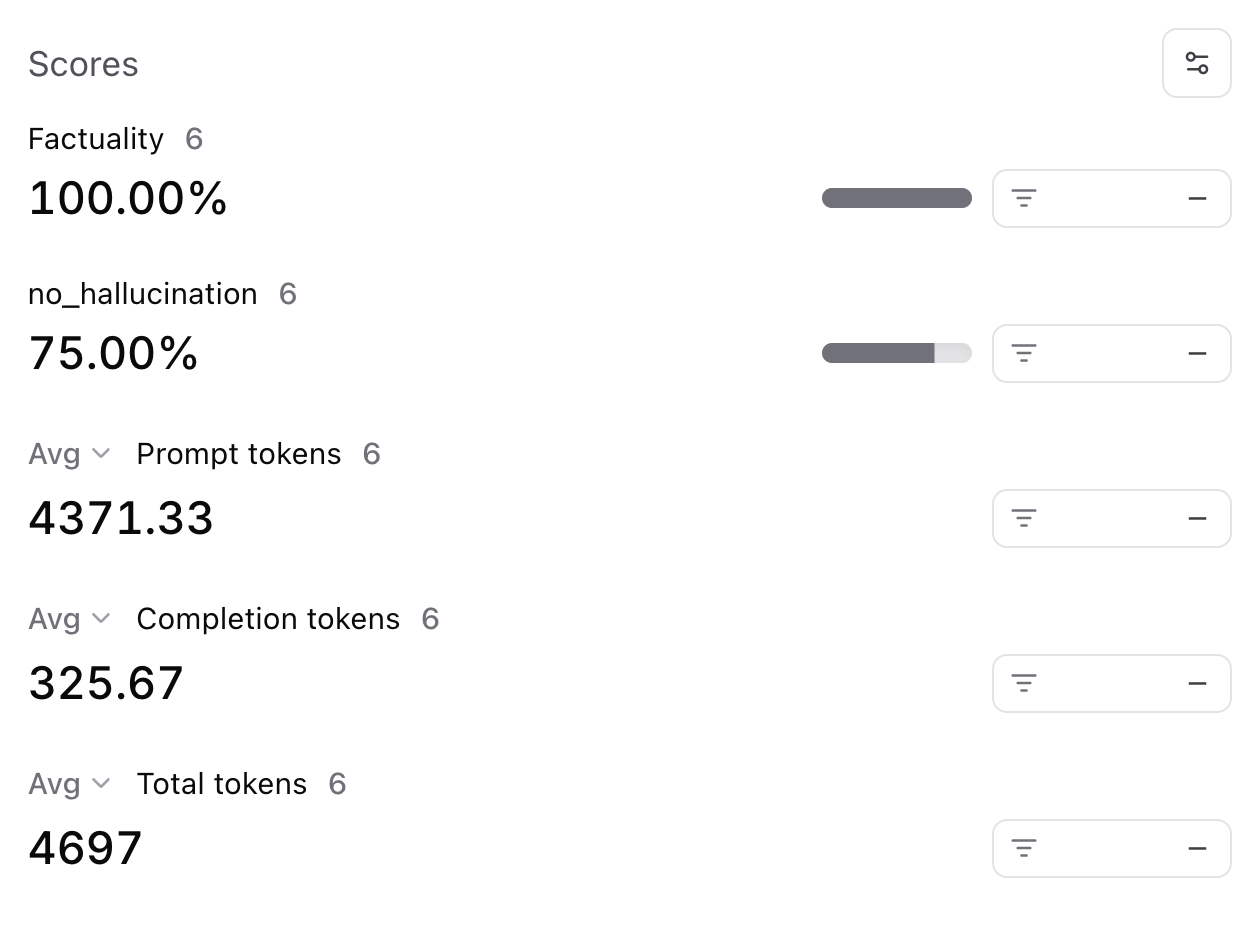
Now, let’s use the datasets we created to perform a baseline evaluation on our agent. Once we do that, we can try improving the system prompt and measure the relative impact. In Braintrust, an evaluation is incredibly simple to define. We have already done the hard work! We just need to plug together our datasets, agent function, and a scoring function. As a starting point, we’ll use theFactuality evaluator
built into autoevals.
Improving performance
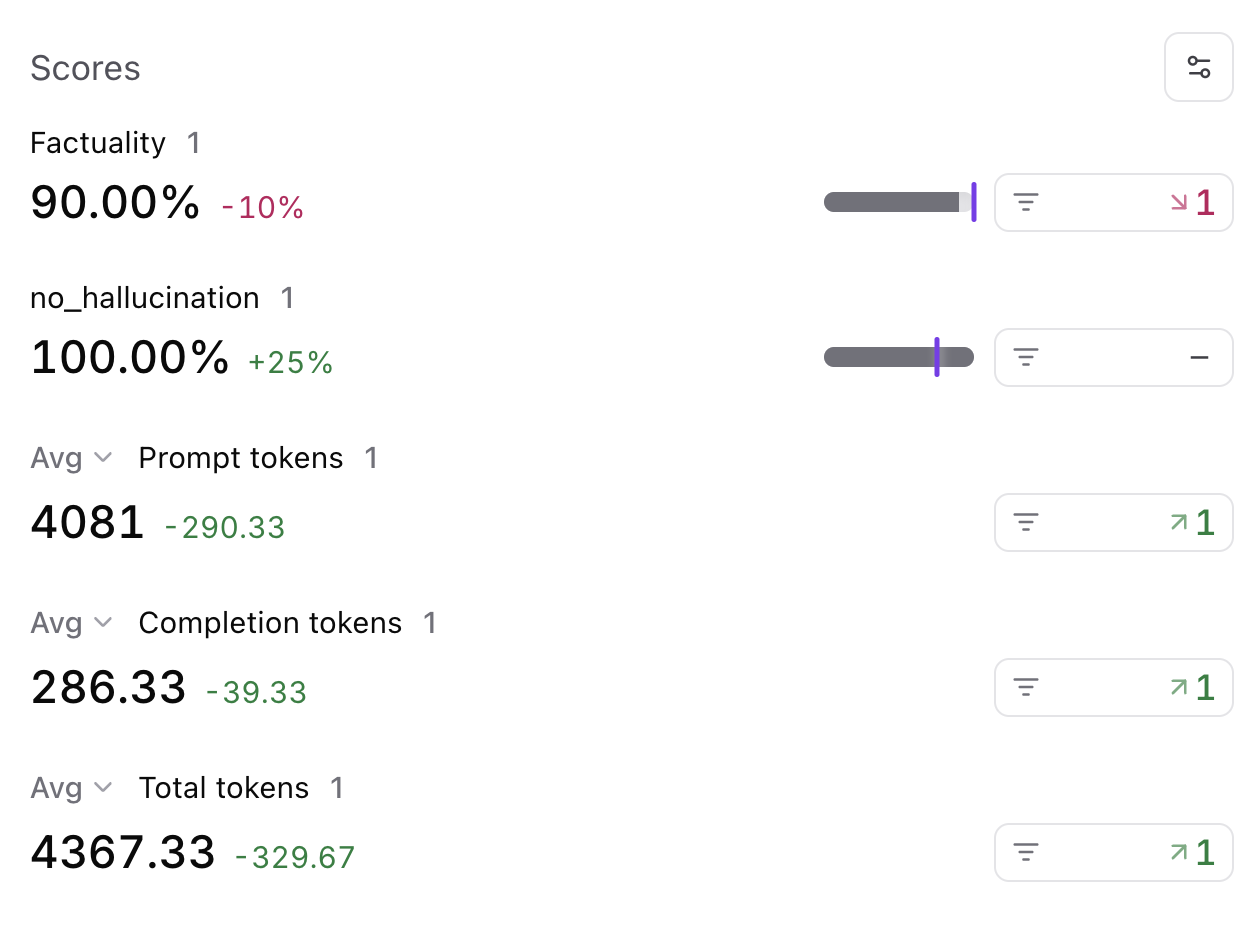
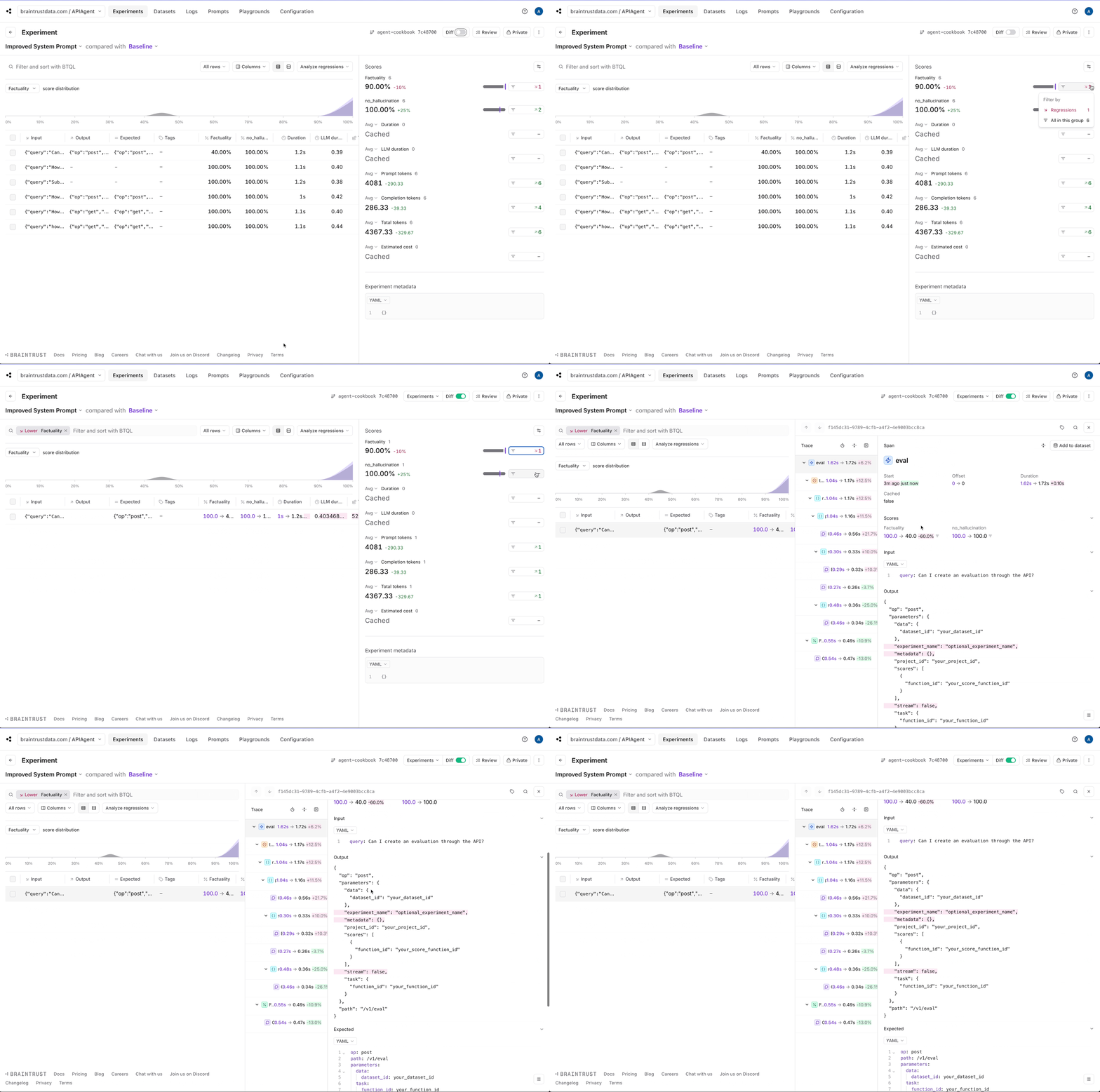
Next, let’s tweak the system prompt and see if we can get better results. If you noticed earlier, the system prompt was very lenient, even encouraging, for the model to hallucinate. Let’s reign in the wording and see what happens.Factuality metric:
Where to go from here
You now have a working agent that can search for API endpoints and generate API commands. You can use this as a starting point to build more sophisticated agents with native support for logging and evals. As a next step, you can:- Add more tools to the agent and actually run the API commands
- Build an interactive UI for testing the agent
- Collect user feedback and build a more robust eval set