Contributed by Tara Nagar on 2024-07-16
Evaluating a multi-turn chat assistant
This tutorial will walk through using Braintrust to evaluate a conversational, multi-turn chat assistant. These types of chat bots have become important parts of applications, acting as customer service agents, sales representatives, or travel agents, to name a few. As an owner of such an application, it’s important to be sure the bot provides value to the user. We will expand on this below, but the history and context of a conversation is crucial in being able to produce a good response. If you received a request to “Make a dinner reservation at 7pm” and you knew where, on what date, and for how many people, you could provide some assistance; otherwise, you’d need to ask for more information. Before starting, please make sure you have a Braintrust account. If you do not have one, you can sign up here.Installing dependencies
Begin by installing the necessary dependencies if you have not done so already.Inspecting the data
Let’s take a look at the small dataset prepared for this cookbook. You can find the full dataset in the accompanying dataset.ts file. Theassistant turns were generated using claude-3-5-sonnet-20240620.
Below is an example of a data point.
chat_historycontains the history of the conversation between the user and the assistantinputis the lastuserturn that will be sent in themessagesargument to the chat completionexpectedis the output expected from the chat completion given the input
chat_history, you would be able to answer the question (maybe after some quick research).
Running experiments
The key to running evals on a multi-turn conversation is to include the history of the chat in the chat completion request.Assistant with no chat history
To start, let’s see how the prompt performs when no chat history is provided. We’ll create a simple task function that returns the output from a chat completion.Scoring and running the eval
We’ll use theFactuality scoring function from the autoevals library to check how the output of the chat completion compares factually to the expected value.
We will also utilize trials by including the trialCount parameter in the Eval call. We expect the output of the chat completion to be non-deterministic, so running each input multiple times will give us a better sense of the “average” output.
Interpreting the results
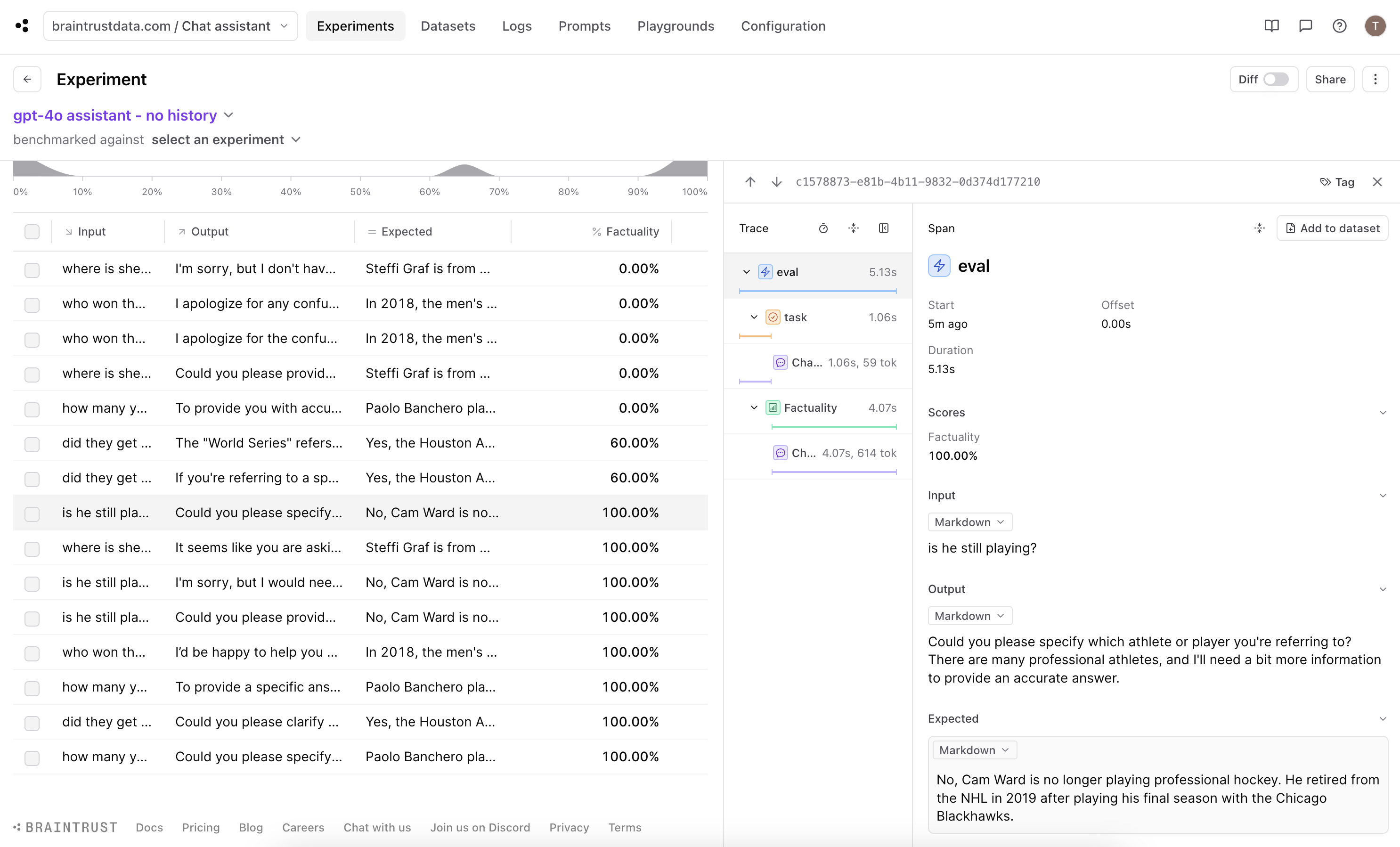
Could you please specify which athlete or player you're referring to? There are many professional athletes, and I'll need a bit more information to provide an accurate answer.
This aligns with our expectation, so let’s now look at how the score was determined.
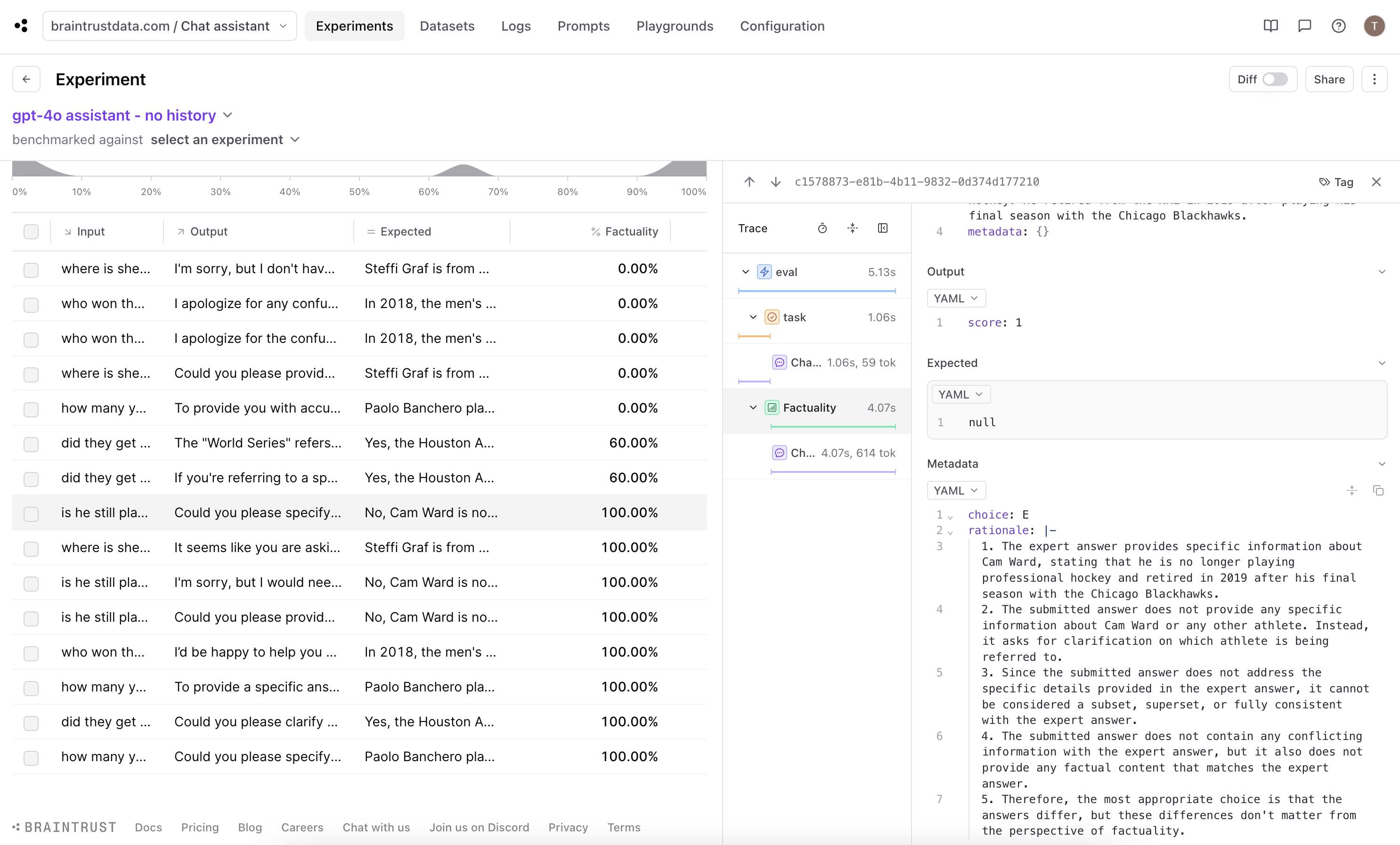
(E) The answers differ, but these differences don't matter from the perspective of factuality. which is technically correct, but we want to penalize the chat completion for not being able to produce a good response.
Improve scoring with a custom scorer
While Factuality is a good general purpose scorer, for our use case option (E) is not well aligned with our expectations. The best way to work around this is to customize the scoring function so that it produces a lower score for asking for more context or specificity.LLMClassifierFromSpec function to create our customer scorer to use in the eval function.
Read more about defining your own scorers in the documentation.
Re-running the eval
Let’s now use this updated scorer and run the experiment again.Interpreting the results
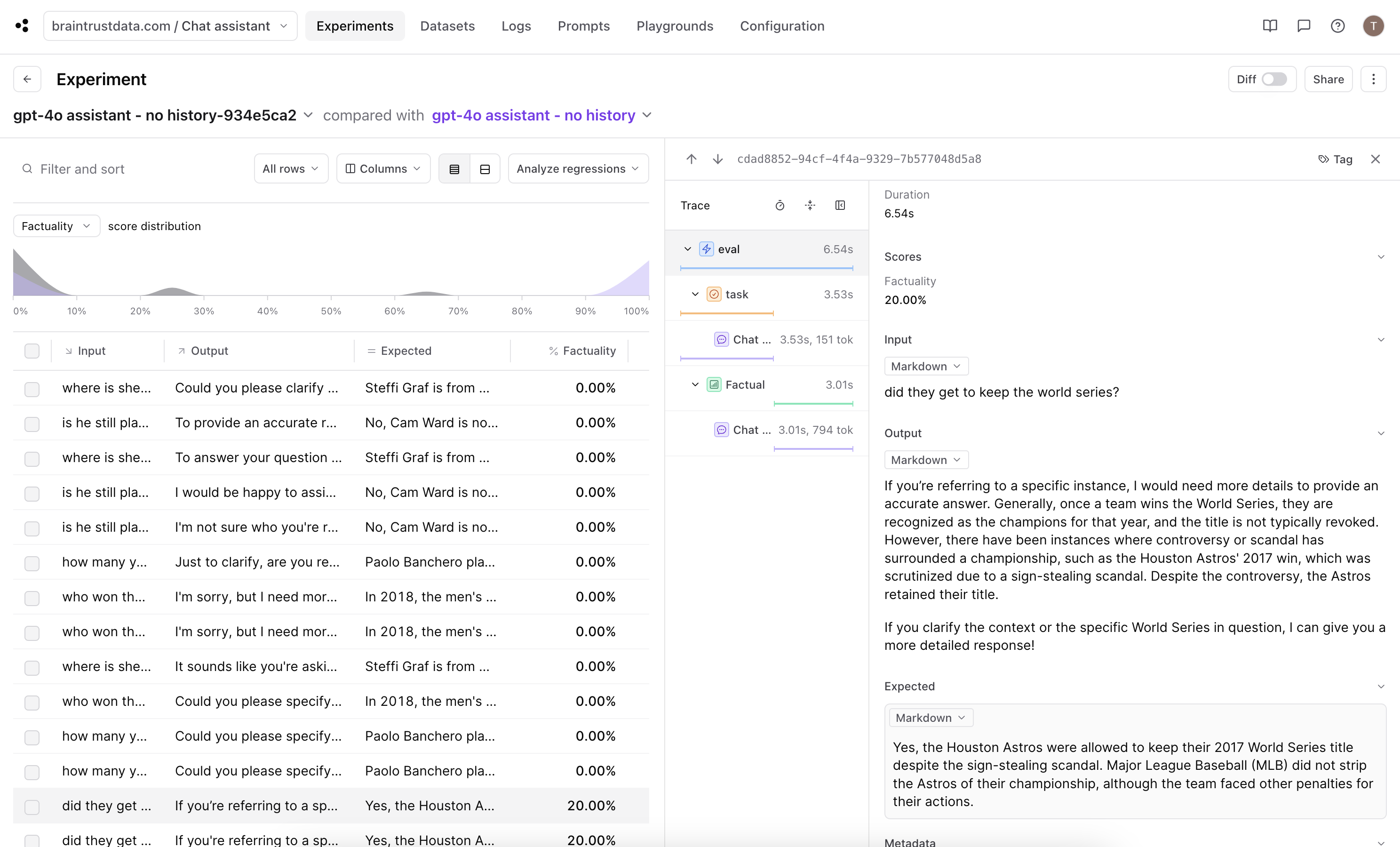
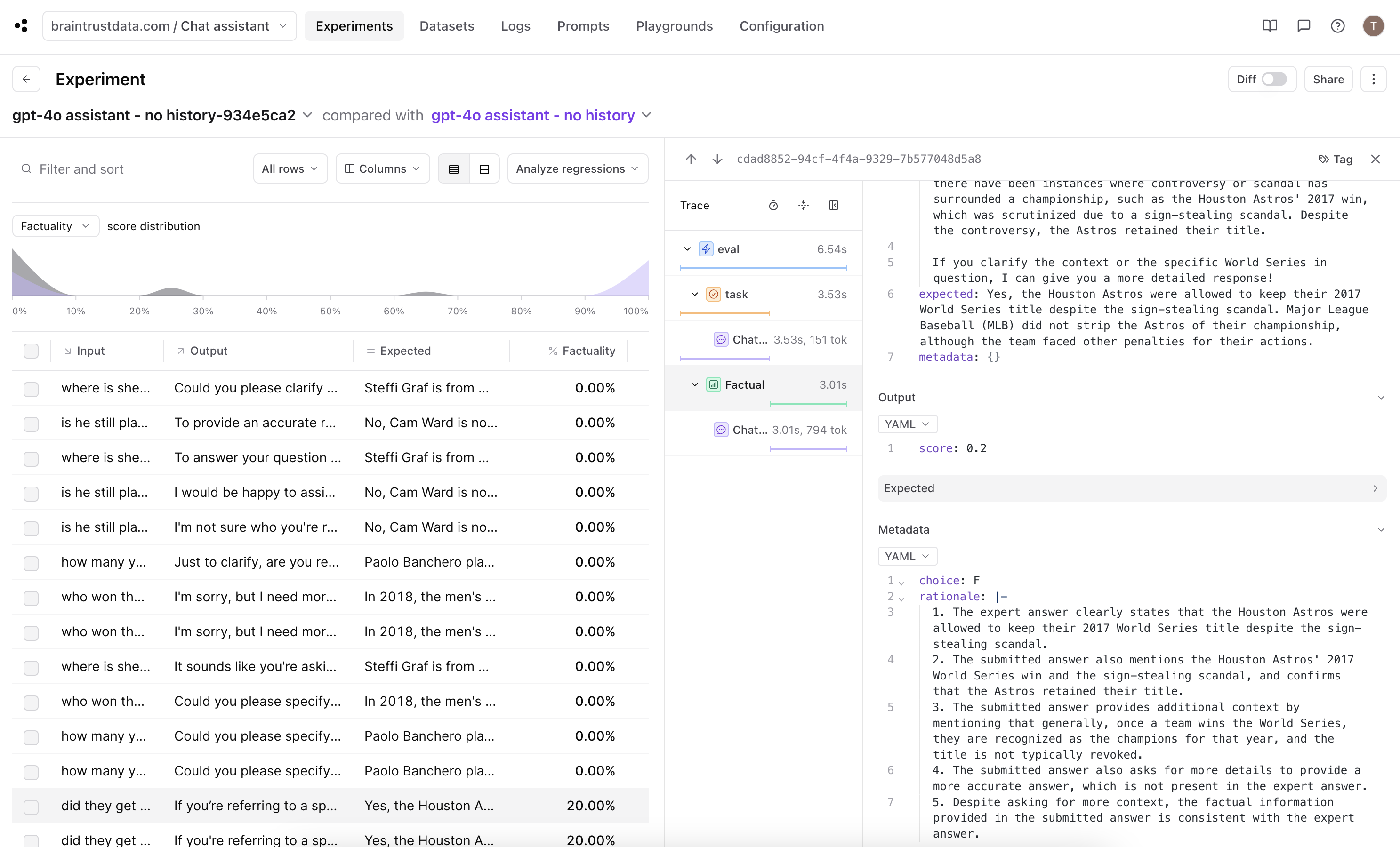
output fields in which the chat completion responses are requesting more context. In one of the experiment that had a non-zero score, we can see that the model asked for some clarification, but was able to understand from the question that the user was inquiring about a controversial World Series. Nice!
Assistant with chat history
Now let’s shift and see how providing the chat history improves the experiment.Update the data, task function and scorer function
We need to edit the inputs to theEval function so we can pass the chat history to the chat completion request.
input string and the chat_history array and add the chat_history into the messages array in the chat completion request, done here using the spread ... syntax.
We also need to update the experimentData and Factual function parameters to align with these changes.
Running the eval
Use the updated variables and functions to run a new eval.gpt-4o assistant - no history-934e5ca2 we ran. This is because by default, Braintrust uses the input field to match rows across experiments. From the dashboard, we can customize the comparison key (see docs) by going to the project configuration page.
Update experiment comparison for diff mode
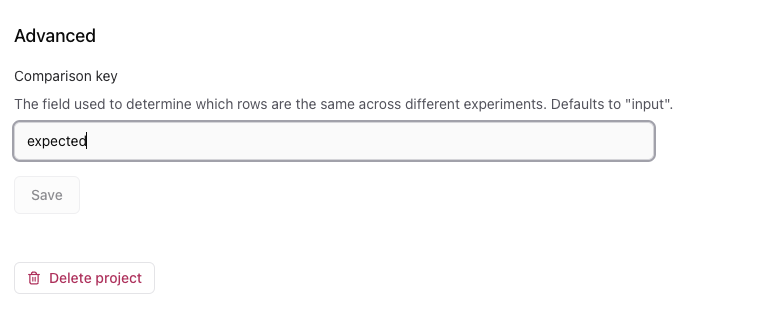
Let’s go back to the dashboard. For this cookbook, we can use theexpected field as the comparison key because this field is unique in our small dataset.
In the Configuration tab, go to the bottom of the page to update the comparison key:
Interpreting the results
Turn on diff mode using the toggle on the upper right of the table.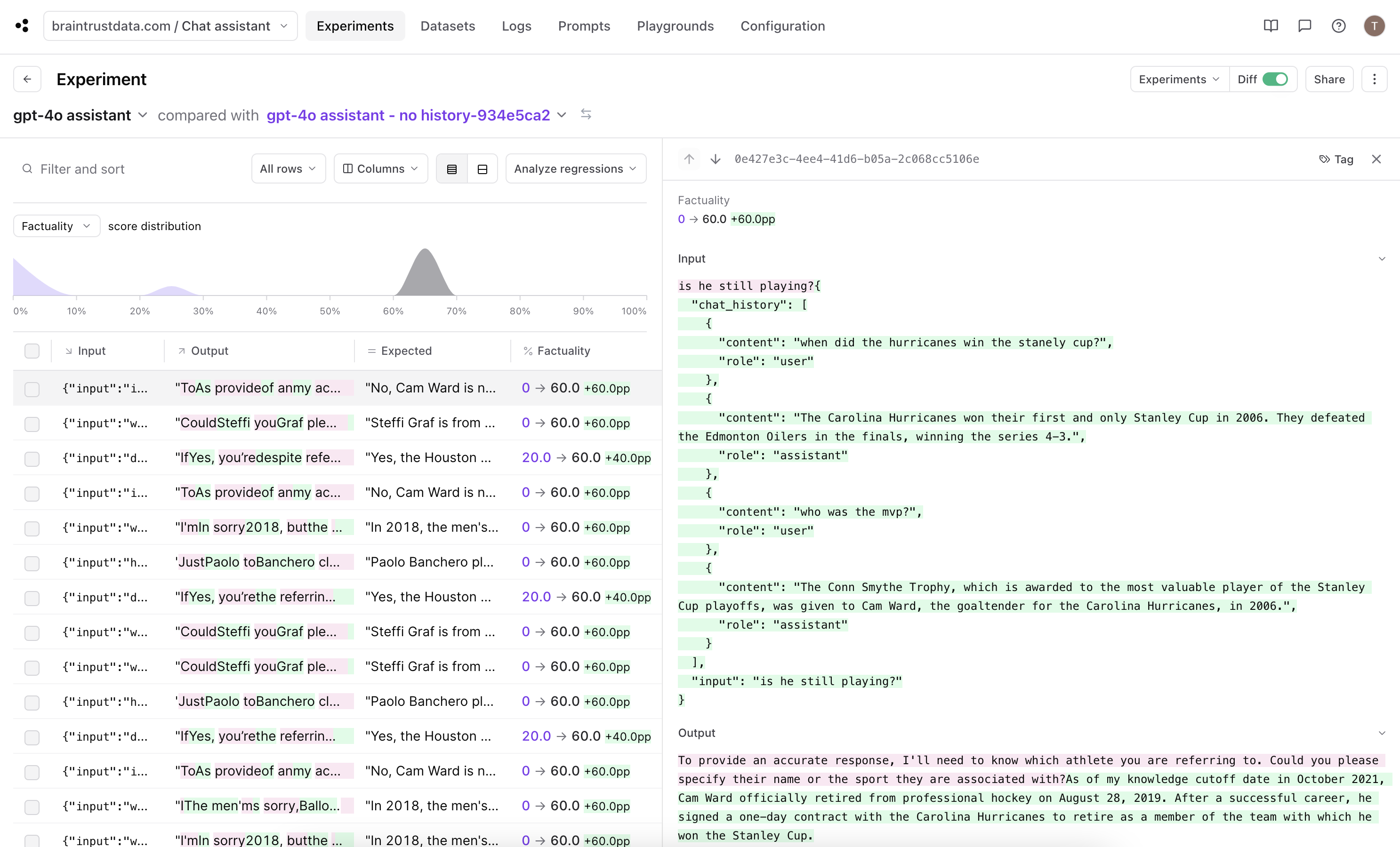
string to an object with input and chat_history fields.
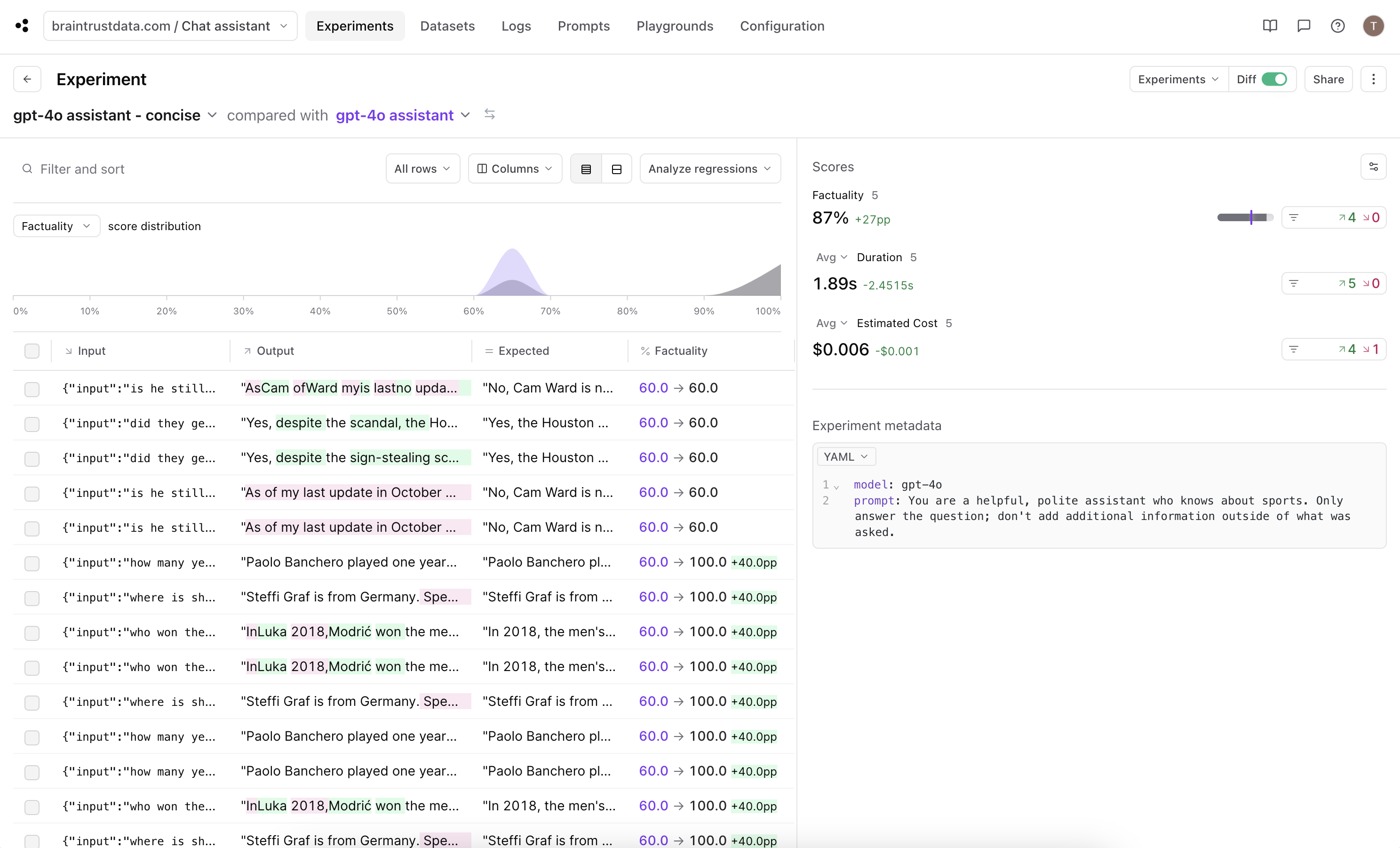
All of our rows scored 60% in this experiment. If we look into each trace, this means the submitted answer includes all the details from the expert answer with some additional information.
60% is an improvement from the previous run, but we can do better. Since it seems like the chat completion is always returning more than necessary, let’s see if we can tweak our prompt to have the output be more concise.
Improving the result
Let’s update the system prompt used in the chat completion request.system message to specify the output should be precise and then run the eval again.