Contributed by Ankur Goyal on 2023-08-12
This tutorial will teach you how to create an application that converts natural language questions into SQL queries, and then evaluating how well
the queries work. We’ll even make an improvement to the prompts, and evaluate the impact! By the time you finish this tutorial, you should be ready
to run your own experiments.
Before starting, please make sure that you have a Braintrust account. If you do not, please sign up.
Setting up the environment
The next few commands will install some libraries and include some helper code for the text2sql application. Feel free to copy/paste/tweak/reuse this code in your own tools.Exploring the data
In this section, we’ll take a look at the dataset and ground truth text/sql pairs to better understand the problem and data.human_readable field, it’s not valid SQL!
codegen_query function that turns it into executable SQL.
Running your first experiment
In this section, we’ll create our first experiment and analyze the results in Braintrust.Running an eval
To run an eval, we simply need to stitch together the pieces we’ve already created into theEval() function, which takes:
- The data you want to evaluate
- A
taskfunction that, given some input, returns an output - One or more scoring functions that evaluate the output.
BRAINTRUST_API_KEY in your environment.
Scoring functions
Next, we need to figure out how we’ll score the outputs. One way is to string compare the SQL queries. This is not a perfect signal, because two different query strings might return the correct result, but it is a useful signal about how different the generated query is from the ground truth.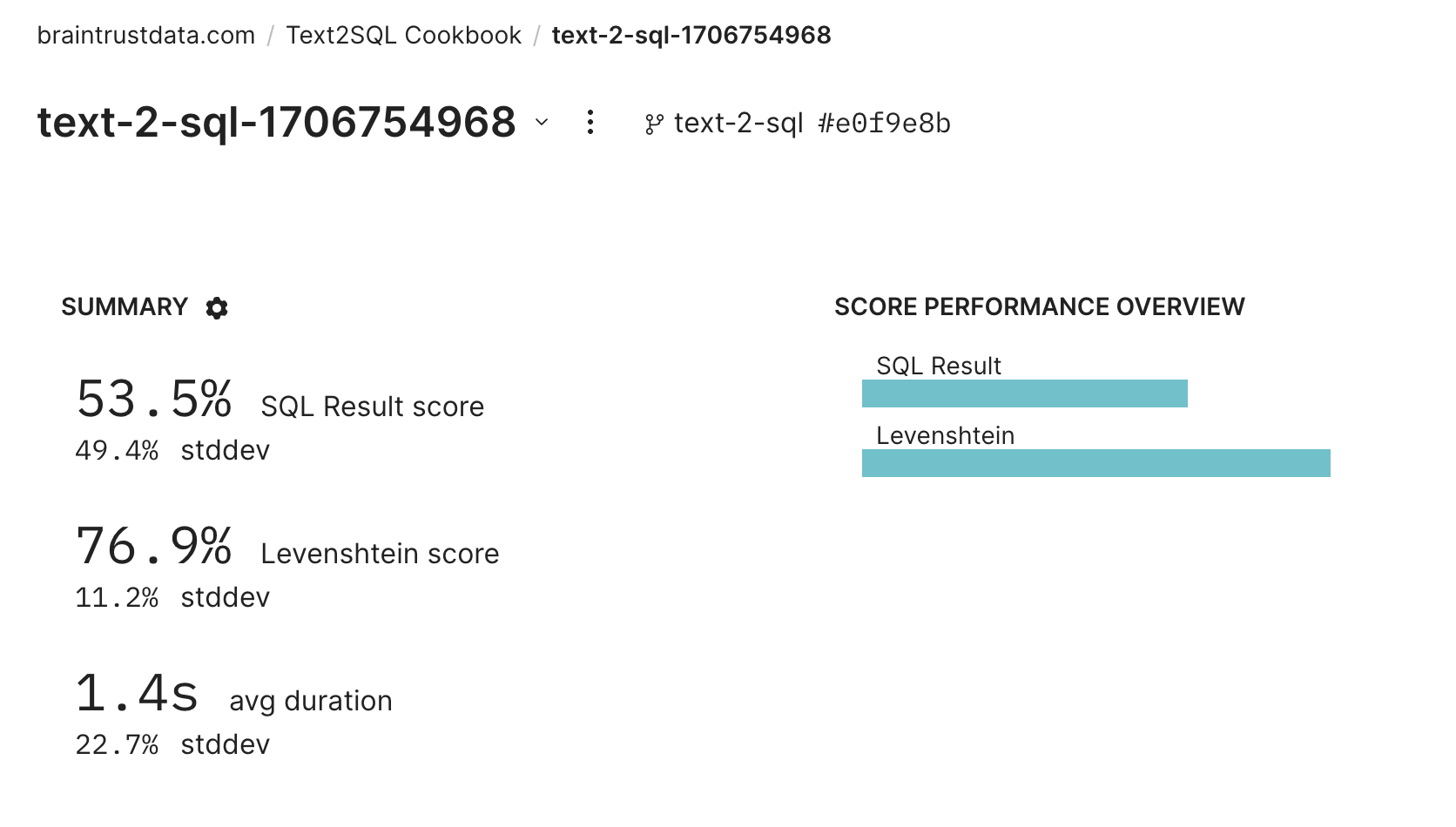
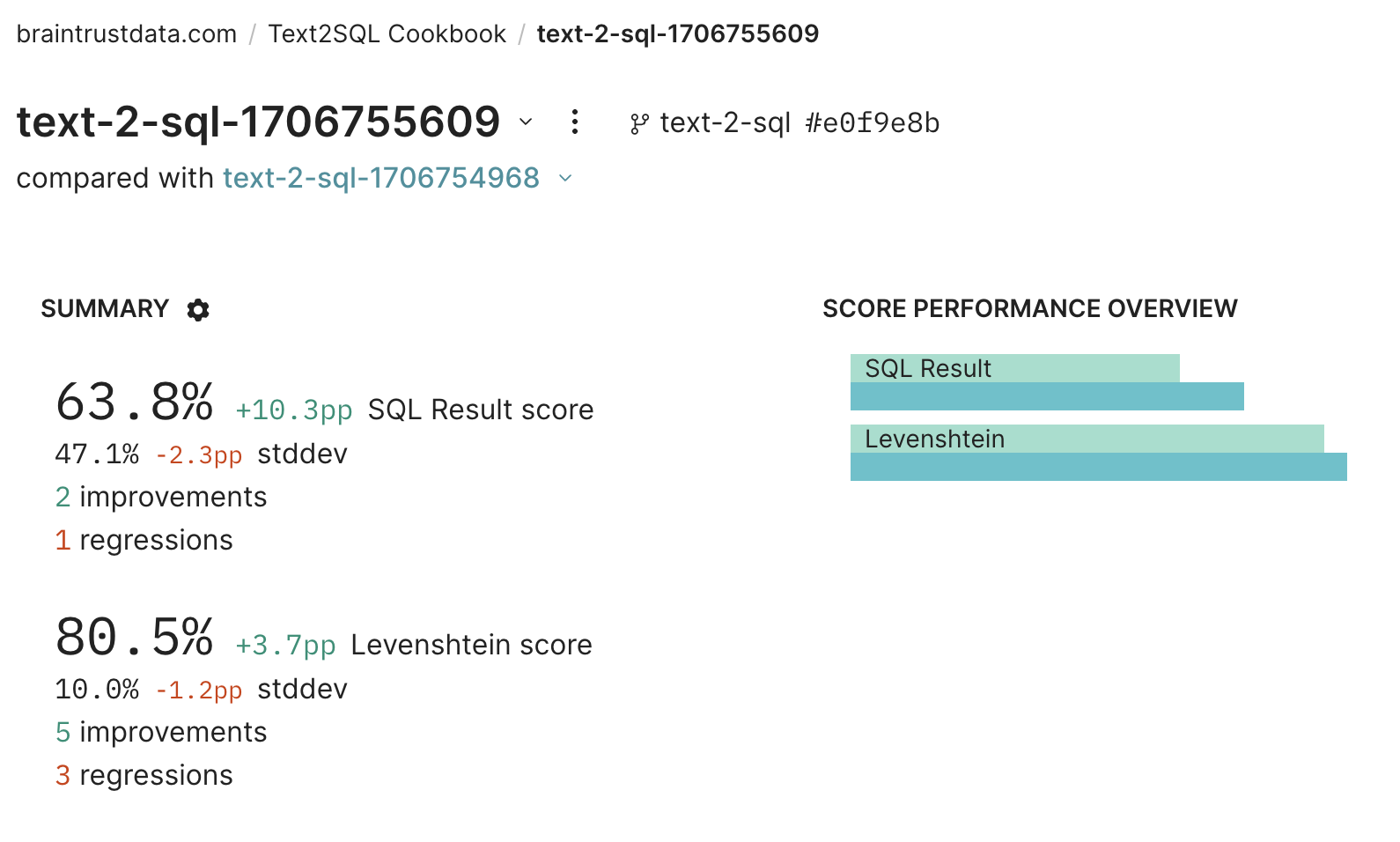
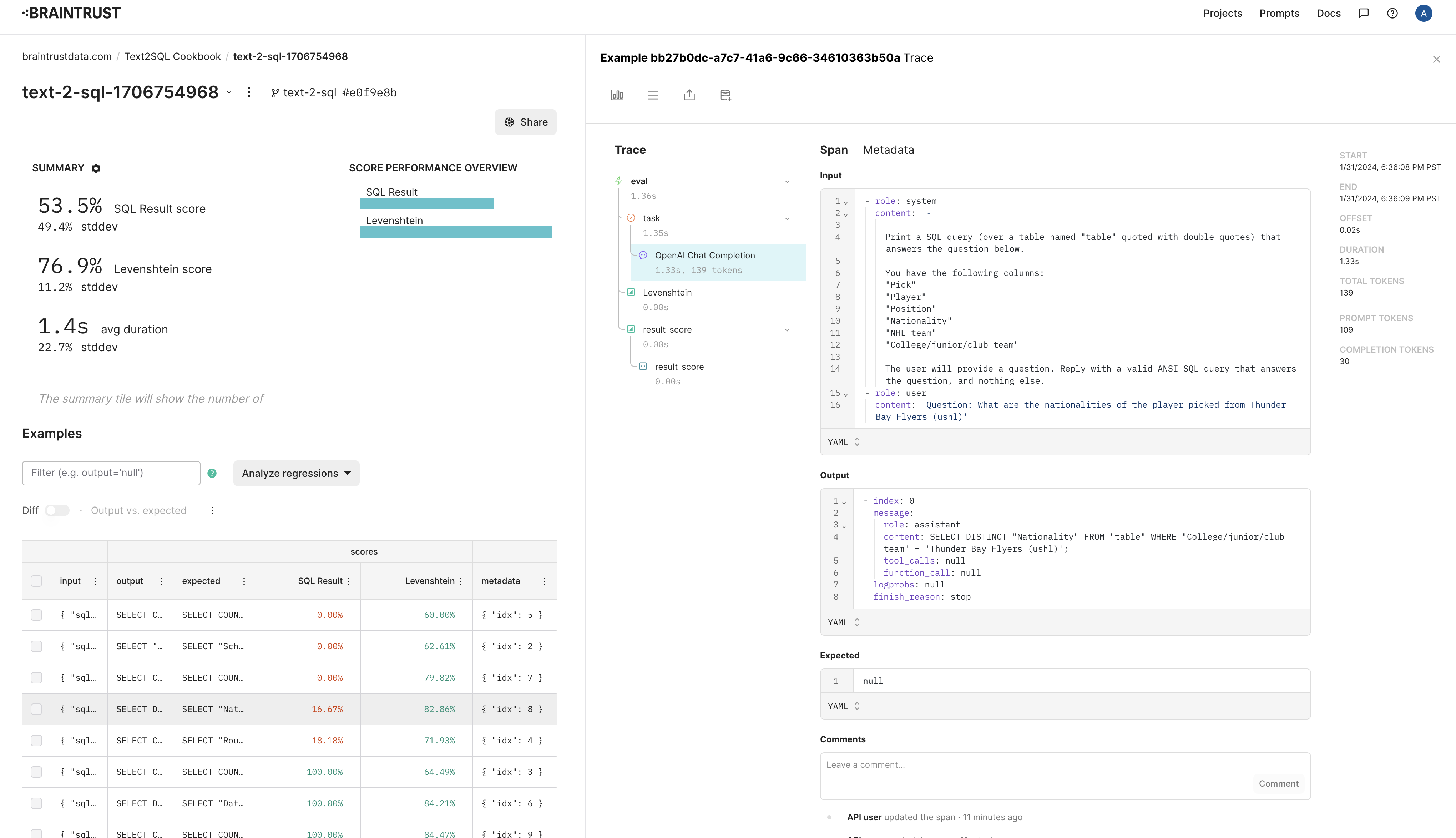
answer scores, etc. You should notice that idx=8 is one of the failures. Let’s debug it and see if we can improve the prompt.
Debugging a failure
We’ll first setidx=8 and reproduce the failure.
'ushl' is actually capitalized in the data. Let’s fix this by providing some sample data for each column: